What Is a Morning Brief?
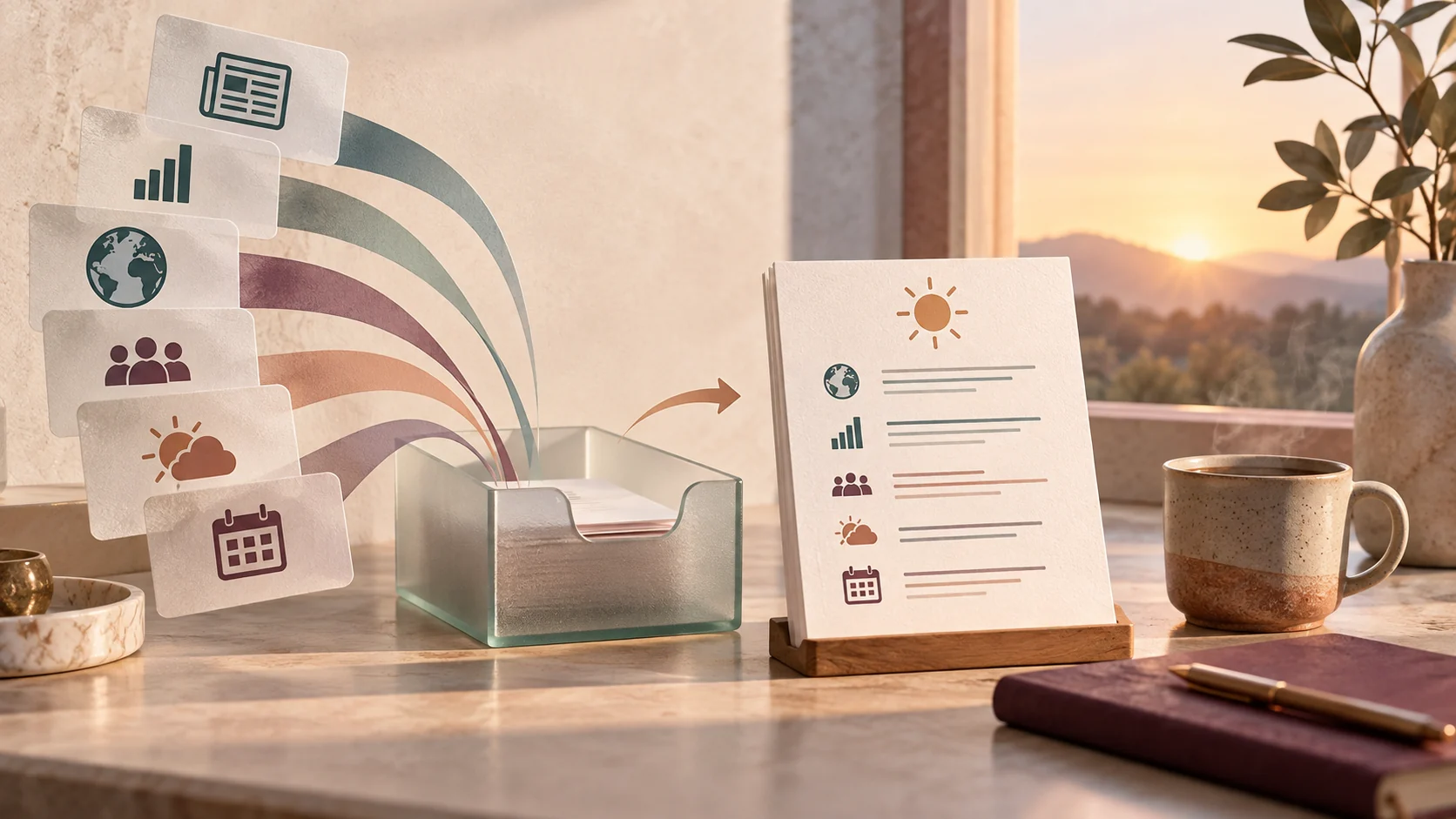
A morning brief is a compact overview of your upcoming day, delivered or reviewed before you open social media or messaging streams. Drawing its inspiration from executive and news summaries, its purpose is simple: give you full situational awareness in two minutes or less.
When you pick up your phone in the morning, the easiest default is reactive consumption. You tap into an endless email thread, glance at unread chat notifications, or watch short videos. By the time you sit down to work, your mind is juggling other people's emergencies before you have checked your own schedule.
A morning brief flips this dynamic. By viewing a curated outline of your appointments, weather, and key objectives first, you decide where your attention belongs before external pings claim it.
The Core Components of an Effective Brief
A morning brief should not become a miniature newspaper. If it takes longer than three minutes to read, it turns into another item on your reading backlog. Effective briefs stick to four fundamental sections:
- Calendar overview: First meeting time, any back-to-back blocks, and when your work day realistically ends.
- Weather and commute: Temperature, rain or snow expectations, and transit notes that dictate clothing or travel departure times.
- The daily top three: The one to three tasks that genuinely matter today, distinct from an endless to-do list.
- Personal heads-up: Essential personal chores, such as an upcoming prescription refill, an evening delivery, or family obligations.
Health authorities like the National Institute of Mental Health note that proactive self-care habits—such as setting boundaries around daily routines and managing stress triggers—can support overall wellbeing, though they do not substitute for clinical mental health care.
A Worked Example: From Scramble to Calm
To understand the difference in practice, consider two ways to begin a Tuesday:
Scenario A: The Reactive Default
Alex wakes at 7:00 AM, reaches for the nightstand, and opens a social app. Twenty minutes slip by. At 7:22 AM, Alex checks work chat and sees an urgent thread about a delayed design asset. Alex dashes out of bed, rushes a cup of coffee, and only discovers at 8:55 AM that a cross-functional alignment meeting starts at 9:00 AM—requiring a slide deck that is not open yet.
Scenario B: The Morning Brief
Jordan wakes at 7:00 AM and turns to a single morning brief note. It reads:
| Section | Summary Details |
|---|---|
| Weather | 54°F, breezy. Light jacket needed. |
| Commitments | 9:00 AM cross-functional review (deck ready); 1:30 PM 1-on-1; 4:00 PM quiet work block. |
| Priority Focus | Review and approve the engineering spec before 1:00 PM. |
| Personal | Drop off library book during lunch stroll. |
Jordan knows immediately that the morning starts promptly at 9:00 AM, dresses appropriately for the weather, and ignores secondary chat messages until after the opening review.
How to Deliver Your Morning Brief
You do not need complex enterprise software to run a morning brief. Several reliable methods match different preferences:
- Analog notebook: Write tomorrow morning's four lines on an index card before ending work each afternoon. It sits on your desk or nightstand waiting for you.
- Built-in phone routines: Apple Shortcuts (iOS) or Google Assistant routines can synthesize calendar events and weather into a morning lock-screen notification or spoken readout.
- Personal assistant services: Dedicated tools, such as the texting assistant from Folk, offer messaging-based summaries and conversational updates sent straight to your phone.
- Scheduled email or draft: A recurring template in your notes app (such as Apple Notes, Obsidian, or Notion) pinned to the top of your workspace.
Tradeoffs and Common Traps
Building a morning brief requires deliberate restraint. Watch out for these four common failure modes:
- Information overload: Packing in RSS feeds, stock tickers, and long news summaries. If reading the brief takes ten minutes, you are reading a newsletter, not orienting your day.
- Rigid perfectionism: Abandoning the habit because you missed two days in a row. A brief is a tool to serve your attention, not a test of moral discipline.
- Mixing tasks with backlogs: Listing twelve tasks instead of your top one to three. Long task lists belong in your project manager, not your morning brief.
- Notification creep: Letting brief notifications buzz your phone during quiet hours. Schedule delivery for the exact time you normally wake, or check it manually.
Creating Interactive Morning Artifacts with Super
When you want your morning routine to go beyond plain text, Super offers task-specific ways to structure your start. Instead of just returning a static chat message, Super can generate hosted, interactive morning dashboards that display your schedule, checklist, and quick links in a clean browser view. Super includes cloud sandboxes, browser automation, desktop and mobile clients, and a hosted MCP endpoint. If your daily workflow involves verifying external documents or pulling together multiple planning steps, an interactive hosted artifact keeps your morning focused and easy to navigate without distraction.
What to Do When Your Routine Derails
Routines break when travel, family emergencies, or sleepless nights interrupt your normal schedule. If you find yourself slipping back into morning scrolling, use this simple reset plan:
- Strip down to one line: For three days, write down only one item: your single most important meeting or task for the day.
- Move your charger: Charge your phone across the room or outside the bedroom to prevent automatic scrolling upon waking.
- Review the previous evening: Spend two minutes before shutdown jotting down tomorrow's core events so morning friction is eliminated.
Common questions
What is the ideal time to read a morning brief?
Read it within the first 15 to 30 minutes of waking, ideally before opening email, social networks, or work messaging channels.
How long should a morning brief take to read?
Between one and three minutes. If it takes longer, simplify the contents by removing secondary news feeds or extensive task lists.
Can I set up a morning brief without using any AI?
Yes. A paper index card filled out the evening before, a simple recurring template in Apple Notes, or built-in smartphone routine tools work smoothly without any AI software.
What is the difference between a morning brief and a to-do list?
A to-do list contains specific actionable tasks. A morning brief provides situational awareness, combining your schedule, weather, and top priorities so you understand the context of your day.
Editorial note: Super publishes this guide. Topic research includes Folk’s article on this topic. This is an independently written guide, not an affiliation or a tested product ranking. Product capabilities can change; review current documentation before choosing a service.