Reconcile the commitment
Read the receipt, period and owner. Normalize the comparison without hiding an annual upfront payment. Keep currencies and one-time switching cost separate.
Give every subscription a job. Compare the actual bill, preserve the outputs you need and take the next decision with evidence.
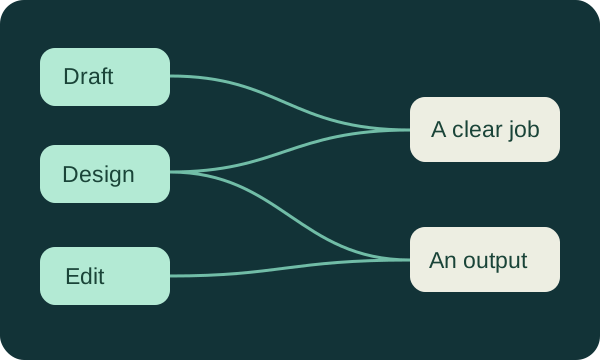 better decisions.
Annual commitments, seats and add-ons stay visible. Currency totals remain separate and every subscription is counted once.
Define your required tasks and connect tested providers. A proposed removal exposes the capability it would leave uncovered.
Preserve full notes, owners, source evidence and time observations in complete JSON, CSV and a readable audit packet.
This browser-only planning tool uses Decimal arithmetic, PapaParse, D3 and JSZip. Enter the complete charged amount for a billing period and the billed units. If the invoice already totals all seats or channels, use one unit. Connections represent your entered capability claims; they do not independently verify vendors. No account is connected or changed.
Loading local tool…
Each amount is period price × units ÷ months covered. Display totals are rounded to two decimal places after calculation. A recurring difference is a proposed future comparison, not a refund or confirmed saving.
Use keep, change or remove for the proposed stack. A change uses the full replacement amount, period and units; remove excludes only that future recurring row. Switching amounts remain a separate one-time cost. All fields stay editable.
Create IDs and specific output names, then enter those IDs in a subscription's semicolon-separated capability field. Multiple providers expose overlap to investigate. They do not automatically prove waste.
Dashed links show proposed removals. Full names and notes remain in the audit and report. The diagram does not allocate the same invoice to several features.
On a narrow screen, scroll the diagram sideways to read both columns. The complete coverage rows above remain readable without scrolling.
Use a stated observation period. Enter current and proposed minutes for each event, including extra review time. The difference can be negative. Mark estimates and observed measurements in the note.
Link an existing subscription ID, keep the complete reason and evidence, and set a calendar check date. A planning date here is not a provider-confirmed cancellation deadline.
JSON restores every entered field. CSV preserves all four tables and prefixes formula-leading cells for spreadsheet safety; JSON remains the exact text restoration format. The report includes full notes and reasons. The ZIP contains all of these, not your vendor projects or billing receipts. This page does not silently save across visits.
One intact invoice. One required output. One checked handoff. Keep those three together before making a real account change.
Read the receipt, period and owner. Normalize the comparison without hiding an annual upfront payment. Keep currencies and one-time switching cost separate.
Use the same source material. Inspect the actual downloaded output, correction effort and publishing account type. A feature name is only the start of the test.
Record the complete reason and the next check. Export the audit and the vendor's source projects separately. Reconcile the provider's next invoice after a real change.
Separate a source image from a finished thumbnail. Measure revision and context effort, rather than assume every model subscription is interchangeable.
Inspect the argument, captions and crop after extraction. Count the human review and complete export before comparing specialist and bundled tools.
Verify the exact account type, format and approval owner. A content calendar does not prove automatic publishing or successful delivery.
A thirty-two-second animated walkthrough uses fictional Harbor Notes entries to demonstrate the real workbench. It explains period amounts, proposed changes, required capabilities and complete restoration. It does not portray a real provider cancellation or forecast a result.
Read the complete period. Read the complete period. Enter the complete invoice amount, the months it covers and the billed units. If the receipt already totals all seats, use one unit. The fictional historical stack totals USD 119 per month; the listed prices are not current offers.
Make a proposed change. Make a proposed change. In this corrected fictional historical illustration, removing the 20, 10 and 25 rows reduces the normalized total by 55 and leaves 64. This is a future comparison, not a refund, a real cancellation or a guaranteed saving.
Keep the work covered. Keep the work covered. Check each required output against the remaining providers. The fictional clipper is the only provider linked to capability C04. Removing it leaves that required capability uncovered. A connection is your entered claim, not an independently verified vendor feature.
Export and restore the audit. Export and restore the audit. Download complete JSON, all four CSV tables and the report or ZIP. Reopen the JSON, review the record counts and apply it only when you want to replace the current audit. Full notes and decisions remain in the packet. The fictional time comparison is 60 minutes, not cash income.
Updated 7 October 2026. Independently written workflow guidance and documented current features, with the source example's arithmetic corrected. Product rankings are not independent benchmarks.
The best content stack is the smallest set of tools that reliably completes your real publishing workflow. Start with the jobs: drafting, visual design, audio and video production, and distribution. Then check the exact features, allowances, exports and account types you need. Two subscriptions can advertise the same capability and still serve different jobs. Equally, a bundle can already cover the task for which you are about to buy another product.
This guide combines an editable cost and capability workbench with a practical way to evaluate that difference. Enter your own invoices and proposed changes; the workbench calculates comparable monthly amounts by currency, reveals uncovered requirements and exports the complete audit. It does not contact a billing provider, cancel a subscription, predict your income or judge which model writes better. The accompanying video demonstrates the actual audit steps with a clearly labelled fictional creator.
Product information was checked on 7 October 2026. Prices are snapshots of the listed billing terms, before tax unless specified. Your invoice, region, app-store purchase, promotion, seat count and usage charges can differ. The historical figures discussed below are illustrations, not an estimate of what a typical creator necessarily spends.
Text includes scripts, outlines, rewrites, research notes, captions and titles. ChatGPT, Claude, Gemini and specialist writing products can overlap here. A text feature in a design product does not automatically provide the same research context, document handling or revision workflow as a general assistant. Test the output you actually need rather than compare marketing category names.
Images and design includes generating source images, editing photographs, removing backgrounds, making branded layouts and exporting thumbnails. These are separate operations. An image generator may produce a beautiful source picture while lacking the type hierarchy, layout controls, reusable components and export requirements of your thumbnail workflow. A design application can complement that generator rather than replace it.
Audio and video covers transcription, timeline editing, transcript editing, captions, clipping, synthetic speech, dubbing and generative footage. The bundle often looks redundant until you inspect the handoff: can it export an editable timeline, handle your speakers, preserve the intended framing and deliver the required resolution without an unexpected paywall? Add those as individual requirements instead of one broad “video” checkbox.
Scheduling and distribution covers drafting posts, queueing them, publishing to the exact account type, approval, republishing and reviewing results. A calendar is not an automated publisher. A scheduler that supports Instagram Business may not support your Creator account in the same way. Count actual destinations and account types, including notification-only publishing, before treating two schedulers as interchangeable.
The editorial decision sits above these jobs: what are you making, for whom, and why will they care? A model can help explore alternatives, but a larger list of plausible ideas is not the same as a stronger choice. Keep your audience evidence, constraints and acceptance criteria in the brief. Only then decide whether another production capability will remove a bottleneck.
In the workbench, capability names are editable. You might use “newsletter draft,” “thumbnail layout,” “caption correction,” “voice pickup” and “Instagram Business scheduling.” Those distinctions are often more useful than the four broad groups. Mark which are required in the current publishing cycle, then link the tools you have tested to them. A connection means you entered a capability claim; it is not an independent verification of the product.
A monthly equivalent is a comparison measure. An annual invoice divided by twelve is not a monthly payment, and cancelling an annual renewal does not usually recover the already-paid amount. Write down the charged amount for the whole billing period, how many months it covers, the number of billed units, the currency and the next renewal date. Use the receipt to decide whether a seat or channel charge has already been multiplied; otherwise you will count it twice.
For example, a fictional design subscription charges USD 144 for twelve months and one person. Its normalized amount is USD 12 per month. A hypothetical three-channel scheduler charging USD 6 per channel each month is USD 18 monthly. If you instead enter a receipt already totalling USD 18, set billed units to one. Both representations produce the same result, but mixing them produces a false USD 54 figure.
Keep currencies separate. A USD subscription and a GBP subscription are not addable without an exchange rate, date and conversion policy. This workbench intentionally reports each currency independently. It does not silently guess a foreign-exchange rate. If you prefer a common accounting currency, obtain the actual converted invoice amount and record that currency consistently, with the original receipt details in your note.
Usage charges deserve their own row: additional credits, API requests, extra seats, stock licences, storage and an AI allowance add-on may not be included in the headline plan price. For irregular purchases, use a clearly defined observation period rather than invent a recurring monthly charge. If three months of optional top-ups cost USD 27, a USD 9 monthly average describes that past period, not the provider's future promise. Leave unknown spending unknown until you have the receipt.
The proposed column is equally explicit. Keep uses the current terms; change uses the complete replacement billing amount and period you enter; remove excludes that row from the proposed future stack. Removal is a plan in this page, not a cancellation action. A switching expense appears separately as a one-time amount, so the future recurring total is not confused with the cost of migrating now.
Review the renewal date in the subscription owner's account. The date field here is a planning date, not a provider-confirmed deadline or a promise that a reminder cancels anything. If your contract requires notice, put the earlier notice date in the review record. Keep a receipt of your eventual change and reopen the provider account to confirm the next billing state.
Storyflow's cost-overlap article gives a seven-product example with these historical monthly amounts: ChatGPT 20, Claude 20, Notion AI 10, Canva 15, Midjourney 10, OpusClip 19 and Later 25. They sum to USD 119. These figures preserve the article's scenario; several are not the current plans listed in this guide.
Its proposed removals are Notion AI at 10, Later at 25 and Claude at 20. The arithmetic is 10 + 25 + 20 = 55, leaving 119 − 55 = 64. The article instead states a 47 saving and a 72 remainder. Both cannot follow from the named removals. We use 55 and 64 for the corrected illustration and do not present the example as our own measured customer outcome. Original example.
That discrepancy matters because a believable narrative can hide a calculation that never reconciles. Rebuild the result from line items, not the headline saving. The workbench's fictional starting audit uses this corrected historical scenario, so you can inspect every contribution and replace every price with your own. Its recommendation decisions are labelled sample decisions, not statements about what you should buy today.
The interesting exception in that scenario is the image specialist: it was used less often but retained for a distinct thumbnail style. Low usage alone is therefore insufficient grounds to remove a tool. A yearly book cover, a quarterly sponsor package or an emergency voice pickup can justify an infrequently used product. Write down the deliverable and the alternative before removing it.
The source's example returns to USD 104 after nine months as new individually appealing tools accumulate. That is a useful reason to make review recurring, but it is a source narrative rather than a measured result from our customers. Choose an interval that fits your renewal commitments and workload; ninety days is one sensible starting point, not a universal rule. Record the last review, the owner and the next review so a decision survives beyond the afternoon when you made it.
List the recurring outputs: a researched newsletter, a six-minute script, a short caption, or a revision of your archive. Give two products the same owned brief and source material. Record how many corrections, missing citations, tone changes and formatting repairs you make before publication. Include the time spent assembling context. The winning first draft may lose once you count cleanup.
Keep a second assistant when you can name a distinct job and observe its value: a different structural critique, a file format the first cannot handle, an approved client environment, or capacity during a deadline. Do not assume two subscriptions are necessary merely because their benchmark scores differ. Conversely, do not claim one product is universally stronger at long documents or voice; your task, model, context and revision habits determine that.
Notion now deserves an updated comparison. Its current documentation describes workspace-aware agents, connected search, meeting notes, files and image generation, with allowances and premium-model credits. Treating it as an optional USD 10 writing layer is an outdated purchasing model for many new accounts. If the surrounding workspace is doing useful work, removing its AI access may involve a plan change affecting other features. Notion AI documentation.
Run a small visual test with your own source files and a written style brief. Produce several thumbnails at the final size. Check typography, negative space, subject consistency, legibility when small, the approval process and the legal or privacy requirements of the assets. An attractive full-screen image that fails at feed size has not completed the job.
A separate image subscription earns its place when its workflow produces a repeatable deliverable you cannot conveniently get from your existing bundle. That might be controlled visual variation, a usable reference process, a specific editing operation or an approved private workflow. It is not enough to say the product is more enjoyable. Enjoyment can still be a legitimate personal expense; keep that reason separate from a claimed production saving.
Record the distinction as capability names: “generate source image,” “branded thumbnail layout” and “background removal.” A product serving only one can remain valuable even though another product advertises “images.” The capability graph should expose these distinctions rather than collapse them into a recommendation to cancel the cheapest or least-used row.
Transcript editing, extracting moments and assembling a designed short are different workflows. Use one real recording and make the same deliverable through each proposed replacement. Include upload, processing, correcting names, removing the wrong cut, reframing, adjusting captions, exporting and checking the downloaded file. If the product gives you a “virality” score, use it as one ordering hint; it does not prove that the clip is accurate, engaging or likely to reach an audience.
A weekly long-form publisher may have enough repeated clipping work to justify a specialist. A monthly publisher might batch a few clips manually or temporarily use a paid plan when a campaign needs it. Neither cadence proves the answer. A weekly interview with no useful standalone moments can be a poor clipping input; a monthly deep interview with an active distribution plan can justify substantial repurposing.
Check what your existing editor now includes. Descript lists Create Clips, while OpusClip's paid plans include editing and, on Pro, scheduling. The boundary is no longer simply “editor versus clipper.” Use actual quality and handoff measurements to decide how much duplication exists. Do not add every hour of claimed automation as cash income: only shipped work, a measured reduction in effort and a real commercial use support that interpretation.
Create a harmless test post or draft for each channel you actually maintain. Check whether publishing is automatic or a notification requiring a person, whether the target account type is supported, whether a carousel or short-form video survives the handoff, and whether approval belongs to the right teammate. A schedule feature somewhere in a paid bundle does not prove that it covers those requirements.
Canva's planner currently schedules a design to one platform at a time and has account, device and multi-design constraints. Buffer Free has up to three channels and ten queued posts per channel, which refill as posts publish. Those are useful options, but they do not mean four arbitrary channels or every content format is covered for free. Canva scheduling help, Buffer pricing.
Native scheduling can be the simplest alternative where the destination supports it. Include the time needed to log into multiple accounts, manage approvals and gather performance evidence. A paid scheduler can remain worthwhile for shared responsibility or channel-specific workflow even when it overlaps a bundled feature. Conversely, an analytics dashboard you never use to make a decision is not a compelling reason to retain a plan.
Observe a normal week. Each time you start a task in a tool, note the actual minutes spent rebuilding context: finding the brief, pasting the style guide, locating references, correcting the model's assumption and explaining a decision made elsewhere. Separate that from creating a useful new brief. The former is repeated overhead; the latter is real editorial work.
Six context restarts a week at five minutes each are thirty minutes weekly. Over four observed weeks that is 120 minutes, or two hours. Six restarts at ten minutes are four hours across four weeks. A year does not have exactly twelve four-week periods, so do not multiply a four-week observation into an unexplained annual claim. Use a named period and preserve its assumptions.
In the workbench's time log, enter current and proposed minutes for each recurring event and the number of events in your chosen period. The result is the difference between those two estimates or measurements, multiplied by events. It can be negative: a cheaper replacement may require more work. You can label the entry “observed” or “estimated” in its note; the calculation itself cannot determine which is true.
Build a compact project packet to reduce rebuilding: audience, output, constraints, approved facts, style references, decisions, source links and the next task. Store the latest version somewhere the relevant assistant can actually access. Projects, memory and connectors can help, but test permissions and source selection rather than assuming the entire project will always be included. A shared document with a clear version and owner can be sufficient.
The full workbench export includes your notes, capability assignments, time log and decision reasons. JSON restores the audit's editable state; the human-readable report helps a collaborator understand why you reached it. Neither export transfers a vendor's proprietary chat history or workspace. Obtain those source exports separately before downgrading anything that holds irreplaceable material.
Harbor Notes deliberately opens the ferry episode with a resident's disrupted commute, then delays the engineer's explanation until the viewer understands the stakes. An assistant might reorganize the same material into a neat chronological account of the repair. Both versions can read coherently, but the second can reveal the answer before the question matters. Ask for an alternative outline alongside a description of what changed; compare the reveal, pauses and conditional statements against your intended effect. The editor chooses the structure. A plausible rewrite is an option to inspect, not a reason to replace a deliberate creative decision.
The same boundary applies to visual taste and facts. Use the approved thumbnail series as a reference, then inspect whether a generated variation still looks like Harbor Notes at feed size. Maya should not publish an invented reopening date, component specification or repair cost merely because it makes the script sound complete. If she cannot verify a claim against the engineer's source or another suitable source, she removes it, labels the uncertainty or obtains the missing evidence before release. Fact-checking time belongs in the comparison of tools; an attractive first draft that creates more unchecked claims can be the slower workflow.
Give automation a narrower task when the answer can be checked. For a second-language caption track, supply the approved transcript and a glossary of ferry-component names, ask for a translation that preserves the conditional reopening statement, and have a competent reviewer check meaning, names and timing against the original. For a summary, ask for the repair decisions and unresolved questions from an owned interview, retaining source timestamps so Maya can inspect every claim. For variations, request three introductions to the already-approved argument rather than a hundred unrelated episode ideas. Transcription, reviewed captions and mechanical resizing or repurposing can remove labour while leaving the editorial decision explicit. These are proposed trials, not a claim that this workbench performs translation or edits footage.
To evaluate Claude or another assistant beyond one polished paragraph, Harbor Notes can provide its own six approved episode transcripts and a short voice guide. Ask it to identify recurring audience questions, distinguish questions the series has already answered from genuinely unresolved ones, and propose a next episode supported by quoted source passages or timestamps. Review the underlying passages, then revise a complete newsletter using the same packet. Record context setup, mistaken attributions, voice corrections and the final usable result in the audit note. This tests an actual back-catalogue job without assuming that one vendor always handles long documents better. Only upload material you can appropriately share, verify the account's file limits and source access, and keep your original archive separately; the audit JSON contains your decision record, not those transcripts.
This sequence follows planning, drafting, design, editing, repurposing, voice and distribution. It is not a league table. A later tool is not inherently worse, and none of the workflow suggestions below is a measured head-to-head benchmark.
Use a visual planning surface when the actual problem is scattered references, unclear decisions or repeated context setup. Current Storyflow pricing lists paid early access, free participation for invited collaborators, a future Free plan, canvas-aware AI, generated working boards and image generation on Pro and Max. Its annual individual prices are Plus USD 95.88, Pro 168 and Max 468, equivalent to 7.99, 14 and 39 monthly; the yearly cash payment remains upfront. Image cleanup features also appear in current documentation, so describing it as having no production features at all would be misleading. Storyflow pricing and features.
For your own trial, build the same real brief and verify that the assistant uses its actual references. Check whether saved decisions remain retrievable and whether exports retain the information your collaborator needs. The source article's “one Tactic and three documents” context claim is a dated description, not a cap verified in the current pricing page. We do not embed it as a fixed tool limit. Planning value must still justify an additional invoice; deleting an unused existing plan can be more useful than adding another workspace.
A useful Storyflow trial should exercise the canvas rather than merely ask for another prose answer. Put the approved interview reference, audience promise and deliverables on the board, attach the relevant source file in chat, and ask for a ferry-episode plan with cards, headings, owners and an explicit unresolved-question area. Current documentation describes generated working boards staged as proposals that you accept or discard. Inspect whether the proposed structure preserves the source's uncertainty before accepting it. Then use an available Tactic as a framework: the original demonstrates typing @ in chat to choose one, while current pricing describes a library of more than 200 creative templates and canvas-element @-mentions. Choose the actual available framework in your account and ask which parts of the supplied brief support each step; do not treat the framework as new factual evidence. Finally, request a mindmap of the existing board connecting the interview, audience problem, required outputs and unresolved approval. Check that the connections come from your material rather than invented dependencies. These are suggested verification steps, not a report that we executed a paid vendor trial.
Keep three kinds of context separate when pricing that trial. Access to the current canvas helps the assistant use material on the board now. Attachments and explicit @-mentions direct it to a particular source or element. Cross-conversation memory is a further feature that the current pricing page assigns to Pro and Max; Max additionally describes access to the team's shared boards. A Plus canvas workflow should therefore not be sold as the same memory entitlement. Test a later conversation with a known prior decision, ask which source supports it and correct stale recollections rather than assume every session inherits everything. The article's older one-Tactic/three-document limit remains unverified as a current cap. Check actual allowance and permissions in your account, export the trial board or document and compare the setup time with the project packet you already use. Current Storyflow canvas, Tactics and memory documentation.
ChatGPT Plus is listed at USD 20 monthly in official plan documentation. An existing account may already have the capabilities needed for drafting, visual assistance or file-based work, but available models and limits change. Account access, subscription usage and separately billed API usage are different things. A chat subscription is not an unlimited API budget. Official OpenAI plan documentation.
Trial it with the same brief you use in your other assistant. Ask for the specific finished draft, its unresolved factual questions and sources you can inspect. For visuals, check the actual design handoff instead of counting an image generation button as complete thumbnail production. Keep research verification, brand judgement and final publication responsibility with the editor. If a competing assistant does a distinct required job better in your trial, record that evidence rather than assume broad bundling makes it redundant.
Claude Pro currently lists USD 20 billed monthly or USD 200 upfront annually; the card rounds the annual monthly equivalent to 17, while 200 divided by twelve is approximately 16.67. The plan now spans more than text alone, including projects, files and other work surfaces. Avoid the old comparison that simply assumes it has no broader creation capabilities. Usage is shared across several surfaces and can be limited; paid usage credits are a separate consideration. Claude pricing.
For a newsletter or substantial script, test whether it maintains your intended voice after you supply references and complete several revision rounds. Time the full process. A second assistant can be a deliberate critique workflow; it is not automatically USD 20 of waste. Conversely, two nearly identical subscriptions with no distinct actual outputs deserve review. Compare the final acceptable work rather than an impressive first paragraph.
Canva's current US annual page lists Pro at USD 144 for one person and Business at USD 250 per person. It includes design and video tools, with social scheduling on paid plans, while some AI tools share an allowance and optional AI Pass or top-ups can add cost. The old flat USD 15 monthly illustration is not the annual payment quoted here. Canva pricing.
Evaluate it as a finished-layout workflow: can a collaborator modify the thumbnail, maintain the typography and export the required formats? Inspect premium assets and the exact account permissions used for publishing. If your work requires specialist editing or a different aesthetic process, a bundled feature can coexist with that specialist. Avoid blanket claims that every specialist is better; compare the narrow job and the resulting asset. Confirm current sharing and scheduling options in your own account before cancelling another publisher.
Descript's current Hobbyist card shows USD 24 month to month or 16 monthly on annual terms, with ten media hours and 400 AI credits per month. Creator shows 35 month to month or 24 on annual terms, with thirty media hours and 800 credits. Included tools can consume allowances; Creator has top-up access. Its workflow includes text-based editing, captions and Create Clips, so it already overlaps parts of repurposing. Descript plans.
Test a difficult real passage: two speakers, an incorrect proper noun and a cut that must preserve the argument. Check timing and framing after you edit the transcript. For a regular spoken-word show, the integrated workflow may replace several separate tasks. For silent montage work, it may not be your main editing surface. Do not treat media-hour allowances, AI credits and export resolution as one interchangeable limit.
The current page lists Starter at USD 15 billed monthly with 150 credits, and Pro at 29 monthly or USD 174 billed annually with 300 monthly credits. Pro includes a scheduler and other editing and export functions. Free lists sixty credits, watermarking, no editing and a three-day exportability window for clips. That is a usable evaluation route with meaningful limits, not an unrestricted free substitute. OpusClip pricing.
Time the review as well as the extraction. Check whether the chosen moment has enough context, whether subtitles alter a quote and whether reframing hides the important action. A score is not a guaranteed outcome. With weekly long-form releases, repeated extraction can be worth testing; with occasional releases, compare a batch workflow or manual edit. Verify credit consumption and retention before relying on an old project as your archive.
ElevenLabs currently lists regular monthly Starter at USD 6 and Creator at 22, alongside temporary first-month promotions. Its pricing documentation also lists image and video among the products sharing credits; the old description of it as offering nothing beyond voice is outdated. Annual terms and commercial-use entitlement differ from the headline promotional rate. ElevenLabs pricing.
The production question is whether it can solve a specific narration, dubbing or pickup problem with the required approval and rights. Verify pronunciation, tone, language and consent for the actual voice. Budget for repeated takes and review. If you do not need the distinct voice workflow, the low monthly price alone is not a reason to subscribe. If you already use its broader product bundle, include those capabilities in the audit instead of pretending the bill is entirely attributable to narration.
Buffer Free currently covers up to three channels and ten queued posts per channel for one user. Essentials starts at USD 60 yearly for one channel, a USD 5 monthly equivalent, while Team adds team and approval capabilities at a higher per-channel cost. Actual totals depend on channel count and billing selection, with volume pricing beyond the standard tiers. Buffer plans.
Try the actual destination account and format. Shared approvals, account ownership or a useful analytics workflow can justify a paid scheduler even where a design bundle also schedules. Native publishing can be simpler for a small solo workflow. Do not assert that paid analytics are universally shallow or never useful: write down the decision they enable. A dashboard earns its place when its information changes the work, not merely because it exists.
Midjourney is a distinct visual workflow worth testing when consistency or controlled style is part of the output. Its current plans include video as well as images: Basic and Standard are USD 10 and 30 monthly, or 96 and 288 upfront annually. Privacy and usage rights are plan-specific; Stealth is reserved for higher tiers. Do not repeat an old “images and nothing else” description. Midjourney plan comparison.
CapCut can provide a useful editing route, but free users can encounter a Pro requirement when exporting projects containing premium resources or settings. Verify the downloaded result on the actual platform and account you will use; previewing a paid feature does not prove free export. Check the cover as well as timeline assets when removing paid elements. CapCut export guidance, removing premium elements.
Gemini, Jasper, Copy.ai, Writesonic and Notion can enter the text comparison. Ideogram, Adobe Firefly, Recraft, Krea and Figma can enter the image or design comparison. Veed, Runway and your existing nonlinear editor may cover video tasks. Later, Hootsuite, Metricool and Repurpose.io may be relevant distribution workflows. These are options to investigate, not a claim that they share identical current features or prices. Add only the capabilities verified for your actual plan; a product name alone should not create a capability link in your audit.
Check your existing Adobe or workspace subscription before buying a feature separately. Also include storage, the microphone, a backup drive, a stock licence, payment fees and occasional outsourced editing in the wider production budget. They are not all AI subscriptions, but reducing one AI invoice while creating a larger avoidable export or migration expense is not an improvement.
A weekly newsletter may begin with a free general assistant and a document editor. Upgrade only when a repeatable writing, capacity or source-handling problem prevents acceptable work. A paid writing assistant at around USD 20 is a possible route, not proof that every newsletter needs it. Images, publication hosting and email delivery have their own requirements and bills, so “one text subscription” is not the whole business budget.
A weekly long-form video plus clips needs a reliable editor first. Test transcript editing if the show is driven by speech, then compare a specialist clipper against the editor's own extraction workflow. Use a design tool only for the layout work you actually need. A broad assistant, monthly Hobbyist Descript and Starter OpusClip would be USD 20 + 24 + 15 = 59 at the listed terms, before design, tax and extras. If you add annual Canva Pro, normalized cost becomes 71 while the design payment is USD 144 upfront. That combination is an example of current arithmetic, not a recommendation for every channel.
A daily short-form visual creator may benefit most from editing and reusable design assets, with a free assistant for occasional drafts. Test a complete export before calling that stack free. A weekly podcaster might benefit from transcript editing and a voice pickup workflow, but a voice subscription is unnecessary if a good rerecording is easier and appropriate. Descript Hobbyist monthly plus ElevenLabs regular Starter would be 24 + 6 = 30 before other expenses; annual equivalents and promotions are different billing cases.
A creator with a strong visual identity should compare a repeatable visual workflow, whether specialist generation, photographs, reusable design templates or commissioned work. A branded series does not mandate one image vendor. A creator working across several formats should start by unifying the brief and responsibility for decisions; several tools can coexist when their handoffs are explicit. Buying a planning surface is optional. A clear shared document may solve the same organizational problem at lower cost.
Compare three architectures, rather than pretend there is one correct price: a minimal stack with existing and verified free tools; a working stack with one carefully tested paid upgrade for each real bottleneck; and a specialist stack with distinct recurring output requirements. List every line item. A “full” stack can be appropriate for a small specialist workflow, while a seemingly affordable stack can still duplicate unused features.
For a transparent reconstruction, the original's historical stack columns used the following USD monthly-equivalent amounts. This preserves the dated comparison and exposes its arithmetic; it is not a current offer or proof that every free route completes your required output.
| Job | Historical minimal | Historical working | Historical full |
|---|---|---|---|
| Text | 0 | 20 | 40 |
| Images and layout | 0 | 15 | 35 |
| Editing and clips | 0 | 19 | 48 |
| Voice | 0 | 5 | 22 |
| Scheduling | 0 | 0 | 18 |
| Planning | 0 | 7.99 | 14 |
| Reconciled total | 0 | 66.99 | 177 |
The working total rounds to 67, while the full total is 177. The editing row assumes the paid editing option in the working illustration; choosing the alternative free editor changes that total. Replace every dated amount with the applicable current invoice or quote, keep annual upfront terms visible and verify the actual free export. Adding optional planning or voice to a working stack should remain an explicit choice rather than an unexamined requirement.
Start by gathering invoices and identifying the owner of each account. Set the observation period for usage and context-switching measurements. An hour can be a useful first review session, but a trial of a complex editor may take longer. Do not let the timebox force a cancellation before you have checked the output and exports.
Enter the subscriptions in the workbench. Use complete period prices, currency and units. Add the capabilities required for this publishing cycle and connect the tested providers. Record the last actual deliverable, not just whether you clicked the application. If several products cover one requirement, inspect the distinct output or convenience each contributes.
Create a proposed change only after checking a replacement. Remove an unused duplicate, change a tier or keep a specialist with a clear reason. Confirm that your proposal leaves every required capability served. Read the provider's renewal and downgrade consequences. Export original projects, assets and reference material separately where needed; the audit packet is not a vendor backup.
Review the measured time change alongside the recurring cost change. If the cheaper plan costs an extra three hours every month, decide whether that trade is acceptable for your workload. An hourly value can help your own planning, but time recovered is not revenue automatically earned. Keep switching cost and future recurring cost in separate columns.
Export the report and complete JSON state. Assign an owner to any real account change, a date for confirming it and a next review. Keep the actual cancellation or downgrade receipt. Reopen the next invoice when it arrives to verify the outcome. The workbench intentionally cannot execute any of these billing actions.
The following examples describe Harbor Notes, a fictional weekly interview channel preparing an episode on repairing a local ferry. They demonstrate reusable planning structures, not templates that the workbench automatically imports into another vendor. Names, accounts, amounts and deliverables are fictional.
Place “Ferry repair episode” at the centre. Add branches for source interview, final script, thumbnail, three clips, narration correction and distribution. Under script put “approved engineering terms; source timestamp retained.” Under thumbnail put “blue ferry, recognizable masthead, readable at feed size.” Under clips put “each needs the question plus answer, reviewed captions and intact safety context.” Under distribution put “YouTube long-form, Shorts and an Instagram Business account.” Connect the actual trialled products to these leaves rather than to the vague word AI. An unconnected required leaf becomes an audit action; a product connected only to unused leaves becomes a review candidate.
Opening: the ferry is out of service, and residents describe the longer commute. Evidence: the engineer explains the corroded bracket using an approved diagram. Turn: replacing the visible part is not sufficient because the mounting inspection changes the schedule. Resolution: the operator states what is confirmed and what remains uncertain. The editor keeps the conditional explanation intact. A short clip may isolate the mounting inspection only if its preceding question makes the answer understandable; the AI score cannot override that editorial rule. Source checks and the final wording are owned by Maya, the fictional editor.
Campaign goal: help existing viewers understand why the repair timeline is conditional, without claiming a guaranteed reopening. Assets: one interview episode, three reviewed clips, one thumbnail and a text summary. Channels: YouTube, Shorts and Instagram Business. Maya approves the technical explanation; Leo checks captions and framing; Priya confirms the connected publishing account and preview. The approval record includes the actual filename and version. The audit's scheduling requirement is “publish these formats to these account types,” not “any tool with a calendar.” A test draft is checked before a scheduler is proposed for removal.
Audience: residents and practical engineering enthusiasts. Promise: clear explanations with sources and uncertainty left visible. Voice: precise, calm and conversational. Visual rules: navy masthead, one ferry image, no dramatic accident imagery and no invented before-and-after proof. Three thumbnails form the comparison set. A specialist is retained only if the tested process gives a coherent series or another required output without unacceptable editing effort. If existing layout templates and photographs do the job, Harbor Notes can avoid a separate generator. This is an output criterion, not loyalty to a brand.
Frame one shows the dock and the opening question. Frame two shows the approved bracket diagram with its source. Frame three holds the engineer's conditional answer; the editor adds captions after checking the proper noun. Frame four returns to the operator's confirmed next step and the uncertainty statement. Each frame records asset owner, filename, licence or permission, intended crop and caption check. A voice pickup is an explicit optional task only if the recording cannot be rerecorded appropriately. Editing, clipping, layout and narration remain distinct capability leaves in the audit.
The project packet contains the audience promise, approved episode outline, engineer's source timestamp, the operator's approved statement, visual reference contact sheet, account-type checklist and decisions. One dated decision says “retain the specialist this cycle to finish the already-approved three-thumbnail series; retest after release.” Another says “review the unused scheduler after Priya verifies the replacement account.” Each decision has owner, evidence, next check and reversal condition. A new assistant receives the packet's current version and the specific next task. This reduces guessing and repeated context work without assuming every tool automatically sees every file.
Choose tools that complete your actual outputs: a general assistant where useful, a design workflow, an editor suited to the format and publishing that supports your accounts. The eight reviewed products serve different stages. Start with an existing or free route, make a real deliverable and add a paid plan only when you can identify the problem it resolves.
There is no defensible universal amount without your cadence, output requirements and existing subscriptions. Compare a complete itemized budget against your actual workload. Free tiers can be sufficient for some creators, while paid plans can be worthwhile before a creator has income. A monthly equivalent is not the cash commitment of an annual contract; keep those measures separate.
Text, image and distribution features commonly appear in several bundles, but the amount of useful duplication depends on the exact job and your plan. Map specific capabilities, such as thumbnail layout or caption correction. Multiple connections flag a question to investigate; they do not prove the corresponding invoices are all waste.
Keep both if they perform distinct required tasks or a tested critique workflow that justifies the total cost. Otherwise compare a complete revision cycle in each and consider retaining one. Broad claims about which always writes better do not establish your result, and included usage or separate credits can affect the budget.
It can be if your own trial demonstrates a distinct visual workflow, style control or required output. Compare the finished thumbnail series, review effort, privacy and usage rights. Existing photographs and layout templates may also meet the requirement. Image generation alone is not proof that another product's complete workflow has been replaced.
The cheapest viable stack uses existing and verified free tools that finish the required export and publishing path. Verify the output, account type, watermark, resolution and usage allowance. A preview or a trial is not evidence of an unrestricted permanent free workflow. Include storage and other production expenses separately.
Review an unused duplicate first, then inspect its distinct deliverable, project exports and renewal terms. Low frequency does not make a quarterly task unnecessary. A cancellation decision should have an owner and evidence that the remaining workflow still covers the requirement. This workbench creates a proposed scenario and cannot cancel an account.
It can cover parts of design, image cleanup, video and scheduling, depending on your plan and workflow. Test the exact finished asset and destination. Current AI allowances, optional add-ons and scheduling constraints matter. Do not assume a bundled feature replaces every specialist or works with every account type.
It can add more alternatives to judge, more facts to verify and more context to rebuild. Measure the complete task, including corrections and export checks. Keep the final editorial decision anchored in audience evidence. Drafting, transcription and variations are promising trials when you can inspect the result; automatic acceptance can create rework.
Not necessarily. Current Notion documentation describes broader workspace-aware capabilities and access through Business and Enterprise with allowances, rather than the old simple writing-only add-on assumption. Compare the workspace job, current invoice and consequences of a plan change. An integrated workflow may be useful even when you also own a general assistant.
Maintain one current project packet with the audience, sources, style references, decisions and next task. Verify that the assistant can access the intended material and permissions. Record context setup time before and after the change. Memory or a connector can help, but availability is not proof that the correct source was used.
They can be when repeated extraction plus review is faster and useful for your distribution plan. Test the same recording against your existing editor. Include correcting captions, context, framing and exporting. A high automated score is not a performance guarantee, and a weekly cadence alone does not establish that useful clips exist.
It is a visual planning and AI workspace with some generation features, including images on Pro and Max and canvas-aware board creation documented in its current pricing page. Treating it as having no generation at all would be too broad. Verify any required video, voice or automated publishing workflow directly rather than infer it from a board or content calendar.
At the checked date, its pricing page describes paid early access, a Free plan coming before the end of 2026 and no-cost participation for invited collaborators of paid members. Those are different routes. The annual individual prices are paid upfront. Recheck the provider's current page before making a purchasing decision.
Set a recurring review tied to renewals and your publishing cycle. Ninety days is a useful starting example, while an annual commitment may need an earlier notice check. Keep owner, last decision, evidence and next review date. Reconcile the next invoice after a real change rather than assume the projected saving happened.
Yes: quotas, export restrictions, premium elements, account types and queue depth can interrupt the workflow. Run a normal busy session and a complete output test. Upgrade because an observed constraint prevents work you need, not because an arbitrary number of limit messages proves the subscription is worthwhile.
Not as written. The listed starting prices total 119, and the named removals total 55, leaving 64. We retain that source scenario as a corrected dated illustration. It is not a current invoice set, a measured customer result or a promise that you will save the same amount.
No. A yearly charge can have a lower normalized monthly equivalent while requiring more cash now. Read the full annual amount and refund terms. The workbench compares equivalents but also preserves period amount and months, so the upfront commitment remains visible in the editable record and exports.
The workbench reports each currency separately and does not invent an exchange rate. If you need one accounting currency, use the actual converted invoice or a documented conversion policy outside this page. Preserve the source currency and conversion details in the note so another reviewer can reproduce the result.
No. It counts each subscription once in the recurring total and shows capability connections separately. Splitting the full invoice into every capability would double-count cost. The graph is a map of your entered claims, not an allocation of dollars or an automatic verdict on duplication.
It is the difference between your current and proposed normalized recurring costs within each currency. It is not a refund, an account change or confirmed cash recovered. One-time switching expense is separate, and required capabilities left uncovered remain visible. Real savings need confirmation in the next provider invoice.
No. It operates on the entries and files you provide locally in the browser. It has no connection to provider billing accounts. Use the actual subscription owner's account for a real change and keep its confirmation. The exported audit explains your proposal; it is not authority to execute it.
Export the full JSON for exact editable restoration, the CSV tables for inspection and the report for decision context. Verify a restoration before relying on a backup. The file contains the audit's entered data, not vendor projects or assets; export those separately. Local browser state is not a cross-device backup.
The page must show the unavailable function clearly rather than invent results. Your editable entries and native JSON export should remain accessible. Calculation, graph and ZIP controls depend on their respective real libraries. Retry once the actual assets are available or preserve the JSON to continue later.
Follow its staged audit on the fictional Harbor Notes data, then repeat the steps with your own entries. Captions and the full transcript accompany the native player. The diagrams explain the actual tool workflow; they are not recordings of a vendor cancellation, a forecast of growth or fabricated model output.
An uncovered required capability, inaccessible source projects, a broken export, a mismatched account type or unconfirmed renewal consequences should stop the real change until resolved. These checks concern the actual task rather than a generic product score. Record the missing proof and the person responsible for obtaining it.
Consider it when the measurable friction is a dispersed plan or repeated context assembly and a trial shows that its canvas workflow improves that handoff. Compare it with the document or workspace you already have. Planning does not require a new subscription by default. Preserve the trial's output, source access checks and setup time before deciding that the extra bill is justified.
Treat the current provider documentation as a description of intended features, then test the precise workflow in your account. Check whether the assistant reads the intended reference and whether an export actually gives the recipient useful information. We have not independently measured its speed, reliability or superiority over other products. The dated article's exact context attachment cap was not established by the current pricing page.
Its named cancellations do not reconcile with its saving headline: 119 minus 55 is 64. Its old narrow descriptions of several vendors also miss capabilities documented today, such as clipping inside an editor and broader creation inside voice or workspace products. Keep the useful audit mechanism while checking each current plan and complete output. Neither old rankings nor our worked fiction should become a purchasing guarantee.
Choose one proposed change you can test completely. Keep the full period price, output requirements, decision reason and next verification date together. Check the downloaded asset and the provider's resulting billing state. A useful stack review leaves you with clearer work and a traceable decision, whether the right outcome is a cancellation, a downgrade or keeping a specialist.