One video, one identity
Connect the script, media, cut and release to a stable record.
A seven-stage YouTube workflow, an editor-ready brief and a working capacity planner. Make the next handoff understandable before it becomes tomorrow's delay.
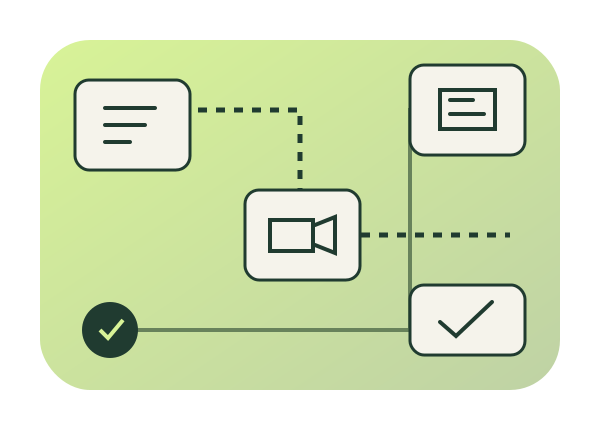
A board becomes useful when it carries the decision, the next owner and the evidence needed for a handoff. More columns cannot replace a clearer brief.
Connect the script, media, cut and release to a stable record.
Compare remaining effort and availability over the same entered period.
Keep observations separate from explanations, then choose a next experiment.
A YouTube calendar reserves a release slot. A production pipeline explains how a particular video gets there: its promise, the next action, the person responsible and the evidence that a handoff is ready. A calendar with twelve titles can still hide twelve unfinished briefs. A useful board makes that difference visible before the editing deadline.
Seven stages provide a starting vocabulary: capture, packaging, script, film, edit, publish and analysis. Adjust the stages to your channel. A live interview, a screen-recorded tutorial and a researched documentary need different gates. Keep a stable video ID across the board, footage folder, review link and analytics notes so that collaborators can identify the same piece of work.
Use the planner below to compare entered workload with entered availability and inspect dependencies. Its results are calculations on your records. It does not connect to YouTube, inspect footage, approve edits or verify a release. A busy column identifies a question to investigate; it does not establish why viewers did or did not watch.
Capture the question while it is fresh, using the lowest-friction channel you already carry. Useful inputs include viewer comments, recurring customer questions, something you explained repeatedly, a surprising observation and an intriguing title you can actually substantiate. Record the source or context alongside the idea. An unexplained sentence becomes difficult to evaluate a month later.
During a separate review, add the intended audience, format, timeliness and approximate production effort. Separate an interesting subject from a video you can deliver with the footage, expertise and permissions available. A small supply of researched candidates is more useful than a huge pile of interchangeable titles. The handoff is an idea with enough context for someone to assess its promise.
Write a provisional title and thumbnail concept before expensive filming when possible. State who should care, what they will learn or experience, and how the video will fulfil that promise. Explore genuinely different angles rather than swapping a single adjective. Keep a small reference image or sketch with the card, and check it at a size resembling its intended viewing surface.
The title and image should complement each other. Readability, meaningful contrast and an identifiable subject matter more than a universal recipe involving faces, arrows or a fixed number of words. If the proposition is weak, narrow the audience, change the angle or return the idea to the backlog. Do not force filming simply because the card moved forward.
YouTube's eligible title and thumbnail tests compare watch-time outcomes, and an inconclusive result is possible. Eligibility and surfaces matter: the current desktop Studio feature supports up to three variants and excludes Shorts. Its result is not a general promise that the winning picture will lift every metric. See the official title and thumbnail testing guidance before designing a test.
The opening should establish the promised experience and give the viewer a reason to continue. Move into useful material without requiring a generic lengthy introduction. A tutorial might use a complete script for a precise explanation; a conversation or demonstration might work better from beats, questions and visual cues. Choose the level of writing that makes your performance reliable.
Mark required screenshots, demonstrations, graphics, research citations and B-roll at the point they are needed. Distinguish essential claims from optional colour. If a claim needs verification or permission, assign it before filming. The handoff includes the current script or beat sheet, its version, and the visual material the editor will need.
Batch filming when a shared setup saves effort without undermining the performance or introducing continuity problems. Account for preparation, equipment, travel, pickup shots and transfer time. Record the take or file that contains a correction rather than asking the editor to discover it across hours of footage.
Keep original footage intact, maintain a second copy appropriate to the project, and use a folder structure both people understand. Group camera originals, audio, approved graphics, music licences and reference exports. Identify any missing pickup and its owner. A folder link is a handoff only when the recipient can access the files, associate them with the brief and confirm that required assets exist.
Send the editor a brief that explains the promise and priorities. Include the current script, selected takes, graphics, desired deliverables and review dates. A reference video is helpful only when you specify what to borrow: pacing, a particular annotation treatment or a transition convention. It does not transfer the other video's assets or rights.
Return consolidated, actionable notes against an identified cut. For example: “At 01:12, use the close-up from take C before the explanation so the control is visible.” Separate factual errors and essential changes from optional preferences. Agree how approval is recorded, who can request changes and which export becomes the release candidate. Multiple people saying “looks good” across chat threads is an ambiguous gate.
Prepare the title, description, appropriate thumbnail or Shorts frame choice, captions, visibility and publish time in the current Studio interface. Add chapters, cards or end screens where the format and channel are eligible. Give useful context and relevant links; a description cannot repair a video that fails its title promise. Check rights, sponsor disclosures and audience settings for the actual content.
Inspect a finished export before upload, then confirm the uploaded item is the intended version. Record the real video URL and the person who checked its visibility and playback. A scheduled card, entered URL or checked box alone is not independent proof that the audience can watch it. Keep public release evidence separate from planning estimates.
Use YouTube Studio to inspect the format's relevant measures and the traffic context. Impressions click-through rate varies by audience and surface; it excludes views that were not associated with a counted impression. A small change shortly after upload is a weak basis for a confident diagnosis. Read the official CTR interpretation guidance.
For long-form work, compare retention and viewing behaviour around specific moments with the video's promise and audience. For Shorts, inspect the available Shorts measures, including viewing versus swiping behaviour, rather than forcing a long-form thumbnail interpretation onto them. The Studio content performance guide explains the current format-specific reports.
An early check and a later review can be useful, but “48 hours” and “two weeks” are example appointments, not universal verdict windows. Write one observation, an alternative explanation, the evidence you still need and the next experiment. Group comparable videos by format, intended audience, topicality and cost when useful; YouTube's content decision guidance describes this approach.
An empty candidate queue and packaging postponed until after filming are two plausible production problems. They are not proven universal causes of creator failure. A channel may instead be blocked by research, legal clearance, unavailable talent, slow transfer, editing capacity or an approval owner who is away.
Treat a growing queue as a signal to inspect. Count how many items are ready for the next stage, how long they have waited, and what must happen first. Compare workload and capacity over the same explicitly named planning window. Two editing hours and two available hours tell you little if one covers today and the other covers the month.
The workbench reports entered hours by owner, stage queues, age flags and dependency issues. It does not infer a completion date from a single workload number. Missing dependencies and cycles remain visible so you can correct the plan; they do not silently disappear from the graph. An owner with no entered availability is “capacity unknown,” rather than automatically overloaded.
Start with the audience and output mix, then reserve likely release slots. Work backwards through filming, first cut, feedback, final approval and upload preparation. Put the responsible person beside each milestone, including whoever consolidates client or collaborator feedback. Keep a place for uncertain dates and identify which assumptions need confirmation.
A fictional channel planning four long-form videos and eight Shorts might have two long-form scripts ready, one interview waiting for talent, another idea being researched, and several Shorts awaiting a screen recording. The editor can finish an older cut while the creator films the next piece and analysis continues on a previous release. These are overlapping work streams, not twelve cards advancing together.
Keep a ready-to-publish buffer when it serves the channel, but distinguish a buffer from abandoned footage. Hold time for unexpected pickups, factual corrections, missed reviews and upload problems. Review work in progress before adding another filming day. The appropriate number of open videos depends on task size and available collaborators, not a universal fixed limit.
This fictional photography channel's board is reviewed on November 2, 2026. Its four new long-form projects and eight Shorts are production commitments with provisional release dates, not a guarantee that everything will publish inside the month. Older work supplies the first release slots. Nora creates; Eli edits. Pending packaging is a condition to resolve before filming.
Download the complete example plan Restore this JSON in the workbench below. Dates remain entered notes in the brief and lesson fields; the capacity calculation does not schedule uploads.
| Video and current stage | Owner and package decision | Film / first cut / release |
|---|---|---|
| L01 · A window-light portrait in a narrow room Script | Nora · Promise drafted; two alternatives and a small sketch ready | Nov 4 / Nov 13 / Nov 20 |
| L02 · Why my café photographs looked flat Script | Nora · Contrast example selected; permissions confirmed | Nov 4 / Nov 20 / Nov 27 |
| L03 · One reflector, three useful portraits Packaging | Nora · Pending: three examples compete in the small image | Nov 11 / Nov 27 / Dec 4 |
| L04 · A simpler backup after a lost memory card Packaging | Nora · Pending: narrow the outcome before promising a complete backup system | Nov 11 / Dec 4 / Dec 11 |
| S01–S04 · Turn toward the window; move the reflector; fix a distracting edge; compare two white balances Edit | Eli · Four independent hooks and vertical compositions recorded | Oct 28 / Nov 4 / Nov 5, 8, 12, 15 |
| S05–S08 · Mark the chair; show the shadow; choose a café background; check the brightest highlight Film | Nora · Each has a written opening and its own phone-size framing check | Nov 4 / Nov 16 / Nov 19, 22, 26, 29 |
| P01 · A clean portrait with an ordinary desk lamp Edit | Eli · Prior-month project; remaining cut and caption checks | Oct 21 / Nov 3 / Nov 6 |
| P02 · Keep a reflection out of a shop-window photograph Publish | Nora · Approved export; actual upload and visibility still to be checked | Oct 14 / Oct 30 / Nov 13 |
| A01 · Three ways to crop a portrait Analysis | Nora · Earlier release; review traffic context and where the explanation loses viewers | Earlier project / approved / Oct 23; review Nov 6 |
| B01 · Can a white wall replace a reflector? Capture | Nora · Viewer-question candidate; package not assessed | Not scheduled; possible replacement only after review |
The board shows two unresolved packages, an editor finishing an older long-form cut alongside four Shorts, and analysis with a named review date. If L03 is still unclear at the November 9 packaging review, the team can assess a prepared candidate or move filming; B01 is not automatically ready. The JSON contains a separate record for each of the eight Shorts, rather than hiding them in a batch row.
Consider a fictional eight-minute screen-recorded tutorial. Its idea record links three recurring support questions. Packaging chooses a specific task the viewer will complete. The script lists the steps, a short failure example and two screenshot annotations. Filming produces a clean demonstration and one corrected take. Editing receives those files, the current beat sheet and a named review owner.
For the next week, the creator enters 1.5 remaining hours for demonstration pickups and 0.5 hours for release preparation. The editor enters 3 remaining hours for the cut. If the editor supplies only 2 hours of availability for that same week, the calculated difference is 1 hour. That arithmetic indicates an assumption to resolve: move scope, move the slot or negotiate availability. It does not prove the editor is slow, and it does not include work nobody entered.
The release card links the confirmed export and actual published URL. A later analysis record separates an observation—viewers left during a lengthy setup—from a hypothesis about why. The next tutorial tests a shorter setup while maintaining enough context to perform the task. This preserves a learning loop without inventing a causal result from a single video.
For a full-cycle estimate, suppose the creator spends 20 minutes choosing and checking the idea, 40 minutes on the package, 60 on the script, 90 filming, 20 preparing the release and 10 on a later analysis review. Editing adds 180 minutes. The seven stages total 420 minutes, or seven hours; the non-editing stages total four hours. These are fictional estimates, not measured industry averages. Outsourcing the three editing hours still leaves the creator's work, plus an assumed 15-minute brief and 25-minute consolidated review: four hours and forty minutes in this particular example.
The filming estimate could include ten minutes of a thirty-minute setup shared equally across three videos, fifty minutes of takes and thirty minutes of B-roll. Different subjects may need more research or permissions than editing. Use the distribution to discuss a real constraint rather than assuming editing is always the first job to outsource. A failed package caught early can avoid downstream work, but the avoided hours depend on what had actually been planned.
Keep the following nine fields with the video record. A brief can be concise; its job is to remove ambiguity before it creates a revision.
Use filenames and version identifiers in notes. Say what should change and why; do not scatter contradictory directions across email, chat and a review service. Agree the included revision scope in advance. A factual correction and a newly commissioned sequence are different jobs. Keep time-stamped review feedback connected to the brief and final approval rather than treating comments as a substitute for ownership.
Give each Short a card if it requires its own opening, edit, approval or release. A clip from a longer video may need a new setup, captions, vertical framing and an ending that works without the full episode. Original Shorts and repurposed clips both deserve an audience and purpose; neither is automatically superior or guaranteed to grow a channel.
Check text and action at the size of a phone, allow for interface overlays, and verify the actual export. Shorts packaging differs from long-form testing, but that does not mean there are no title or frame-selection decisions. Use the current upload interface and format-specific analytics. Do not promise a universal posting frequency or assume more quantity compensates for an unclear experience.
Capture continuously, then review ideas together when that helps comparison. Packaging and scripting can benefit from a focused session, provided each video retains a distinct promise. Filming often shares setup costs. Editing may be easier as a concentrated block or as short passes across several pieces, depending on the editor's method, rendering, review latency and task complexity.
Publishing preparation can share a checklist; actual visibility and playback still need an item-specific check. Analysis benefits from comparing related work, while each lesson needs its own evidence. Batch the reusable setup and keep the decisions attached to individual videos. If a batch leaves a large unedited queue, examine capacity and scope before capturing another one.
Adapt these checks to the format instead of requiring every feature on every upload. Record who checked the condition and which version they inspected. This is a human review checklist, not an automatic approval system.
For a new editor, a paid representative trial can clarify fit before a recurring arrangement. Share a small set of channel references with specific instructions, brand assets, font and music permissions, the folder convention and the brief template. Ask what was unclear after the trial. Keep agreed project files or archives when future revisions require them; a final compressed export does not contain an editable timeline.
Keep research and the current script beside the video record. A database with document pages can make the handoff easier to read.
Prioritise the brief, selected assets and a specific review version. A simple board can work when the owner and approval are clear.
Include access permissions, revision scope and a named approval route. Inspect recovery and exports before committing the workflow.
These are workflow comparisons informed by current official documentation, not a scored vendor benchmark or a claim that one product ranks first for every creator. Test the actual permissions, exports and handoffs required for your channel before committing. Plan details can change.
Storyflow positions its workspace around an idea, planning, scripting and production tracker that can be shared with collaborators. A useful trial is to build a channel foundation, turn an idea into a packaging decision and script, then make a tracker with a ticket per video and invite the editor. Confirm that the invited person can find the footage and return the right cut. Bring Studio findings back into the next planning decision rather than assuming a planning service supplies verified analytics.
Check Storyflow's current pricing for access and role conditions. Its early-access offer and a proposed future free plan are different things. Do not base a production budget on an unlaunched free tier or assume an AI-generated draft has researched every claim and checked every right.
Choose Notion when long briefs, research and scripts need to live beside a status record. Its board documentation describes database cards grouped by properties, with filters and sorts. Keep the current script on the video page and expose owner, stage and release slot in a focused view. Verify that collaborators can see linked assets without granting unnecessary access to the rest of the workspace.
ClickUp is a candidate when assigned tasks, statuses and project views matter more than a bespoke creator workspace. Its Board view guidance explains grouping and moving work through a board. Split meaningful subtasks such as a pickup or approval when different people own them. Check the permissions and paid feature boundaries of the intended plan; the existence of a view is not proof of an automatic YouTube integration.
Trello suits a creator and editor who want a familiar visual queue. Its board setup documentation covers creating the workspace board. Keep a card per video, a clear next-action owner and durable links to the brief and footage. Lists do not inherently enforce approval or compute capacity; avoid treating a card's location as evidence that an export passed review.
Airtable is useful when one video has structured fields and needs to appear in several views. Its view documentation describes different presentations of shared records. Consider it for larger catalogues with formats, owners and related campaigns. Preserve stable record identity and inspect interface or collaborator permissions before exposing research or client material.
A sheet can be a practical starting point for a zero-software-budget creator or a team comfortable with rows and formulas. Keep a single shared register instead of emailing competing copies; Google's collaboration guidance covers sharing and access. Protect important columns and agree what counts as a finished gate. Complex review, asset handling and dependency management eventually create more spreadsheet maintenance than a plain calendar suggests.
Frame.io is an option for media review and feedback; evaluate its current plan and storage conditions, access and version workflow. It does not replace the idea queue or channel research. vidIQ offers keyword research tools to inform candidate topics; a score is an input to judgement, not a view guarantee. TubeBuddy describes channel and research utilities on its official product site; inspect the feature and tier you actually need rather than assuming every advertised tool is included. YouTube Studio remains the source for the channel's actual publishing and platform analytics. A planning card can link these services without claiming an integration that has not been configured.
A solo creator can begin with recoverable notes and a single board. A script-heavy channel benefits from strong documents beside its queue. A zero-budget workflow can use an existing shared sheet, with deliberate backup and access choices. A creator-editor pair needs a clear brief and review identity more urgently than a large dashboard. A small team needs ownership, permissions and an agreed approval route. High-volume work needs structured records and a way to inspect work in progress. Brand or client work adds formal approvals, revision scope and rights records. These distinctions matter more than a universal “best” badge.
Assess reliability against a representative handoff: permissions, recovery, exports, review identity and the availability of current documentation. This guide has not measured uptime or comparative product performance, so longevity and a confident vendor claim do not establish a reliability ranking. Value depends on work saved and the actual access required, rather than the number of advertised AI features.
A phone note can be the right capture tool because it is available at the moment an idea appears. A paper thumbnail sketch can test the proposition before a camera is set up. Keep either connected to the shared record when the idea becomes a collaborative job. Before purchasing, trial the workflow you need, inspect renewal and billing conditions, and establish an exit path for your briefs and assets.
Count creator time, editor work, preparation, pickups, revisions, storage, backup, review access and any paid research or AI service. A free board does not make production free. Price the seats and external reviewers you actually need; an attractive per-person price may use annual billing or omit storage and advanced permissions.
For a solo setup, start from the tools already available and pay for a specific constraint when it appears. For an editor pair, include agreed deliverables and revision scope in the job budget. For a client team, add access control, approval records and retention requirements. Estimate a low and high case for irregular work, and retain the date and source of each price you enter. This guide avoids fixed vendor totals because workload, billing period and current plan conditions change the calculation.
No candidate ideas: inspect capture friction, sources and the audience question. Schedule a review of evidence before generating more interchangeable titles. A large unedited batch: compare the editor's remaining work with the same-window availability and missing briefs. The wrong cut: inspect the promise, selected assets, reference instructions and who approved the version. Low views: check eligibility, traffic and comparable audience context; do not assume packaging alone caused the result. Consistent output with little useful learning: inspect whether analysis produces a specific next experiment and whether that experiment is actually carried into planning.
Keep these fields with every video, adapting them to your workflow:
The planner exports its complete entered CSV and stage source in JSON. Markdown provides a readable handoff; CSV exports preserve record values and prefix spreadsheet-formula-like cells for safer opening. Keep JSON as the exact restore file. A stored local draft remains on this browser only and is an optional convenience, not a team backup.
Local calculations using PapaParse, Decimal.js and Cytoscape. Every status and hour below is entered by you; this planner has no YouTube connection. No inputs leave this page.
Use the exact column headers shown. IDs must be unique; stages must match your stage list. Remaining hours, age and availability must be nonnegative numbers. Keep unknown numeric values blank. Separate dependency IDs with semicolons. Owners with no capacity entry remain unknown. Age is your entered time in the current stage, rather than a measured wait.
Keep commas and line breaks inside quoted CSV cells. Optional columns may remain blank. A publication URL is a note supplied by you, not verification. Changing a stage makes a new planning assertion and resets its entered age to zero; it does not move a real file or video.
Enter records or load the fictional example, then calculate.
Arrows run from the prerequisite to the dependent video. Missing records and cycles are reported separately. The list below preserves the full entered labels.
A stage edit updates the CSV source and sets its entered age to zero. Recalculate after other edits.
Saving is manual and local to this browser. It is not a shared workspace or reliable backup. Export JSON for a file you control.
This fictional brief continues the screen-recorded tutorial example. It is a draft agreement a creator and editor can adapt, not evidence that a commissioned video was produced. Its dates illustrate the handoff; use dates both people have actually accepted. The underlying question is how to recover an accidentally removed row from a spreadsheet's available version history without confusing an earlier copy with the current shared file.
The brief travels with the stable video ID, selected takes, source notes and an accessible footage location. Add a delivery inventory such as camera originals, screen capture, audio, licensed graphics and notes. Confirm the real filenames; an illustrative folder convention is not a claim that the files exist. The editor reports missing items before treating the handoff as ready.
For a Google Sheets demonstration, use Google's version-history guidance as the feature reference. It requires edit permission to browse earlier versions and describes copying or restoring a version. The tutorial must distinguish those choices and check the actual shared-file consequences; it is not a promise of unrestricted recovery.
“My spreadsheet workflow” names a subject. A more specific working title is “Recover a missing spreadsheet row without changing the wrong version.” It tells the intended viewer the problem and the decision the video will help them make. Use that promise only if the demonstrated permissions and available history support the route shown. An alternative angle might be “Check the history before restoring your shared sheet.” These are candidate titles to assess against the actual video, not tested winners or guarantees of views.
Pair the title with a thumbnail concept showing the missing row and the history view, instead of printing the whole title again. Keep the essential visual legible at phone size. Ask whether the opening actually delivers the promised check. Use eligible Studio testing where appropriate; avoid interpreting a title change alone as proof of the cause of a later performance change.
Include review deadlines, filming, sponsor approvals, Shorts and community work when they affect the release. Keep a next-action owner and the video record linked to the slot; a release date alone does not describe readiness.
It is the sequence of decisions and handoffs that moves an idea into a released video and a useful analysis record. Capture, packaging, scripting, filming, editing, publishing and analysis are a starting structure you can adapt.
Agree the scope, feedback owner and included rounds before the job. Consolidate notes against a specific version. A new sequence or changed brief may be additional work; there is no universal number that suits every contract.
State the promise, hook, target length and reason, reference treatment, must-keep material, material that can be cut, graphics and captions, deliverables, and review and final dates.
Share an organised location containing original media, selected takes, the current brief, licensed assets and any missing-pickup notes. Confirm access and keep an appropriate backup; a folder URL alone does not establish a complete handoff.
Inspect the current Studio controls and eligible testing options for the video. Keep the title promise honest. Changing an image does not prove a later performance change was caused by that image.
Check its current pricing and access conditions. A paid early-access offer and a proposed future free tier are different products; do not budget around an unlaunched free plan.
Only when an actual supported integration is configured and verified. This workbench has no YouTube connection: publication URLs, statuses and lessons are entered by you, and its calculations do not verify them.
They need a shared, accessible record of the brief, assets, version and approval. They can use different editing software, provided links and handoffs are clear and permissions work.
Narrow the audience, change the angle, research further or return it to the backlog. Preserve the reason so the same weak proposition is not repeatedly filmed without a decision.
Provide a complete example brief, approved reference, asset structure, review method and scope agreement. Run a small representative handoff and confirm access, version naming and who grants final approval.
Use the team's capacity, task size, review latency and ready buffer to choose. Inspect ageing and blocked work before adding more. A single universal work-in-progress limit is not reliable across channel formats.
Keep the approved master, required delivery versions and associated rights or caption files in an agreed location with suitable backup and retention. Connect that version to the release record rather than overwriting it ambiguously.
An early check can catch release issues, but traffic, sample size and video purpose affect interpretation. Set a later review where useful; 48 hours and two weeks are example appointments rather than universal performance verdicts.
Use the description to add useful context, sources and relevant links while remaining consistent with the video's offer. It cannot repair misleading packaging or replace delivery of the promised experience.
Choose the next planning task you need, then connect its decisions to the same video record.