What changed?
Record the revision and describe the actual differences. A new file name is only part of the explanation.
Choose the environment for the decision your team needs to make. Keep the reasoning, the current artifact and the next owner connected.
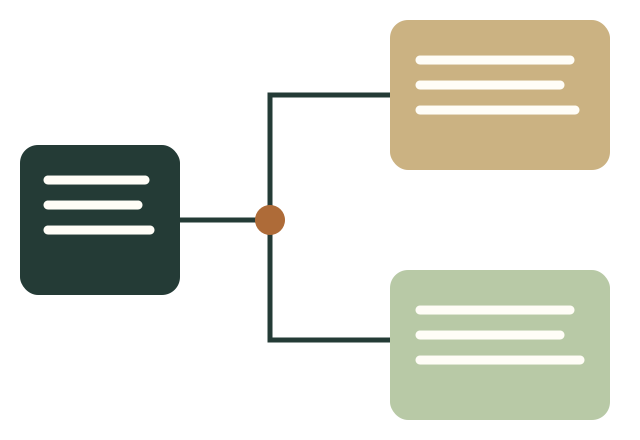
A creative team can share a board and still disagree about the story it is making. Collaboration becomes useful when people know which question is being answered, which artifact carries the answer, and who owns the next revision. A software purchase can provide a place to work, but it cannot decide the purpose of the work for you. Start with the handoff you need to improve rather than a feature list.
This guide covers six documented options for visual story work: Miro, Milanote, Boords, Storyboard That, Storyboarder and Frame.io. They serve different tasks. We also explain where FigJam, Canva, StudioBinder, Twine and Arcweave may fit. The comparisons are editorial recommendations based on official product documentation reviewed October 6, 2026. They are not commercial account trials, measured reliability results, popularity rankings or claims that one platform is best for every team.
The interactive studio below focuses on one additional problem: making a branching narrative inspectable. You can enter passages and choices, inspect actual graph reachability, identify loops and passages with no route to an ending, and export a playable offline HTML file with complete editable source. This is a local authoring and handoff aid. It does not create a hosted team account, invite a client, produce drawn storyboards or authenticate a release decision.
Write the intended audience, the purpose of the story and the decision the session should produce. A team developing an exhibition film may need to choose between following one visitor and following one object. A team writing an interactive guide may need to decide which choices give the reader useful agency. A team preparing an animation may already know the premise and need to resolve a difficult action sequence. Those are different tasks, even if all three begin with cards on a board.
Give contributors a small amount of relevant preparation. Include the current brief, the material they should inspect, and the uncertainties worth discussing. Distinguish known facts from assumptions. A reference image can demonstrate tone without establishing that the team owns it or can reproduce it. A research note can suggest a direction without proving the intended audience will respond to it. Keeping those distinctions visible makes later decisions easier to explain.
Use a canvas when the team needs to see several possibilities together. Arrange each option with the same kinds of information: audience, premise, sequence, references and unresolved questions. Comparable options prevent a polished treatment from winning simply because its neighbor is unfinished. Ask contributors to connect their preference to the brief rather than only vote for a favorite image.
At the end of the session, write down the selected direction and the reason. Preserve relevant alternatives as historical context, but distinguish them from the current plan. A board full of ideas is an input to the next step; it becomes a handoff only when someone can tell which ideas are being used. Assign an owner to translate the decision into the artifact the next person needs.
A sequence of images can serve as a presentation without being a sufficient production plan. Decide what the recipient must understand: action, dialogue, framing, timing, transitions, technical dependencies or source assets. For a live-action shoot, a director of photography may need camera intent and movement. For animation, the team may need layered source material and timing. For an interactive narrative, a developer may need passage IDs, choice targets and the behavior of loops.
Choose the authoring environment after identifying those requirements. A general canvas can help discuss the premise; a dedicated storyboard tool can organize frame-based work; an editor or animatic workflow can test timing. The important question is whether the resulting artifact lets the next person begin without reconstructing decisions from chat. Test that handoff with a small representative sequence before committing the whole project to it.
Ask reviewers to identify the frame, passage or time range they mean. A note such as “the transition is confusing” needs a location and a reason before it becomes useful to the person revising. For an interactive story, identify the path that led to the confusing moment. For a timed sequence, identify the relevant moment in the animatic or cut. For a static board, attach the note to the frame or a stable frame identifier.
Distinguish an observation from the decision about how to address it. A reviewer may correctly identify a problem while proposing a change that creates another. Give the responsible creative owner room to solve the problem and explain the outcome. Preserve the comment, the chosen action and any remaining question. The record should help someone understand the next revision rather than merely show that a checkbox was closed.
Choose an agreed entry point for the current work and include a revision label in the handoff. Keep historical versions available where appropriate, but make their status clear. If the team relies on exported files, record which source produced each export. If it relies on hosted versions, inspect how recipients reach the intended one. A link copied from an old message can remain convenient while pointing at superseded material.
Define what a revision means for the project. Changing a title, replacing a panel and reworking a narrative path can have different consequences. State what changed, which earlier decisions remain applicable, and which must be reviewed again. A new file name alone does not explain that relationship. A short revision note often prevents more confusion than a longer list of features in the software.
The following descriptions separate documented capabilities from our suggested use. Features and plan conditions can change. Verify access, export formats and relevant entitlements in the actual account before using a platform for a client-facing workflow. We omit current prices rather than presenting a seat figure that may not cover your storage, reviewers or required features.
Miro’s official help describes board sharing at team, company, public, space and individual-board levels. Visitor access can provide viewing, commenting or editing, with plan and administrator restrictions. This makes access configuration part of the workshop setup, not an assumption to leave until someone cannot enter the board. Public editing permissions also affect future visitors, so choose the setting deliberately.
Our suggested use is a bounded exploration session where options need to sit beside one another. Prepare a review area and leave with a written decision and an owner. Before using it as a production handoff, check whether the resulting artifact contains the exact information your recipient needs. A general board and a dedicated frame-based deliverable serve different purposes. Access documentation · Visitor guide.
Milanote’s sharing guide distinguishes editors, commenters and read-only viewers. Editors and commenters need an account; read-only viewing can work without one. Sharing a board also includes its subboards. These details matter when preparing a client view: inspect the content that will travel with the invitation and the action the recipient is expected to take.
Our suggested use is a composed collection of references and reasoning that helps someone understand a direction. Add explanatory notes rather than expecting the images to carry the argument. If the next step needs production metadata, explicit timing or another specialized artifact, plan that handoff separately and test it. A presentable board does not by itself establish that the recipient has all the material needed to execute the work. Official sharing guide.
Boords documents shareable links through which recipients can browse frames, watch an animatic and leave feedback without a Boords account. Its commenting guide describes comments in the shared view and while reviewing an animatic. These features are relevant when the review concerns the relationship between a specific frame and the surrounding sequence.
Our suggested evaluation is to build a representative sequence, inspect the shareable view and ask a reviewer to locate one issue. Check how the team captures the response and prepares the required handoff. If duration matters, test the timed version rather than assuming a static board reveals pacing. Verify the export you need in the current account; a viewing experience and a production file are separate deliverables. Sharing links · Commenting guide.
Storyboard That’s official sharing material documents downloadable forms including images, PDF and PowerPoint, alongside other supported options. Choose the format for the recipient’s task rather than exporting the first available file. A presentation can be useful for discussing a sequence; the person making the sequence may also need information that is not visible in the presentation.
Our suggested evaluation is an actual scene from your project. Determine whether the visual language communicates the intended action and whether the output can be used in the next step. Inspect how your team would revise and discuss it under the relevant account conditions. Avoid making claims about speed, artistic suitability or collaboration restrictions without testing the particular workflow. Official sharing and download guidance.
Wonder Unit’s Storyboarder page describes drawing-focused work and exports for editing applications, PDF and animated GIF. Those documented export paths make it worth evaluating when drawn panels need to move into an editorial workflow. Test the actual target application and export with a short sequence; a format listed by a vendor is a starting point, not proof of compatibility with every project setup.
Our suggested workflow keeps the editable project distinguishable from exported review material. Decide how collaborators receive the source, who owns revisions and where feedback is recorded. A local file handoff can be perfectly usable when those responsibilities are explicit. If the team needs hosted discussion or managed access, evaluate that requirement separately rather than assuming every authoring tool provides it. Official product and export overview.
Frame.io documents comments and annotations on media, including image and PDF workflows, with internal and public comment audiences. That makes it a relevant candidate when reviewers need to point at the actual artifact and the team needs to control which discussion is visible. Inspect the recipient’s access and comment visibility in the current account.
Our suggested use is an explicitly scoped review of a particular artifact or revision. Include the brief and requested decision so that precise comments remain connected to the purpose of the work. Do not assume a media-centered review environment replaces the earlier work of choosing a premise or preparing production instructions. A team may use several environments while maintaining one clear handoff between them. Official commenting documentation.
This fictional example illustrates the decisions and artifacts involved; it is not a customer case study or a claim of measured savings. A museum wants a short browser-based guide that lets visitors choose between exploring an object’s construction and exploring the people who used it. The writer owns the narrative, a curator checks historical statements, a designer prepares the visual presentation, and a producer coordinates the release.
The team begins with a shared canvas containing the audience, available material and two possible structures. One structure starts with a question about the object. The other starts with a person’s account. The curator identifies which statements have supporting sources and which are speculative. The writer chooses the object-led opening because it gives a visitor a clear decision without requiring background knowledge. The rejected option is retained as historical context, not left mixed into the active plan.
The handoff is a written passage outline with stable identifiers. Each passage has its actual text, an owner label, review notes and choices pointing to other passages. The producer identifies which version is current. The designer can now work on a defined structure without interpreting a cloud of workshop notes. The outline is still a draft; naming it does not make its statements historically verified.
The writer enters an opening passage with two choices. The construction path describes materials and techniques; the people path describes use and social context. Both eventually reach a closing passage that invites the visitor to inspect the exhibit. A choice should change the visitor’s experience in an understandable way. Two buttons with different labels but the same immediate destination may be intentional, but the writer should be able to explain why they exist.
During authoring, the writer adds a research passage but forgets to link it from the opening. The graph report identifies that it is unreachable from the selected start. The writer then adds a choice leading to it. Later, a revision sends one path back to itself without an exit. The report identifies the loop and the absence of a route to an ending. These are structural observations about the entered graph; they do not prove that the story is compelling, accurate or suitable for the museum audience.
The curator reads every factual passage and records the source needed for unresolved claims. The designer plays both branches and checks that the choice labels describe where they lead. A reviewer who encounters a confusing transition records the passage IDs and the route they followed. “The second screen is confusing” is ambiguous in a branching story because two visitors can see different second screens.
The writer revises one choice label and changes the order in which context appears. The curator’s accepted wording is carried forward unchanged where it remains applicable. The revision note distinguishes the narrative change from the factual review. The producer confirms which decisions still apply and which need another check. An owner label in the source remains entered text, not an authenticated account or assignment notification.
The writer exports the complete editable JSON, full notes and an offline playable HTML file. The team opens that file in a browser and follows each intended route. They check that the restart control returns to the selected start and that all text and authoring notes survived the export. The offline player uses the entered choices; it does not upload the project or synchronize changes made after export.
The producer distinguishes the review artifact from the release workflow. A browser-playable file can be tested locally, but it is not automatically published on the museum’s website. Accessibility, hosting, asset rights, analytics and any production requirements must be handled in the actual release process. The authoring tool supplies inspectable source and a working prototype rather than claiming those steps have happened.
Retain the full outline, source references, unresolved questions and reasons for revisions. A flattened picture of a board may show the layout while losing the text that explains it. Decide how the writer will recover the actual material and continue editing. In the local studio, complete source JSON is the editable handoff; the readable player is a separate artifact.
Identify what each frame or passage must communicate and how it relates to the next. Include the relevant constraints, source assets and required technical details. Avoid silently treating a reference image as a production-ready asset. If the project needs a timed sequence, provide an appropriate timing artifact and test its use rather than relying on the arrangement of static thumbnails.
Specify the revision, the decision being requested and the route for feedback. A factual reviewer and a creative decision-maker may need different tasks. Connect observations to stable identifiers or supported annotations. Resolve contradictory instructions through the responsible person instead of asking the artist or writer to reconcile unspoken priorities.
Describe who owns the next step, what must happen first and how the result will be checked. Distinguish a draft plan from actual completion. An exported file does not prove a client received it; a recorded reviewer name does not prove that person approved it. Keep the real evidence in the established workflow and link it to the specific artifact it concerns.
Use a shared exploration surface when the team needs to compare directions, then choose a deliberate output: a beat outline, storyboard brief or approved narrative plan. The workshop’s owner should explain which option was selected, why, and what is still unresolved. Evaluate a dedicated frame or sequence workflow if production needs information the canvas does not carry in the form your recipient requires. The right combination is the one whose handoff can be understood, not the one with the most subscriptions.
Prepare one current version with stable locations for feedback. A reviewer should be able to identify the frame or moment they mean and understand the requested decision. Collect contradictory notes for resolution by the responsible person. Evaluate the actual client entry path, not just the authoring interface. If account creation or a plan restriction prevents participation, discover that during a representative test rather than during the deadline round.
A local workflow can be appropriate when one person authors the work and the team has a clear file handoff. Preserve editable source and choose the review export for the recipient’s task. The source, preview and decision record need a traceable relationship. Avoid overwriting historical material without a revision note. A portable export should contain what it promises, and someone should open it in the destination environment before relying on it.
Evaluate Twine when an interactive text story and its supported story formats fit the work. Its reference documents publishing a browser-playable HTML file. Arcweave documents public view-and-play and play-only access, as well as embedding hosted Play Mode. Those models have different handoff implications: a standalone file and an embed that loads a hosted service are not interchangeable. Test the specific publishing route your recipient needs. Twine publishing reference · Arcweave sharing documentation.
The studio here supplies a simple local choice-based player with complete source, without conditions, variables or external media. It is useful for inspecting a path and communicating the entered narrative structure. It is not a replacement for every capability of a specialist interactive-story system. Choose based on the actual behavior required by your project.
FigJam’s official sharing documentation distinguishes its open-session workflow from other Figma sharing options. Canva documents guest collaboration and notes that commenting guests need to log in. StudioBinder describes storyboard sharing within a wider pre-production environment. If your team already works in one of these systems, first test whether the needed artifact and recipient route are available there. Switching environments can add a new handoff to maintain; staying can also impose compromises. Evaluate both through actual representative work. Figma sharing guide · Canva collaboration guide · StudioBinder overview.
List authors, occasional reviewers, storage needs, expected exports and any organization access requirements. Check the current vendor plan against that list. Include the work of preparing readable reviews, reconciling comments and moving source between environments. A product that costs less per author may still create an awkward client path; an existing subscription may already supply the required workflow. We do not provide current price figures or claim a cost saving without evaluating the relevant account conditions.
Use simultaneous work when the task benefits from an active, facilitated session. For a considered review, an asynchronous version with explicit questions and a named decision-maker may be easier to follow. The choice depends on the work and people involved. Do not infer that more cursors produce a clearer decision; inspect the artifact and decision record that remain afterward.
It can be a place to arrange and discuss images. Whether it supplies a useful production storyboard depends on the metadata, sequence, timing and exports your recipient requires. Test those requirements with a representative scene. Avoid deciding solely from the visual resemblance of cards to frames.
A timed sequence lets reviewers inspect the duration and transitions of the version being proposed. A static image sequence leaves those relationships partly imagined. When pacing matters, evaluate the actual timing artifact, while recognizing that a rough animatic does not prove the final production will behave identically.
Not necessarily. Viewing, commenting and editing are separate capabilities, and organization settings or plan conditions may affect them. Check current vendor documentation and the actual recipient route. Test the action you need rather than treating an accessible page as proof of a complete review workflow.
Preserve both observations and identify the decision they imply. Ask the responsible person to resolve the priority using the brief and constraints. Return an understandable instruction or an explicit unresolved question. Do not pass contradictory commands to the person revising and assume they can infer the intended result.
In this studio, no sequence of entered choices from the selected start reaches that passage. It may be unfinished material, a discarded path or an unintended omission. The report describes the graph as entered. Review the passage and either connect it deliberately or retain it as clearly identified source material.
No. A loop can let a reader revisit a question or explore more information. Inspect whether the entered path provides a useful exit and whether the experience matches the intended story. A reachable passage without any route to an ending deserves attention, but an intentionally open-ended experience may still choose that structure.
No. It checks relationships among passage identifiers and choices. It does not understand the audience, verify facts, score emotional impact or prove accessibility. Combine structural inspection with human reading and testing of the actual experience.
Use the separately saved source JSON to restore the editable project in this studio. The HTML is a readable, playable snapshot with its source embedded, but this page’s restore control accepts the supported JSON format. Keep the complete source and its corresponding player together so the relationship is clear.
No. It downloads a file that can be opened in a browser. Hosting, delivery and any release decision are separate actions in your real workflow. Open and test the file before handing it over, and verify the actual hosted result if you later publish it.
The source JSON retains the title, project notes, selected start, every passage’s full text, owner label, review notes and choices. Derived reports are recomputed from that source. An owner label remains entered text, and the source is not proof of anyone’s identity, availability or consent.
travels with the work.Give the next person the current artifact, the reason it changed, and the question still open.
Record the revision and describe the actual differences. A new file name is only part of the explanation.
Identify which earlier decisions carry forward and which require another review.
Name the next owner and the artifact they need to begin. An entered label is not an assignment notification.
What should someone understand or choose here, and what currently makes that difficult?
What changed between these two moments, and can the viewer follow the connection?
Could the next person continue from this artifact without reconstructing the meeting?
Write passages, label choices and connect their destinations. Graphlib checks the entered graph for unreachable passages, loops and paths without an ending. These checks describe structure; they do not assess story quality or verify factual claims.
Enter your story or load the illustrative example.
Inputs stay in this page’s memory; save JSON before closing. Restore validates the complete source and recomputes reports. The playable HTML contains the entered passages and full authoring notes and works without this page or its libraries. It is an original simple player, not a Twine or Arcweave project. It has no variables, conditional choice rules, media uploads or hosted collaboration. A loop can be intentional; inspect its effect rather than treating every loop as an error. The complete source remains available when the graph library cannot load.