Figma carries reusable design rules, Frontify governs brand access, Milanote keeps an exploratory board together, and Storyflow offers an AI-assisted starting canvas. These are editorial recommendations from official documentation retrieved October 6, 2026; no vendor account trial, rating or measured time saving is claimed.
Figma
When the direction becomes reusable design elements. Publishing a library shares styles, components and variables across files. Current help requires a paid plan and a Full seat with edit access to the source file. Starter can create local styles and components, but cannot publish them as a library.
Changes stay in the source file until a new library update is published. Teams can review and accept updates; write a useful change description instead of assuming every maker has the latest direction. Check source-file permissions, because library access depends on them.
Practical choice: use it when designers need a maintained visual system, not merely a reference image. Keep rationale beside the production rules.
When the team needs governed guidelines and assets. Its portal can share guidelines with external viewers. A public link does not authenticate viewers; the selected target settings change what anyone using that link can see. Inspect the result in a logged-out or incognito view.
Direct folder invitations are a different route: documented permissions include viewing, reviewing and editing within the invited folder. Asset links can use passwords or validity dates. A forwarded public link and an authenticated invitation are different handoffs.
Practical choice: choose a brand portal when long-lived access and a maintained asset library matter. Publish the pages recipients need and verify their view.
When references and explanations remain an evolving board. Current help separates edit invitations, group invitations, commenting and read-only sharing. A read-only board can open without a Milanote login. The home board itself cannot be shared.
Choose the recipient’s actual job before sending the link: reviewing a direction does not require broad edit access. Keep the specific property to borrow and the property to leave behind beside each reference, rather than depending on a spoken presentation.
Practical choice: use it for the exploratory visual collection. Check the recipient’s access and preserve a reviewed handoff when the direction becomes a decision.
When AI helps propose the first visual canvas. Its current moodboard page describes generated images, palettes and notes, uploaded references, comments, live collaboration and view-only links. The board can continue into other planning work.
Availability is important: the current pricing FAQ says standalone access is paid during early access; invited collaborators join free. A standalone Free plan is announced for later in 2026. Generated references still need a creative review and a real permission decision.
Practical choice: use it for an AI-assisted first direction when the team can check the output and access terms. A draft board does not establish client approval.
The team should know what changes and what stays deliberate.
Name the decision
State the campaign idea and audience in plain language. Add the constraint a maker could otherwise miss. Treat this as an entered intention, not a proven response from customers.
Separate take from leave
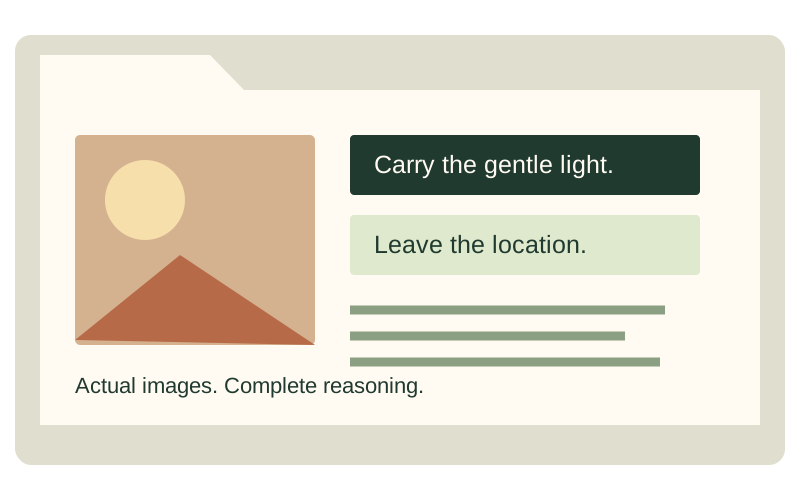
A useful image note points to a lighting quality, rhythm, texture or composition. It also says what should not be copied: a person, location, arrangement or visual identity that belongs to someone else.
Connect direction to deliverables
List the actual formats, owners and unresolved questions. Specify palette roles and type choices where they matter. Keep the distinction between a proposed direction and a reviewed decision visible.
Check what recipients open
Test the shared link with their permissions or inspect the extracted file. A static ZIP stays at the exported revision. It has no access control, viewer tracking or synchronized updates; use your existing governed sharing route when you need those capabilities.
A direction is a shared set of decisions.
To share a campaign’s visual direction, give the team an explicit idea, annotated references, concrete rules, deliverables and a place to resolve questions. Use a working source that the people making the campaign can actually open. Preserve a readable snapshot for the handoff, and keep later decisions connected to the same direction.
A moodboard shows possible visual qualities. A direction kit explains which qualities the team should carry into work, which incidental features to leave behind and what remains undecided. The difference matters when photography, motion, design and copy interpret the same adjective in different ways.
Why the direction can fade after the kickoff.
A presentation can convey energy while losing the reasons behind its images. The creative director explains why a photograph matters in the room, but the deck later contains only the photograph and an adjective. A designer who was absent may borrow the composition when the director intended only the lighting. The visual reference survived; the decision did not.
Words such as “premium,” “bold” and “human” need context. To one discipline, “bold” means large type. To another, it means contrast, movement or an unexpected camera position. Make the quality observable: generous negative space, a restrained palette with one accent, a low camera perspective or a particular motion rhythm. Then explain the reason it serves the campaign.
The direction can also drift when deliverables live in another file. A reference assumes a wide composition, while the production list requires a narrow vertical crop. A motion idea depends on several states, while the asset brief names a single still. Connect the visual decision to the actual formats before people commit production effort.
Finally, private answers fragment the source. One designer receives a clarification in a message; another keeps following the older board. Record the answer where the team can find it and identify whether it changes the selected direction. The tool matters because it can make that source accessible, but the team still needs an operating convention.
The remedy is not necessarily a larger deck. It is a complete, maintained explanation. Keep the idea, reference reasons, rules, deliverables and questions together or explicitly linked. Distinguish a proposed direction from an approved one, and make the next revision understandable.
What a campaign direction kit should contain.
The idea and audience
State the campaign idea in one useful sentence. Describe the audience and the response or understanding you intend, while identifying that intention as a hypothesis rather than a measured result. Give the team the constraint that affects creative judgment: product truth, brand requirements, destination format or another relevant boundary.
References with take and leave notes
For each selected image, explain what to take and what to leave. “Take the broad soft light and the open space around the subject; leave the location and wardrobe” is actionable. It separates a principle from copying. Keep the source context and intended role beside the reference, and investigate any rights required for actual production use.
Add a contrasting example when it removes ambiguity. Explain what is wrong for this project, rather than labeling someone else’s work bad. “This dense layout would make our product instructions harder to read” communicates a project-specific boundary. A negative reference is useful when its reason is as clear as the positive reference.
Palette and typography roles
Give colors values and roles where those details affect the deliverable. “Warm neutral” may explain the direction, but a designer also needs to know which entered value is background, text or accent. Treat the values as the current source and check the output in the intended medium. A swatch screenshot is not a substitute for the usable values.
For type, record the actual family, weight and role being proposed or selected. Distinguish a reference’s typographic behavior from permission to use its particular font. Verify licensing and technical availability through the appropriate source for the intended use. The kit stores your notes; it does not license typefaces or package font files.
Rules connected to examples
A rule should help a maker decide between alternatives. “Keep one dominant focal point and enough surrounding space for the headline” can guide a crop. “Make it beautiful” cannot. Include a small application or explanation showing how the rule works in one intended format.
Do not force every discipline to use identical mechanics. Consistency can mean retaining the same focal hierarchy and material treatment while changing the arrangement for a vertical frame. Explain the invariant and the adaptable part. That gives the team a shared direction without demanding mechanical duplication.
Deliverables, ownership and questions
List the actual outputs, owners and known dates or dependencies. Mark provisional entries as provisional. Connect the shot and asset list to the direction so the production team can see what the reference requires. If a practical question is unresolved, name its owner and the decision needed.
Keep a revision identifier and decision status. A file named “final” can still be superseded. Use the team’s actual version convention and record what changed. Include enough context that a person opening the kit later can distinguish the current rules from an earlier exploration.
Nine tools serve different parts of the direction.
The first four current workflows are described above from official documentation. These additional options broaden the original comparison to all nine named tools. Recommendations are editorial judgments about the handoff, not authenticated vendor trials, numerical ratings or claims about trust and reliability.
Miro: a shared workshop outcome
Miro’s visitor documentation distinguishes public-board access and plan-specific participation. Its export guide describes device and format boundaries, including omitted comments. Consider it for a facilitated discussion, and turn the outcome into visible durable content before exporting.
The practical question is who records the selected rules after the group explores alternatives. A workshop can produce useful thinking without becoming a clear production source. Preserve the conclusion, current question and next owner in the board or linked working record.
Canva: composed direction pages and brand material
Canva’s Brand Kit help describes organizing brand material and sharing the relevant kit, template or folder according to account permissions. Consider it when the direction needs a composed page and recurring brand content. Check the current plan and recipient behavior for the actual assets and templates you intend to use.
Composition helps a reader understand hierarchy, but the page still needs reference reasons and working values. Preserve the complete explanations and connect the presentation to the files used for production. A polished export can be a good reading copy while remaining a separate snapshot from the current working source.
Notion: written rules and connected context
Notion’s official sharing guide covers page permissions and web-link access. Consider it when a substantial written brief, question log and linked references should be easy to maintain together. Configure the actual sharing route deliberately; a broad web link is different from an invitation to specific people.
A document can explain a rule well without providing the spatial composition or production review a team needs elsewhere. Link the relevant visual source and identify which record governs the current decision. A connected page should reduce uncertainty rather than send the maker through an unexplained chain of links.
Frame.io: review of the work being made
The current Frame.io V4 comment guide describes comments on a particular video frame or PDF page and anchored comments. Its comments-panel documentation describes comment export. Consider it when feedback must point to the actual media version, while keeping the broader campaign rules in the direction source.
A frame-specific comment is useful for locating the problem. It still needs a reason connected to the kit: which principle is being violated and what should change? Keep the approved direction and media version identifiable so a reviewer does not compare the current cut with an outdated rule.
Pinterest: discovery before the selection
Pinterest’s board guide describes collecting Pins. Use discovery material as a starting collection, then preserve source context, reference reasons and the selected direction in a suitable handoff. A large saved collection is not automatically a reviewed set of campaign rules.
Choose the dominant handoff
Tool
Useful starting job
Check for the campaign
Storyflow
AI-assisted first canvas and continuing planning context
Actual plan capability, generated-material review and access
Figma
Reusable styles, components and variables
Publishing permissions, update acceptance and source context
Miro
Facilitated group decision
Visitor access and durable outcome outside comments
Frontify
Maintained brand guidelines and governed assets
Recipient permission, published content and actual portal view
Canva
Composed pages and brand material
Plan/asset access and complete readable handoff
Milanote
Growing annotated reference collection
Sharing level and selected direction versus exploration
Notion
Written rules, context and question log
Permissions and which linked source governs the decision
Frame.io
Feedback on actual media versions
Frame/page references and decision context
Pinterest
Visual discovery
Original source and reasons carried into the working kit
The portable builder here addresses a separate handoff: actual reference images and complete entered notes in an offline package. It does not maintain permissions, collect comments or synchronize with those nine apps. Use a governed collaboration route when those capabilities are required.
A worked campaign: a compact commuter bag.
This independent invented example illustrates direction decisions. It is not a real client case study or a vendor comparison trial. Imagine a team introducing a commuter bag with photography, a short video and social layouts. The intended direction is practical movement with a calm, readable product presence.
The first collection includes dramatic city scenes, quiet studio photographs and rapid handheld clips. They are individually interesting but do not yet explain one campaign. The creative director states the idea: show the bag as a deliberate part of an ordinary journey, with the product readable even while the person moves.
A leading reference illustrates an off-center subject and a clear product silhouette. Its note says to take the focal separation and open space, but leave the unfamiliar city architecture and styling. Another illustrates a restrained surface texture. Its note says to retain the tactile quality without making the environment look distressed.
The negative reference shows a busy background and several competing visual accents. The note explains the project-specific problem: the product disappears at the intended small display size. This gives the photographer and designer a reason to simplify their versions rather than a vague request to make the image cleaner.
The team adds rules. The product remains the dominant focal object. The accent color is reserved for the call to action or a deliberate product detail. Typography does not compete with the silhouette. Motion should let the viewer understand a purposeful action rather than cut between unrelated striking shots. These are proposed creative rules, not claims about customer response.
The photographer asks whether a vertical crop can retain the negative space shown by the wide reference. The designer asks where the headline will sit. The video editor asks whether the planned gesture has enough before-and-after action for the cut. Those questions reveal why deliverable requirements belong beside the direction.
The creative director answers in the shared log. For vertical assets, the open space moves above the product rather than remaining at its side. The invariant is readability and one focal object, not a fixed horizontal arrangement. The shot list now includes the required crop variants, and the production owner checks that the setup can capture them.
During review, a first layout uses the accent across most of the background. Feedback points to the palette-role rule and shows how the large accent field competes with the bag. The response is specific: restore the quieter background role and reserve the accent for the planned action. It does not ask the designer to guess what “more premium” means.
In the portable kit, the team enters the idea, audience, constraints, palette and type roles, deliverables and outstanding questions. Each actual permitted image is uploaded with complete take/leave notes. The ZIP keeps the original uploaded bytes, the full source and an offline reader. A recipient can see the references and explanations together without a network connection.
If the direction changes, the kit is exported again and distributed as a new revision. The static file does not update its previous copies. A governed workspace may remain the authoritative source; the ZIP is the reading and source snapshot chosen for the handoff. Keep that distinction explicit so nobody mistakes an old attachment for the current instruction.
Translate the direction for each discipline.
Photography and cinematography
Explain the intended light, material, framing and subject relationship, then connect them to actual coverage. Identify what the reference demonstrates and which incidental features should not be copied. Put setup questions and required variants beside the relevant shot, with a person responsible for practical confirmation.
Design and typography
Provide the hierarchy, usable color values, type roles and format-specific constraints. Identify which rules are invariant and which arrangements can change. A designer should be able to evaluate a new layout against the direction without matching every pixel of the reference.
Motion and editing
Describe rhythm through an intended sequence or behavior: a held moment before an action, a transition that preserves direction, or another specific choice. Connect the motion intention to the material captured and the destination. A still reference may explain texture while saying little about duration or editing.
Copy and messaging
Keep the campaign idea and product truth visible. Explain how the written message supports the visual hierarchy and what claims are actually supported. A headline that changes the campaign’s promise can alter the meaning of an otherwise consistent image. Resolve that decision with the responsible people.
Social and other constrained formats
Specify the actual destination and required outputs. Check readability at the intended size rather than approving only a large desktop mockup. Preserve the direction’s principle while adapting arrangement. Record an approved exception so a format-specific solution does not become an unexplained new rule.
Production and asset management
Link references to the resources, variants and handoffs that make them usable. Preserve source identity and permission context. Record what needs sourcing, testing or approval. A visual direction is not a budget, schedule or rights clearance, but it should expose the questions those records must address.
A working process that keeps the reasons visible.
Begin with the idea and audience, then collect references against explicit questions. Explore widely enough to identify alternatives, but keep the selected handoff readable. No single image count fits every campaign. A small focused kit may serve one decision; a broader campaign may need several connected views.
Annotate the selected references with take and leave notes. Add a contrasting example when it clarifies a boundary, and turn the chosen qualities into usable rules. Keep palette and type roles concrete where they affect the work. Link those rules to the actual deliverables and owners.
Present from the same source you intend to share. If the presentation uses a shortened view, explain where the complete notes live. Do not show one arrangement in the kickoff and send another without describing the change. The recipient should be able to reconstruct the decision without having attended the meeting.
Share through the route the team agreed to use and test what recipients can open. A convenient deadline for sending the handoff is an operating choice, not proof of a universal optimal hour. Preserve the current revision and state the next review question.
Keep a question log during the period when makers begin work. The useful duration depends on the campaign and schedule; five working days is an example, not a rule. Record the question, answer, owner, date and whether the answer changes the direction. Avoid distributing contradictory clarifications through private conversations.
Review new work against the kit. Point to the rule or intended effect, describe the observable mismatch and ask for a specific response. Distinguish a direction problem from an execution problem. If the rule itself no longer serves the campaign, revise the source rather than telling each maker to ignore it separately.
When approving a change, update the affected deliverables and identify who must receive the revision. Preserve a snapshot of the earlier direction where appropriate. The goal is not bureaucratic versioning; it is letting someone understand which decision they are acting on.
Choose by team, campaign size and the actual access required.
For an individual creative director with a small campaign, a clear board and complete notes may be enough. Use the existing design or presentation environment if it serves the collection and handoff. Add a new system only when it removes a real problem, such as lost rationale or an unreadable export.
For a three-person team, assign the direction owner, production owner and review responsibilities explicitly. They may share some roles, but the source still needs a decision owner. Check how each person’s actual access works rather than assuming the creator’s subscription describes the entire team.
For a five-person or larger mixed-discipline team, separate permission needs. Someone maintaining reusable design elements has a different task from a stakeholder reviewing the presentation. A person giving frame-specific media feedback needs a different view from someone collecting references. Choose the combination of tools and handoffs that makes those jobs clear.
For a maintained brand across campaigns, governance and source updates can matter more than initial board composition. Figma libraries or a Frontify portal may be appropriate parts of that system according to the documented capabilities. A particular campaign still needs its own idea, selected examples and exceptions.
For a workshop, participation and capture of the outcome may dominate. For production review, exact media versions may dominate. For discovery, broad collection may dominate. These stages can use different tools while sharing one identified source for the current direction.
Budget the required roles, not a generic number of users.
Figma’s current pricing distinguishes seat types, and its library documentation above specifies the publishing requirements. Frontify’s pricing page explains its tailored pricing approach. Other tools publish their own plan and team conditions. Confirm the actual offer and access required before calculating a total.
For solo, three-person or five-person comparisons, list who needs editing, publishing, commenting, viewing, generation or governed asset access. Use the applicable plan and billing term for those roles. Do not multiply an individual price by the headcount and call it an equivalent package across products.
Check annual commitments, taxes and add-ons, as well as the monthly headline. Confirm whether an invited reviewer requires a paid seat in the actual configuration. This guide does not provide a checkout quote or claim all nine tools offer identical collaboration. The useful cost comparison includes the handoff the team can actually perform.
When an AI-assisted board is not the central solution
Start with actual assets when exact product or brand material controls the direction. Use generation for clearly labeled exploration when it helps a real question. A generated first board cannot replace a governed source library, frame-specific review or the delivery format a collaborator requires.
This is a task distinction rather than a claim that any named tool lacks every adjacent feature. Verify the specific capability and current plan. If the project needs a stable brand portal or a native design-system update, evaluate that workflow directly instead of choosing only by how quickly a moodboard draft appears.
Review the work without turning feedback into a taste contest.
Use a concrete observation, the relevant principle and the requested decision. “The product blends into the background at the social preview size; the kit calls for one dominant focal object; test a quieter background or a clearer silhouette” gives the maker a problem to solve. “I do not love it” identifies a reaction without explaining the campaign issue.
Separate a suggestion from the underlying concern. A reviewer may suggest a different crop because the current hierarchy is unclear. The designer can address that concern with another arrangement. Record the accepted solution and its reason rather than treating every first suggestion as a binding instruction.
Keep exceptions explicit. A vertical crop may need a different placement while preserving the same principle. Explain the approved adaptation in the kit and identify where it applies. That prevents an exception from silently changing every format.
Common mistakes to inspect
Adjectives without specific reference reasons.
A large collection with no selected hierarchy.
No contrasting example where a boundary remains ambiguous.
A presentation that differs from the shared working source.
Palette images without usable values and roles.
A shot or asset list disconnected from the visual principle.
Private answers that leave the rest of the team on an old decision.
A static export presented as a synchronized collaboration system.
A visual direction handoff checklist
The idea, audience and constraints are explicit.
Each selected reference has take/leave notes and source context.
Generated or hypothetical material is labeled.
Rules include concrete examples, palette roles and type roles where relevant.
Deliverables, owners and unresolved questions are connected.
Recipients have the required access to the current source or snapshot.
The actual exported files have been opened and inspected.
The revision and decision status are understandable.
The team knows where new questions and approved changes are recorded.
The checklist describes a review process. A field’s presence does not prove that the decision is correct or approved. Keep the responsible people and actual evidence connected to the source.
Idea / Reference / Reason / Constraint / Handoff / Idea / Reference / Reason / Constraint / Handoff /
Three ways to read it.
The visual pass
Open the extracted HTML reader to see actual uploaded references with the complete notes beside them. The image keeps its aspect ratio.
The reasoning pass
Open notes.md to read the campaign idea, constraints, deliverables and every reference explanation. No visual composition hides the source text.
The next revision
Restore source.json in this tool to edit the same full notes and embedded original images. Save a new package after the decision changes.
Pack the images. Keep every note.
This manual kit builder puts real uploaded image files, complete reasoning and an offline HTML reader into a ZIP with fflate. It creates a portable file, not a hosted collaboration board.
Start with the campaign idea or load the illustrative example.
Extract the entire ZIP, then open index.html. The reader uses local image files and needs no libraries or network request. Source links open only when clicked. PNG, JPEG and WebP files keep their original uploaded bytes and format in the ZIP; the JSON embeds them for restore. All text is preserved. This tool does not send invitations, check usage rights, infer approval, host files or collect feedback. Inputs stay in this page’s memory; download a backup before closing. Large images and archives can exceed browser memory. If the ZIP library is unavailable, JSON and Markdown remain available. Changes during asynchronous image validation discard the old export.
Before you send it.
Which tool is best for sharing creative direction?
Choose by the next action: Figma for reusable design rules, Frontify for governed brand access, Milanote for an evolving reference board, or Storyflow for an AI-assisted starting canvas. The portable kit here is useful when you need the entered images and explanations in a static offline file.
Does a downloaded kit stay in sync?
No. It is a snapshot of the entered source at export. After a decision changes, export again and distinguish the new revision in your existing handoff process.
Can the recipient edit the kit?
The HTML reader is a readable static document. Restore source.json in this tool to edit the full project and its embedded images. The ZIP does not become a native Figma, Frontify, Milanote or Storyflow project.
Questions before the next maker starts.
How should a creative director share the direction?
Give the team the idea, annotated references, concrete rules, deliverables and unresolved questions in an identified working source. Test the recipient’s access and preserve a readable handoff. Keep later answers and approved changes connected to that source.
Which tool is best?
Choose the dominant job: maintained design rules, governed brand access, reference collection, workshop, written context or exact-media review. The nine-tool comparison describes current documented workflows. It is not a universal measured ranking.
How is visual direction different from a moodboard?
A moodboard suggests visual qualities. A direction explains which qualities to use, why they serve the campaign and how they connect to the outputs. It also identifies boundaries, owners and remaining decisions.
How many references should the kit contain?
Enough to support the selected decisions without needless repetition. A fixed count cannot fit every campaign. Keep exploration separately and split complex directions into readable views when one page becomes unclear.
What should an annotation say?
Name the property to take, the incidental property to leave and the relevant unresolved question. Preserve the source context. A person should understand how the reference informs the work without hearing the kickoff narration.
Should the handoff be a deck, PDF or board?
A board can be the maintained source, while a deck or PDF can be a useful reading snapshot. Identify which governs the current direction and inspect the actual output. A static file does not update when the source changes.
Is Storyflow free today?
Its current official pricing describes paid standalone early access and free invited collaboration. A standalone Free plan is announced for later 2026. Check the actual current offer rather than treating the announced plan as already available.
Can a client review without an account?
Several documented sharing routes allow account-independent viewing or visitor access, with different permission boundaries. Test the actual link and recipient action. A public link is not automatically restricted to the person it was sent to.
Is Milanote useful for a team direction?
It is a candidate for an evolving annotated reference collection. The official sharing modes above describe different recipient roles. Keep the selected decision separate from exploration and preserve the reasoning needed for production.
Figma or Frontify for guidelines?
Figma’s documented libraries serve reusable design elements; Frontify’s documented portal and asset permissions serve maintained brand access. Compare your actual publishing, recipient and governance needs. Neither automatically supplies the campaign’s creative rationale.
Can Miro or Notion hold the direction?
A Miro workshop can hold discussion and the selected outcome; a Notion page can hold written rules and connected context. Configure access and identify the current source. Ensure visual references and critical conclusions remain readable in the intended handoff.
How do we stay consistent across photo, video and social?
State the invariant principle and the adaptable arrangement. Translate it into each discipline’s actual task and destination. Record approved exceptions so a format-specific solution does not become an unexplained new rule.
How should feedback protect the direction?
Describe the observable mismatch, point to the relevant rule and request a concrete response. Separate the concern from a proposed fix. If the rule itself changes, update the source and notify the affected makers.
How long should building the kit take?
It depends on the scope, available source material and unresolved decisions. This guide has not measured a universal completion time. Identify which questions must be answered before the next person can work, and plan review accordingly.
Can AI build a campaign board from a brief?
Some tools document assisted generation or board drafting. Review the actual output against product truth, brand material and practical constraints, and label generated references. The manual kit builder here does not run inference or generate images.
Does the ZIP preserve complete source?
It preserves the actual uploaded image bytes, entered project fields, complete reference notes, restore JSON and a readable offline file. It does not collect other files, grant usage rights, create a live vendor project or record recipient approval.