Notion · Milanote · StudioBinder · Storyflow

Keep the whole
film in view.

A small crew needs a plan it can maintain. Pick a home for the creative decisions, a reliable record for the logistics, and a clear way to find what changed.

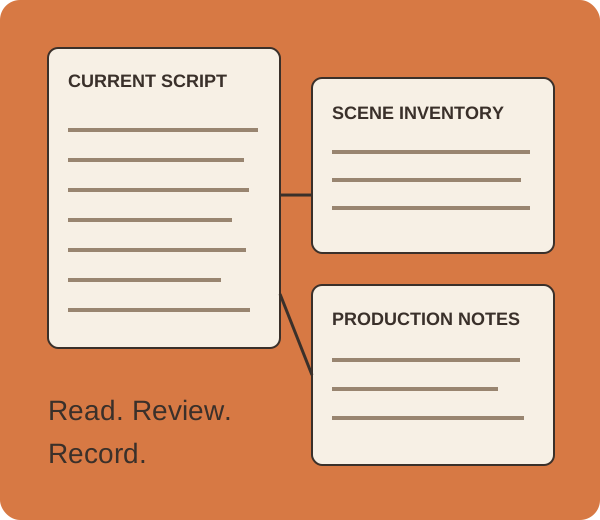
Illustrated independent film plan connecting screenplay scenes, locations and production notes

Choose the tool for
your hardest recurring job.

Choose Notion for structured records and repeatable task workflows, Milanote for a visual development home, StudioBinder for script-linked breakdowns and production logistics, or Storyflow for AI-assisted planning on a shared canvas. These are different strengths, not a universal ranking. This comparison uses official documentation checked October 5, 2026; it does not claim product trials, measured savings or signup verification.

Notion

A production record you can adapt.

Sub-items and dependencies let you divide work and connect blocking tasks. Date shifting is configurable, including an option to leave dates unchanged. For an indie team already using Notion, this can organize locations, decisions, tasks and post-production deliverables as linked records. The film-specific structure is your setup, rather than a built-in screenplay breakdown. Official task documentation.

Markdown and CSV export can preserve readable pages and tabular data. The export is a useful snapshot; it is not a one-click reconstruction of the workspace. Export documentation.

Choose it when: the film’s difficult problem is keeping records current across phases. Add an explicit script version field so an old task does not silently refer to an old scene.

Milanote

A shared picture of the film.

The filmmaker workspace brings notes, research, visual references, storyboards and shot-list templates together. It suits development when the director is still aligning story and visual intent. Official filmmaker overview.

Read-only boards open without an account; editing and commenting require an account. Subboards are included when sharing, so inspect the client-facing hierarchy. Sharing documentation.

Choose it when: the creative board is the main decision surface. Keep a written reason beside a reference; a new crew member needs to know whether it describes light, framing, performance or merely a mood.

StudioBinder

A screenplay-connected production workflow.

Its breakdown tools support selecting and tagging elements, connected stripboards, shot lists and call sheets, cast and location filtering, reports, and CSV/PDF exports. This is the clearest documented fit here when the script must feed production logistics. Official breakdown documentation.

The current import help supports PDF, SBX, FDX and Fountain. Importing the full screenplay requires a paid plan; Free imports 50% for demonstration. Do not evaluate a full-film workflow as though that demo limit were unrestricted access. Current screenplay-import help.

Choose it when: you need a production system centered on breakdowns and schedules. Check the particular plan and crew permissions before committing; this guide does not quote unverified prices or claim every feature is on every plan.

Storyflow

A visible plan with AI-assisted drafts.

Its indie workflow places development, prep, shoot and post material together on a canvas, with AI using board context. This may suit a director-producer who needs the visual plan and its reasoning beside the logistics. It is an editorial fit inference, not evidence that AI has validated your budget or schedule. Official indie workflow.

Standalone access is paid-only during early access. Invited collaborators can join free today; a standalone Free plan is announced for before the end of 2026. The explicit pricing availability statement checked October 5 governs this distinction. Older indexed use-case copy describes free access more broadly; no signup test was performed.

Choose it when: your main need is organizing and drafting the plan across a board. Keep verified addresses, availability and human decisions separate from plausible draft output.

Keep the reasons
beside the records.

A film can stall between phases. Preserve the decision, the script version and the unresolved question.

Development needs a readable direction.

Put the current script, references and pitch together. Name the version. Write why a location or visual choice matters; a collection of attractive images is incomplete context.

Prep needs actual requirements.

Read each scene for performers, props, wardrobe, locations, sound and special requirements. Dialogue cues are a starting point for cast review, not a complete list of everyone present.

The shoot needs verified logistics.

Use confirmed crew and location information. Treat a schedule or call sheet as a document to check, not evidence that people have received it or agreed to attend.

Post needs named versions.

Keep the cut identifier, review decision, remaining issue and next owner together. Archive the full delivery specification so a recut months later does not depend on memory.

A script Small illustrated scene inventory becomes a plan through review.

A short in development

Keep the current script and visual direction prominent. Milanote can be the creative home; a compact structured record can hold the open production questions.

Illustrative choices, not customer testimonials.

Turn the script
into a scene inventory.

Paste Fountain text or load a .fountain/.txt file. Fountain-js 1.2.4 parses real scene headings and dialogue character cues. Preview first, then apply the inventory and add the production details a parser cannot know.

Applying a preview replaces the current inventory, including manual notes. Save JSON first if you need to keep it. It never modifies your device’s original script. No PDF or FDX parsing is implemented here.

Load the original demo or paste your own Fountain screenplay.

The source and notes stay in this page’s memory; no script upload or automatic browser storage is implemented. JSON preserves the full script, parsed evidence and edits. CSV prefixes spreadsheet-formula-leading text with an apostrophe; JSON and Markdown retain original text. Parsing identifies syntax, not budgets, shoot durations, page eighths, safety needs or every actor/prop. Review action-only performers and requirements manually. Re-parsing creates a new preview rather than merging revisions.

Before you commit

Does this replace a full script breakdown?

No. Scene headings and dialogue cues come from the actual Fountain parser. Characters who only appear in action, background performers, props and production requirements need a human breakdown. The editable fields are a starting record, not a complete schedule or budget.

Can I use a screenplay PDF?

This tool reads Fountain plain text only. Export Fountain from a compatible screenwriting application, then check the result. StudioBinder’s current importer supports PDF and other formats, subject to its plan limits; this page does not emulate that importer.

What happens to scene numbers and character extensions?

Explicit Fountain scene numbers are retained. The dialogue-cue text returned by the parser is preserved, including parenthetical extensions where present. Names are not automatically merged into identities. You can record verified on-screen performers separately.

What if a parser cannot read my formatting?

Use the official Fountain syntax, inspect the preview, and edit the inventory. A scene absent from the preview is not proof it is absent from the film. When the library is unavailable, manual scenes and JSON/CSV/Markdown exports remain usable; no parsing is claimed.

Organize your next independent film with Super