Milanote vs Notion vs Storyflow

Give every video
a clear handoff.

The strongest production workspace makes the next decision obvious: what is approved, who owns the next step, and which files actually belong in delivery.

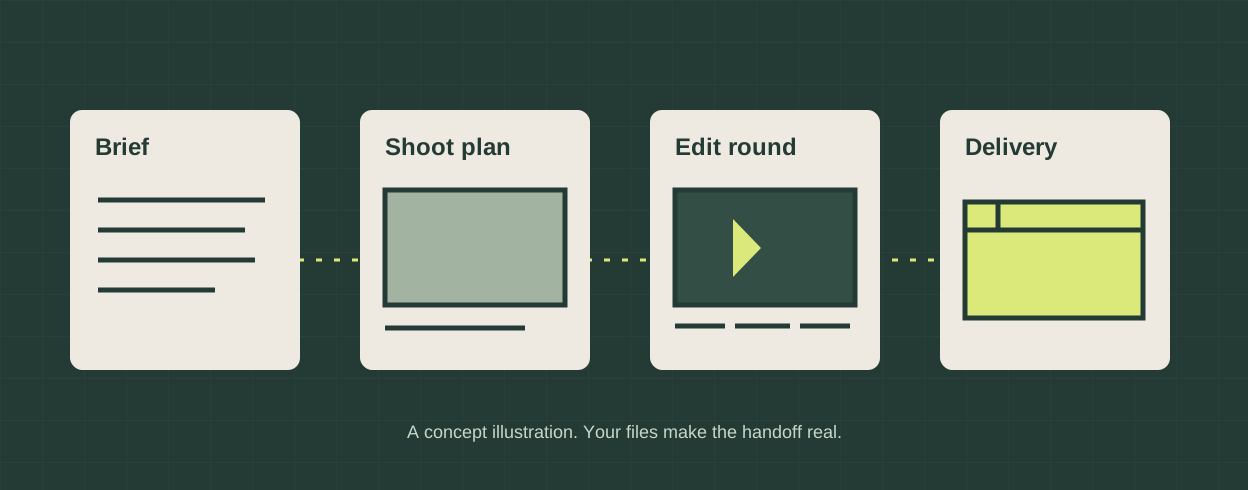
Illustrated production stages connecting a brief, a shot plan, an edit and a delivery package

Choose by the work
you need to organize.

Choose Milanote when the creative board is your main workspace; choose Notion when owners, dates and dependencies need a structured record; consider Storyflow when you want AI-assisted production drafts beside the visual plan. Keep your actual editor and review process in the workflow. This is a documentation-based comparison, checked October 5, 2026, rather than an account trial or performance benchmark.

Milanote

A visual home for the treatment and shoot plan.

Its filmmaker workspace brings notes, research and references together with moodboards, storyboards and shot-list templates. The visual sequence is useful when a director needs to communicate the look before discussing tasks. Official filmmaking overview.

Board sharing distinguishes viewing, commenting and editing. A shared board also exposes its subboards, so inspect the full hierarchy before sending a client link. Read-only access does not require an account; commenting and editing do. Sharing documentation.

Our recommendation: keep the approved treatment prominent, then maintain a separate, explicit delivery checklist. A beautiful board alone does not establish whether a final file matches the brief.

Notion

A structured record for recurring production work.

Sub-items split a task into smaller pieces. Dependencies connect tasks, with choices to shift dates only on overlap, maintain the gap between tasks, or leave dates unchanged. Weekend avoidance is a separate setting. These documented controls suit a repeatable production database. Sub-items and dependencies.

Sharing permissions include viewing, commenting and editing, with permissions inherited from parent pages. Design the client-facing page deliberately rather than assuming every internal record is safe to share. Notion sharing documentation.

Our recommendation: use linked records for deliverables, tasks and decisions; put the approved creative reference inside the record that owns the work. This needs an intentional setup rather than a production-specific default.

Storyflow

A board for AI-assisted production documents.

The current production page documents briefs, scripts, storyboards, shot lists, schedules, call-sheet PDFs, edit tickets and deliverable tables together. Its AI drafts from board context; the human producer still checks the output. View-only links require no account. Current production overview.

It organizes work around the footage; it does not edit footage, run payroll or send call sheets by text. Keep editing and frame-accurate cut review in their appropriate tools.

Availability matters: standalone access is paid-only during early access; invited collaboration is free today. A standalone Free plan is announced for before the end of 2026, not currently available. This follows the explicit pricing availability statement checked October 5. Older indexed marketing describes free access more broadly; this was a public-source check, not a signup test.

The shared discipline

Give every stage an owner and a real artifact.

Record the approved brief and version. Connect each shoot requirement to that brief. Record edit decisions against a named cut. Before delivery, list each promised format and attach the corresponding file.

A board, a database and an AI draft can all support this discipline. None substitutes for checking permissions, consent, actual media content or the recipient’s technical specification.

The packager below makes the last handoff concrete: it collects your selected files, computes their SHA-256 digests, and exports a manifest that says exactly what is included.
A workflow that survives
the next revision.

The brief defines the promise. The creative plan explains it. The shoot captures it. The edit interprets it. The delivery package records what you actually sent.

A director shaping a treatment

Start with the visual references and storyboard in Milanote. Name the approved version, then connect its requirements to the production checklist.

Illustrative workflow choices, not customer testimonials.

Before booking the shoot

Separate what the client has approved from what is still a question. Record the approver, the version and the exact response. Add a location or crew detail only after checking it; an AI-generated call sheet with a plausible address is still a draft.

Before approving the cut

Keep review notes attached to the cut version. Resolve contradictory feedback with the named approver. The workflow board can track the decision, but frame-accurate review and the editing timeline still need their own tools.

Before sending final files

Check the recipient’s codec, dimensions, duration, captions and audio requirements in the actual editor or media inspector. This packager records files and browser-readable metadata; it does not transcode, measure loudness, infer frame rate or certify delivery compliance.

Build a real
production handoff.

Attach local files to named deliverables, add the instructions the recipient needs, then download a ZIP containing the actual bytes plus JSON and Markdown manifests. JSZip 3.10.1 creates the archive; Web Crypto computes each SHA-256 digest.

Add a deliverable or load the clearly labeled demo.

Files stay in this page’s memory; no upload or automatic browser storage is implemented. Save JSON before closing. Restoring validates file digests before replacing the draft. Large files need substantial memory because JSON embeds their bytes and ZIP generation keeps a copy; this tool does not promise unlimited file sizes. Cancellation discards the pending result; JSZip may finish its current archive computation. Reset removes the draft from this page, not files on your device.

Practical questions

Can one of these replace a video editor?

Choose these for planning and coordination. Storyflow explicitly separates its production board from editing. A final cut still needs an editor; the handoff tool here does not encode or modify your media.

Does the checksum prove a file is approved?

No. SHA-256 identifies the exact bytes included in this handoff. Approval is a separate human decision. The manifest contains your entered version and notes, not authenticated signatures or an approval audit.

What media metadata is inspected?

The browser attempts to read duration and, for video, dimensions from playable video or audio files. Unsupported codecs remain attachable with metadata marked unavailable. Container labels, filenames and MIME types are not proof of codec, frame rate, captions, colour space or quality.

What is inside the ZIP?

A numbered directory per deliverable contains its attached files with safe names. The root contains manifest.json and README.md with full notes, file sizes, SHA-256 digests and available media metadata. The complete JSON backup embeds the files and supports restoration here; the ZIP manifest records an inventory rather than embedding another copy of the media.

Plan your next video production with Super