Coordinate requirements
Attach cast, prop and location needs to actual scenes. Move the scenes and read the resulting day plan.
StudioBinder and Celtx help coordinate production. Boords helps agree on visual timing. Frame.io helps review media. Choose the handoff that is failing, then test the complete workflow.

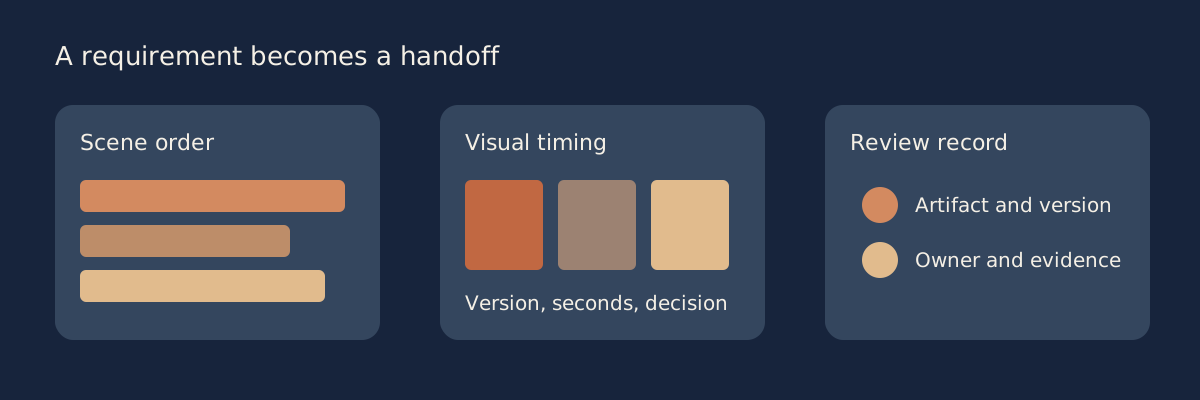 One accountable plan.
Attach cast, prop and location needs to actual scenes. Move the scenes and read the resulting day plan.
Time the planned shots, name the reviewed version and keep the client's unresolved decisions visible.
Link feedback to the correct asset and version. Separate a review share from an editing seat.
This browser planning tool uses Decimal arithmetic, D3 schedule rendering, PapaParse CSV and JSZip packaging. It reviews your entered availability, timings, approval assertions and quotes. It does not connect to vendors, send call sheets, verify rights or approve the production.
Loading local tool…
Use unique IDs, an exact entered date, location and a stated minute capacity. Capacity is your assumption, not a working-time rule.
Available day IDs are separated by semicolons. Keep unknown access in notes; the tool cannot confirm a person is available.
Enter one planned day, numerical order, person IDs separated by semicolons, props, preparation/shoot minutes and responsible owner. Include moves/breaks as explicit planning records when needed.
Enter seconds and included yes or no. Screen duration is different from the preparation and shooting effort in scenes.
Status is pending, approved, changes or withdrawn. An approved entry without evidence is flagged. No external decision is verified.
Selected is yes or no. Amount is the complete charged period price; months is the period covered; units is the billed count. Use one unit when the amount already totals a bundle. Blank amounts are unknown and excluded, not zero. Currencies remain separate.
Preparation plus shooting minutes are separate from screen duration. The diagram uses your order and dates, not an automatic optimization. Scroll it sideways on a narrow screen; all records remain editable above.
JSON preserves the full editable source. Six CSV tables receive spreadsheet formula-prefix protection while retaining the complete text. The ZIP includes JSON, all six CSV tables, the full report and a README. These exports are your local planning records, not vendor projects, media files, delivery receipts or verified client approvals.
Make screen timing explicit. Load the complete fictional Harbor Cup example, review the staged record counts and apply it. Rebuild the planning review: the six included shot groups total 71 seconds against a 60-second target. Change the workshop shot from 14 to 9 seconds and the transition from 9 to 3. Rebuild to see 60 seconds. The 11-second reduction is arithmetic; the director and client still need to review the pacing.
Read availability conflicts. Lila is entered as available only on D1. The example assigns S03, S04 and S07 to D2, so the rebuilt review exposes three actual entered availability conflicts. A proposed move to D1 also needs sensible order, preparation and shooting estimates, location access and actual crew agreement. Clearing an input conflict does not verify filming feasibility or permission.
Keep approval explicit. Inspect the approval records for the proposed B2 visual plan, café access and call-sheet follow-up. The complete written request and version are retained, but their states remain pending. Record a real decision and evidence only after receiving it. This local tool does not send the request, verify the recipient, deliver a call sheet or establish client consent.
Take the full plan with you. Rebuild from the current edited source, then download complete JSON, six individual CSV tables and the full report, or one ZIP containing all of them and a README. Restore the JSON through the staged review and apply only when replacement is intended. Preserve the actual scripts, boards, media, rights records and issued vendor documents separately; the packet is your entered plan, not those external assets.
A seventy-one-second visual plan exceeds a sixty-second brief by eleven seconds. A reviewed revision can change the allocations; the sum alone does not prove successful pacing.
Moving the performer scenes into an available day still requires location access and crew feasibility. A cleared input conflict does not verify the production.
Name the artifact, version, reviewer and evidence. A planned request is pending until an actual decision is recorded.
Lila is entered as available on D1. Keep that requirement attached to each relevant scene.
Move the scene only after access, order and preparation requirements have been checked.
The revised version and actual recipient decision belong in the record, with their evidence.
StudioBinder and Celtx are sensible places to investigate a script-to-shoot coordination problem. Boords is worth comparing when the visual sequence and its timing need client agreement. Frame.io fits media review, version feedback and Camera to Cloud rather than replacing a scene breakdown or a shooting schedule. These are workflow recommendations, not results of a controlled vendor benchmark. The important choice is the artifact your next collaborator cannot currently use.
Imagine three messages arriving on a producer's phone. A camera assistant asks where to park tomorrow. An agency asks whether the opening product reveal lasts too long. An editor asks which note applies to the third version of the cut. Those messages concern different records: a distributed call sheet, a timed visual plan and a version-specific review. Buying a single application because it appears under “video tools” does not establish that it produces all three. Equally, buying every named application before identifying an actual gap adds maintenance without proving better coordination.
Current product boundaries are broader than some familiar comparisons suggest. StudioBinder now documents screenplay and AV writing. Boords includes scripts and script-to-board operations. Frame.io can review reference material before filming, and clients using its public shares do not all require paid member seats. Keep these corrections in mind when evaluating an old feature table. A product can participate early in a project without being the system that assigns scenes to days, checks availability and distributes logistical instructions.
Begin by naming the unresolved output: a corrected breakdown, an ordered day plan, a budget a funder can inspect, a timed storyboard, a complete call sheet or a traceable approval. Then name its owner, recipient and deadline. “Need better collaboration” is too broad to test. “The first AD must move three talent scenes into day one and issue the revised plan to the department heads by Thursday” gives the trial a measurable job.
Production management connects script elements, locations, cast, equipment, scene order, calendar constraints and the people who need the final instructions. A breakdown is an inventory of production requirements attached to scenes. A stripboard turns those scenes into reorderable shooting units. A Day Out of Days report shows when an element is expected to work across the schedule. A call sheet communicates the actual day's arrangements to its recipients.
These records should agree. If moving a scene changes the needed performer but the call sheet still names the previous cast, a pretty calendar has not solved the coordination problem. Test the chain with one changed requirement. Edit a prop or cast need, move the scene, inspect the updated schedule and then inspect the sheet the recipient will receive. The useful output is consistency across the handoff, not the number of modules in the sidebar.
A shot list describes the intended coverage. A storyboard makes important frames visible. An animatic places frames on a timeline so the team can discuss pacing before shooting. The distinction matters on a fixed-duration commercial: six attractive pictures do not show whether the opening consumes half of the available runtime.
Treat duration and approval as separate fields. A sequence may fit sixty seconds and still await the client's decision. A client may approve a board that later changes order. Record the reviewed version, reviewer, decision, unresolved note and consequence of a revision. A generic “approved” label without the version makes it hard to know whether yesterday's agreement applies to today's plan.
Footage review needs a media identity and version, a time-specific comment, a responsible person and a clear disposition. Camera to Cloud can shorten the path from a supported camera or recorder to a remote editor, but capture equipment, connection quality, account configuration and storage still matter. It does not establish cast availability or replace the on-set copy and backup plan.
Pre-shoot review also has a legitimate role. A director can send reference clips or a test to discuss texture, movement or performance. That is an early review task, not evidence that a media-review service has become a stripboard scheduler. Use each system for the records it actually supports, and keep the next person's requirements visible.
Use six tests in a deliberate order. First, import representative script material and inspect the breakdown. Count the tags that are correct, missing or attached to the wrong scene. Do not adopt a universal correction percentage; record what happened on your own format and material. A branded AV document, a conventional screenplay and an unscripted interview outline are different inputs.
Second, build two actual shoot days. Reorder scenes around a location or performer, add preparation, a company move and an agreed break, then inspect available reports. A calendar appointment alone does not express the same information as an ordered stripboard. Verify the requirement your first AD actually uses rather than assuming a feature name implies the expected report.
Third, produce and distribute a call sheet within the plan being considered. Check the contact roster, date, individual calls, address, parking instructions, emergency information, weather source and revision. A preview sent only to the account owner is not proof that the crew can receive it. Delivery, opened status and an explicit confirmation are different evidence; a recipient opening a link does not prove that they understood a changed address.
Fourth, build a short visual sequence with realistic durations. Ask a reviewer to comment on a specific frame, revise it and inspect the resulting version history. If timing matters, try scratch audio and a complete playback/export. Review the mobile guest experience as well as the editor's desktop. A tool that draws well may still make approval awkward.
Fifth, assign four distinct roles: producer, first AD, director and DP. Add a client who only reviews. Determine who edits, who administers, who comments and who simply receives a document. Test permission changes and a guest link with an account that has no paid editor role. Do not count every person on the contact list as an editor, or assume every free viewer can change the production source.
Sixth, price the configuration that passed those tests. Include the actual plan, included members, additional paid seats, production add-ons, project and storage constraints, billing period and tax treatment. A displayed monthly equivalent of an annual plan is not the amount charged for a six-week shoot. Record current quotes in the workbench and keep currencies separate.
The workbench below helps organize those decisions and exposes conflicts in your entered plan. It does not sign into these vendors, verify a guest's action, send a call sheet or make a script breakdown automatically. Its checks are planning calculations over your own scene, person, shot, approval and quote records. Human judgment still determines whether the plan is safe, feasible and accepted.
StudioBinder's current documentation includes screenplay writing with automatic formatting, AV scripts, breakdowns, stripboard scheduling, contact management, shot lists and storyboards. That changes the buying question: an external writing application may suit your preferences, but it is not required merely because an older comparison said StudioBinder could not write scripts. The useful question is whether your real revision and document workflow fits its current editor and plan.
The paid-plan distinctions deserve attention. Starter includes one complimentary user and ten total projects, with script import, scheduling and digital call-sheet distribution. Indie includes two complimentary users and adds functions such as estimated preparation/shoot times, advanced scheduling and call-sheet tracking/analytics. Professional includes four complimentary users and further scheduling/document features. The free plan is a constrained trial: one project, ten contacts, five locations and limited shots, scenes and tagged elements. Its sample call sheets can be sent only to yourself. These are documented entitlements, not a guarantee of your checkout's final price. See the current plan guide.
To test the working chain, start with a short script containing a recurring hero product and one performer with restricted availability. Review the elements on the breakdown sheets; a missing requirement needs correction before scheduling. Move the related scene strips together, then check the cast/element report and the day instructions. Inspect how image references remain attached to shot records when you filter or export the list. The point of the trial is to see whether a real revision remains understandable after it passes between departments.
A corrected breakdown should name the actual category: cast, props, wardrobe, vehicles and locations, rather than relying on a generic tag count. Drag the related scene strips into the intended shooting order and inspect how their linked requirements follow. Reuse the established project contact roster across later jobs instead of rebuilding department associations from scattered messages. In the shot list, filter by scene or setup and check each attached reference image in the recipient’s export. These are concrete trial operations, not an independent claim about tagging accuracy.
Call-sheet logistics deserve their own reading pass. A location marker is not the entrance or parking instruction. An automatically populated hospital still needs local verification. Weather and daylight information need a relevant date and source. After distribution, check the documented tracking surface in the chosen tier and arrange an actual follow-up for an unread or unconfirmed recipient. Do not describe an entered confirmation in this page's tool as a vendor delivery receipt.
A production manager can be a strong fit for crew coordination while another application remains preferable for drawing, editorial review or detailed financial reporting. Trial your budget categories and required report before assuming “budgeting” means the funder's expected structure. Similarly, a basic set of storyboard frames may be enough for a familiar small team; a client timing review can justify a separate animatic workflow.
Celtx's production product describes a connected script-centered workflow: detailed shot lists, cast and crew scheduling, breakdown, production catalog, budgets, call sheets and reports. Its budget supports forecasted and actual costs; call sheets draw from script, schedule and catalog information. Reports include Day Out of Days, one-line schedules and shooting sides. Sharing distinguishes read/edit/comment access, with read-only project links available for feedback. See the production workflow.
For a solo filmmaker writing their own material, integration can reduce the number of places that need an update. Start with a scene revision, correct the related breakdown requirement, inspect the schedule and then compare the expected expense against the budget. Record the updated version and make sure the next person has the right permissions. A connected product does not excuse a producer from reading the generated document or verifying its assumptions.
The current public pricing table separates Free, Writer, Writer Pro and Team. Free shows one project and does not include the production-planning tools. Writer and Writer Pro list those tools as optional add-ons; Team includes production planning and is selected for three through fifteen members. Do not buy the entry writing price assuming that scheduling and budgets are included. Its public collaborator FAQ also distinguishes sharing work from paying for a studio collaborator who receives your paid features. Review the actual plan and role table.
Education is a separate purchasing path. Student eligibility, school administration and annual-only education billing differ from a commercial team plan. Check who is paying, how the seats are administered and what happens when a class or project ends. A student offer should not be generalized into the commercial filmmaker's price.
Budget headings need the recipient’s actual account structure. Above-the-line creative/talent, below-the-line production and post-production are useful conventional groupings to test; they are not interchangeable with a subscription-cost total. Retain the budget’s account codes, forecast, committed amount and actual expense, and ask the funder to inspect the exported report. A screenplay editor’s industry formatting also needs a real export/pagination check, especially after a revision.
In a budget trial, enter one performer fee, location expense, equipment hire and post-production item. Check whether the report organizes costs in the structure required by the intended recipient, then record a real change in forecast or actual expenditure. A report that suits one funder may require a different account structure for another. Do not confuse a product's list of financial modules with an independent judgement that it is the best budgeting application.
For collaboration, ask a co-writer to make a script comment and a producer to inspect a planning record. Check the actual access that each role receives; a link that permits reading is not an editing seat. Inspect available call-sheet distribution or status behavior in the specific account before asserting that any receipt feature exists or is absent. The source of certainty should be the current workflow and documentation, not a blanket negative in an old comparison.
Boords currently combines scripts, storyboards, an animatic editor and client review. Its plan table documents script-to-storyboard conversion, automatic voiceover timing, version history, no-signup client reviews, unlimited guest commenting and export formats on paid plans. Paid Solo is one user; Pro covers up to five, Team up to ten and Agency up to thirty. Team controls such as project permissions and client-hidden comments are separate plan distinctions. The Free plan currently states five users, five active storyboards, three active scripts and eight nonrenewing sample image credits. See the current feature and pricing table.
The practical reason to investigate an animatic is a pacing decision. Give each frame a purpose and a duration, place the dialogue or scratch audio against the sequence and play it from beginning to end. A sixty-second brief is not met merely because the frame count seems small. Keep the time occupied by titles, pauses and the closing identification in the same accounting.
Ask the agency to review a named version through the intended guest link. A useful comment identifies the frame, requested change and reason. Resolve it only after the responsible person has revised or explained the decision. Then issue the updated version for approval. Preserve the earlier decision context; overwriting a board without identifying the revision can make a previous sign-off ambiguous.
For the frame itself, test the drawing workflow or import an owned image, arrange its caption and shot information, and check the layout the client actually receives. Drawing and AI-assisted image generation are alternative ways to illustrate the intended shot; neither establishes the availability of a practical prop or location. A frame-level thread should keep its comment, resolution and earlier version context together.
AI-assisted frames can make an early visual conversation easier, but a generated prop, location or person is not proof that it exists, is available or can be filmed safely. Use references with known rights where appropriate, distinguish inspiration from an intended shot and assign feasibility questions to the responsible crew member. The tool on this page deliberately stores the written shot and approval records instead of claiming to generate feasible camera plans.
A storyboard subscription complements logistics when a client needs this review loop. It does not establish the cast's work dates, crew calls, location permission or production budget. Conversely, a familiar team can sometimes work from a sufficient shot list and floor plan without a dedicated board service. Choose the additional layer for a concrete approval or timing requirement rather than a universal rule that every shoot needs a second subscription.
Frame.io combines media review, version management, sharing and Camera to Cloud. Its current price table includes frame/range comments, annotations, document markup and comment exports. Free provides two members, two projects and 2GB storage. Monthly Pro is US$15 per member plus tax with up to five members; Team is US$25 with up to fifteen. The listed storage and permission features differ by plan. See the current plans.
External clients can review through a share rather than becoming paid account members. The current V4 shares guide describes public versus secure sharing, comment/download permissions, version visibility, expiration and passphrases. A public reviewer leaving a first comment supplies a name and email for identification; that is different from purchasing an editor seat. Secure sharing and internal conversations have their own plan conditions. See V4 share behavior.
A useful review starts with a named asset and version. Give the client one intended share, make clear whether earlier versions are visible and ask for time-specific notes. A change to the first ten seconds should not be left as a vague instruction in a separate messaging thread. Record who resolves the note and issue the next cut with the revision identity intact. Do not interpret a downloaded comment list as proof of final acceptance; the reviewer must actually make that decision.
An editor working in Premiere should test the actual integration on one named cut and carry the time-specific note back into the intended editing workflow. Preserve version stacks and frame-accurate annotations so a request about cut three does not silently attach to cut two. A bundled Creative Cloud entitlement can affect the purchase, but verify the currently included account and storage rather than assuming the standalone plan’s limits or price apply.
Camera to Cloud is relevant when footage needs to reach a remote editor during a shoot. Test the supported camera/recorder path, connectivity, proxy/original expectations, permissions and available storage before promising same-day delivery. Keep an independent on-set backup and an agreed recovery path. A cloud transfer interrupted by coverage or battery does not change the physical requirement to retain captured material.
Reference footage, look tests, rehearsal clips and documents can also be reviewed before a shoot. That makes “only useful after filming” too absolute. The distinction is about the operational record: reviewing a look test does not generate a scene-based shooting order or a crew call. Choose Frame.io for a concrete media-feedback problem and a production-management system for the scheduling records it does not replace.
Storyflow can help collect a treatment, references, script fragments and alternative visual directions on a shared canvas. Its practical role here is creative development and context. Begin with a project-specific board, attach the relevant reference material and write the question you want to resolve. Bring in the appropriate Tactic or mentioned document where the current account supports it, then review the resulting structure and source assumptions. Do not assume an older article's one-Tactic/three-document limit describes the current product.
The source article describes a concrete canvas operation: start from the chosen template, use the AI chat at the bottom of the canvas to request cards/headings, type @ to select an appropriate Tactic and bring the relevant documents into the working context. Its older one-Tactic/three-document maximum is dated source context, not a verified current limit. Review the generated board against the source before using it; then ask for a mindmap of the chosen direction rather than treating an unreviewed answer as an issued plan.
For the fictional film used below, an example instruction is: “Arrange the brief, product references and interview notes into three visual directions. For each direction, list the opening beat, its evidence, the unresolved location requirement and the client decision needed before scheduling.” A follow-up can ask for a mindmap connecting the chosen direction to the board's existing material. The human reviewer still checks whether generated associations reflect the sources and whether the proposed coverage fits the actual shoot.
Early access currently requires a paid standalone subscription; people invited to a paid member's board can collaborate free. The published annual charges are US$95.88 for Plus, US$168 for Pro and US$468 for Max, rather than monthly payments of the displayed annual equivalents. A future standalone Free plan is announced separately. See the current availability and billing terms.
A shared reference board does not establish a cast member's availability, issue a call sheet or confirm a location permission. Export or hand off the chosen creative direction with its sources, reviewer, version and unresolved items. The next production system needs actual scene requirements, not merely a persuasive treatment. Use a creative canvas alongside logistics when that context handoff is the bottleneck.
Public plan and billing information below was checked on 7 October 2026. Prices are the observed US-dollar public displays before applicable tax; account, region and checkout terms can differ.
Consider four shapes of work. A solo short over six weeks needs different access from four people changing the same commercial schedule. A company with three concurrent jobs can meet a project cap before it meets a seat cap. An ongoing ten-person department may need administration and permissions that a one-off guest review does not. Define those roles before calculating a subscription total.
The public US Celtx controls checked for this guide showed Writer at US$14.99 monthly and Writer Pro at US$24.99 monthly; neither entry price by itself proves production-add-on entitlement. Team with three members showed US$59.99 monthly, four US$74.99 and ten US$154.99. Its displayed yearly equivalents were respectively US$44.99, US$56.24 and US$116.24 per month. Those are rounded display equivalents, so obtain the actual annual checkout amount rather than presenting their multiplication as a verified invoice. The three-to-fifteen member selection is a real tier choice, not a count of call-sheet recipients.
Boords monthly Solo/Pro/Team/Agency are US$39/75/125/250, with one/five/ten/thirty users. The yearly equivalents shown are US$26/50/85/165; compare the actual annual commitment at checkout. A four-editor project fits the published five-user Pro ceiling, while a ten-editor project fits Team. Unlimited guest comments do not require buying a full editing role for each client reviewer.
For Frame.io, four paid Pro members at US$15 monthly means US$60 per month before tax; two such monthly payments would be US$120. Ten paid Team members at US$25 means US$250 monthly. These are direct calculations from the selected monthly rates and role counts. They do not imply that ten guests require ten members or that two months always cover a project. Storage, extra features and the billing start date can change the actual purchase.
StudioBinder's current Professional support article states US$99 monthly with four included users and US$25 monthly per additional user. On that documented basis, ten editing users would be US$249 monthly before any other applicable charges. The general plan guide verifies included users and features, while the public application pricing route rendered a sign-in surface during this research. Current Starter/Indie annual checkout commitments were not established from that route. Ask for the actual quote; do not substitute a historical entry price or an invented annual discount. The Professional plan details and additional-seat rule provide the verified monthly basis.
A six-week project may cross two monthly renewal dates, but a month is not universally thirty days. Use the subscription's actual start and renewal dates. If work occurs in two clusters, compare the actual needed monthly purchases against a twelve-month commitment; canceling between clusters also affects access and continuity. Put those consequences in the decision record, not just the price cell.
Separate currencies and unknown values. A missing quote is unknown, not free. A guest invitation is an access route, not a transferable paid editing licence. A monthly equivalent is useful for comparison, but the complete upfront charge determines cash required. The workbench stores the entered period price, covered months and paid units so readers can see the basis of each calculated comparison.
The following is a fictional planning example, not a customer outcome. Harbor Cup wants a sixty-second film about a reusable travel mug. An agency supplies an AV brief for two locations: a workshop and a café. Nine crew work across two days; the client attends day two. The delivery window is three weeks. Producer Mira owns the plan, first AD Jules owns the day order, director Nia owns visual choices and DP Arun checks camera requirements. Performer Lila is available only on day one.
The agency's Word document has narration, brand messages and visual suggestions rather than standard screenplay scene headings. Keep the original brief, then create explicit scene IDs with location, intended story moment, required performer, hero prop and unresolved need. Import only a format the selected production manager actually supports, or enter the breakdown manually. Do not assume every formatted paragraph will become a correct scene simply because a service advertises script import.
For this example, scenes S01 through S04 need the hero mug: the opening reveal, workshop detail, performer demonstration and café handoff. S05 is a texture/transition sequence and S06 is the end identification. The art department must decide whether one qualified handler can carry the prop between the two locations or whether a duplicate and separate handling arrangement are necessary. That is a production decision attached to scene requirements, not a software-generated answer.
The initial six shot groups total seventy-one seconds: opening twelve, workshop fourteen, demonstration sixteen, café handoff thirteen, transition nine and closing seven. The overage against sixty seconds is eleven. Cutting five seconds from workshop detail and six from the transition makes the revised durations twelve, nine, sixteen, thirteen, three and seven: exactly sixty.
This arithmetic does not guarantee a successful film. The editor/director must review actual pacing, the voiceover and the intended closing hold. If the brand requires a longer end identification, revisit the other allocations. Put each revised duration in the shot records and mark the revised board version for review; do not keep the initial seventy-one-second approval attached to a different sixty-second plan.
Initially, demonstration S03 and the café handoff S04 were on day two, with a pickup involving Lila also suggested for that day. Her day-one-only availability creates three explicit revision tasks. Move the performer requirements into day one or alter the coverage with director/client approval. Do not silently remove a cast requirement merely to clear a scheduling warning.
Jules groups the workshop material in the morning and the café performer coverage later on day one, including a realistic company-move allowance. Day two covers non-performer inserts, room/texture material and the closing identification with the client present. The locations must agree to those access windows. If the café cannot provide day-one access, the plan remains unresolved until a location, date or approved coverage change is obtained.
The stripboard is useful because the scene order can change while the requirement remains attached. Check the Day Out of Days or equivalent element view after every move. Read performer usage, prop usage and the location order together. A schedule with attractive colors but no acknowledged availability is still a draft.
Nia sends the agency the updated sixty-second board as “Harbor Cup visual plan B2,” with the literal request: “Please confirm the revised workshop and café sequence in B2, including the shorter transition and seven-second end identification, by Thursday 16:00. S03/S04 will shoot on day one because Lila is unavailable on day two. Reply with approval or identify a frame and requested change.”
In this example, the tool's approval state remains “pending” until the person records a real response and its evidence. The restored example contains a planning note for the request, not fabricated client consent. If a frame changes after a recorded acceptance, update the version and obtain the required new decision rather than treating a historic approval as perpetual permission.
Mira prepares the day-one call sheet for nine crew and the relevant client contact: the actual date, individual calls, address/entrance, parking, weather/daylight source, verified emergency instructions, planned scene order, location move, breaks, key contacts and revision identity. Sensitive contact information belongs in an appropriately controlled distribution, not a publicly indexed planning example.
A scenario in which two recipients have not opened the sheet by the agreed evening check illustrates why follow-up ownership matters. Mira contacts those two people through the agreed channel and verifies their revised instructions. A mock record in this page can represent that task, but it cannot claim the emails were delivered or the phone calls took place. The chosen vendor's tracking and the producer's direct acknowledgement remain distinct evidence.
After capture, the editor publishes the intended cut version in the review system. The agency comments on time-specific moments, the editor records resolution and the next version stays identifiable. Camera to Cloud may be useful if the capture/network workflow was tested; ordinary verified upload can be enough when immediate remote editing is unnecessary.
The three layers now have explicit jobs: the production manager owns logistical requirements, the visual plan owns pre-shoot timing/agreement and the review system owns feedback on actual media. The fictional workbench records those handoffs and the unresolved fields. It does not replace the vendors' authenticated services or treat an entered approval as external proof.
When changing between Celtx and StudioBinder, keep an editable script export and test the destination's supported import. Check scene IDs, headings, characters, pagination and revisions. Rebuild or verify production tagging; a script file does not necessarily carry breakdown categories, element links, schedule order or custom fields. Estimate your own correction effort rather than adopting a universal afternoon-long migration estimate.
Contacts need a separate check. StudioBinder's current bulk-contact help describes entering email addresses; the original comparison's generic CSV-transfer claim is not proof of a lossless address-book migration. Obtain the actual import/export surface and inspect names, roles, phone numbers, consent and project assignments. An email imported successfully does not prove that its department association or private note also transferred.
Shot lists and boards require an explicit destination mapping. Retain the shot ID, description, duration, lens/camera notes, image rights/reference, scene association and current review version. A CSV can carry text while dropping attached images, rich fields or comment history. Read the destination result rather than assuming that every service accepts another application's export unchanged.
Keep crew-facing PDFs alongside the editable source. They are valuable handoff records, but a PDF does not restore a production database's relationships, permissions or revision process. Before canceling an account, identify which record is the authoritative schedule and which is a historic issued document. Save the final approved version and the rationale for later retrieval.
Frame.io V4 currently supports printed comments, rich PDF-like comment views, CSV/plain-text exports and editing-system handoff formats. The comments menu export reflects filters, so clear or deliberately record the filter before exporting. Check annotations, attachment context and timecodes against the asset. See the current comment print/export guide. Those features correct the blanket claim that review history cannot be exported at all; they do not establish a complete one-click restoration of every version, share, permission and approval in a different service.
Make a small recovery package before moving the full job. Open one scene, one contact record, one revised board and one comment export in the intended downstream system. Ask its recipient to identify the version and unfinished decision. Only then decide what additional source files or records need preservation. The test is practical recoverability, not merely possession of an archive filename.
These are original fictional working examples. The values teach a handoff; they do not represent real access, contracts, permissions or approval. Replace them with your project's records before issuing anything to a crew.
A solo filmmaker who writes the material can investigate Celtx's connected writing/production package, including the required add-on or Team entitlement. A producer whose friction is scheduling and call-sheet distribution can investigate StudioBinder's applicable tier. A director with external visual approval can add Boords when the board and animatic loop solves a concrete problem. An agency reviewing filmed versions can add Frame.io with a deliberate member/guest model.
Animation or extensive previs may start with a visual planning tool while a small schedule remains in a controlled spreadsheet. A documentary can use production contacts/call sheets alongside access, consent and transcript records. None of those suggestions establish universal superiority. The right stack is the smallest set that supplies the required artifacts with correct permissions and a recoverable handoff.
A spreadsheet and shared folder can be sufficient for a small, familiar project with an accountable owner. “Six crew and two locations” is not a safety threshold or an entitlement rule. Complexity also comes from travel, permissions, minors, action, working conditions, client approval and changing availability. Choose a management system when its verified workflow removes a real failure, not merely when the contact count passes an arbitrary number.
Unscripted work often discovers its story after capture. An interview subject's availability, consent and location access can determine the schedule before a conventional script exists. Keep a contact/access tracker with the current conversation, agreed window, permission evidence, next action and owner. A crew call can still be useful even when screenplay tagging is irrelevant.
The calendar should show actual access windows, travel and contingency rather than inventing scene strips from an outline. Maintain a transcript and footage index with source file identity, relevant moments, unresolved factual claims and editorial notes. This supports a later story structure without turning interview guesses into approved narration.
The workbench can represent scenes or access blocks and flag entered availability conflicts. It cannot obtain consent, verify a subject's status, interpret legal permission or discover a documentary story from your media. Keep those judgments and the actual evidence in their appropriate records. The planning value is seeing who owns the next conversation and which schedule assumption is still unconfirmed.
Yamdu's department-specific workflow connects script tagging with production design, costume, makeup and other departments. The original also identifies department-level task assignment and a cast portal as reasons to investigate it; test the current portal role and permissions for the intended cast member instead of assuming every crew role sees the same records. Its coordinator workflow also describes crew self-service exports and personalized watermarked distribution. That matters when the difficult part is routing requirements through a larger organization. A small familiar crew may need less structure. See department collaboration and coordinator distribution.
Current Movie Magic Scheduling 10 adds multi-unit/sub-board work, cross-schedule conflict visibility and real-time collaboration to the familiar scheduling/reporting task. Its annual store currently shows an introductory US$199.88 against a displayed US$279.88 yearly price with a twelve-month commitment. Check the current offer and the collaborators' licence requirements. A first AD's established system, required financier output or multi-unit job can justify this choice; an unqualified claim that it is always unnecessary for shorts does not. See current MMS 10 and the annual purchase.
Shot Lister addresses the shooting day. Its Live Mode compares remaining estimated work with wrap time and gives separate shot and wrap clocks; completing, deleting or revising an estimate changes that calculation. That is different from approving a board. Use realistic setup estimates and review what remains rather than treating a countdown as a guarantee. See the actual Live Mode explanation.
Storyboarder by Wonder Unit is a free, open-source drawing/visualization option that explicitly supports making and showing animatics. Its documented editing handoffs include Premiere, Final Cut and Avid, alongside PDF/GIF. The old distinction “free but without animatics” is therefore wrong. Trial the required audio/timing and recipient's current editing application; hosted client-review history is a different requirement. See Storyboarder.
Previs Pro is a spatial alternative when blocking, camera position, lens choice or room feasibility matters more than drawing a flat frame. Its current pricing page describes Mac/iPad/iOS, free access, monthly US$39.99, annual US$119.99 and lifetime US$359.99, with local Apple-market pricing and some usage-based AI items. It lists animatic sequences and 2D/3D/MP4/NLE exports, with watermark conditions on free output. An approximate scene is still not a surveyed location. See current access and exports.
WriterDuet’s collaborative-writing role is worth a representative co-writer trial: edit the same scene, inspect the revision and export the screenplay the production manager will receive. This guide has not established a current free-project allowance or measured its collaboration against Final Draft.
WriterDuet and Final Draft are relevant when the writer or department already has a preferred screenplay workflow. Keep its editable format and test the destination import. Airtable or a spreadsheet can support access/contact tracking when the production has no script-driven scene inventory. These are workflow options, not claims that every free plan includes your required collaborators, export or production management features.
StudioBinder, Celtx and specialist Movie Magic Scheduling are established production-planning candidates; Boords and Frame.io cover different visual/review roles. This guide does not measure trust or certify reliability. Ask the actual first AD, editor and client to inspect a complete trial handoff, verify support/account ownership and confirm recovery of the records the job depends on.
Boords, Frame.io and Celtx publish role/tier tables, but an entry price is not your complete configuration. Celtx production add-ons, team sizes, Frame.io members versus guest shares and Boords user ceilings change the choice. StudioBinder's current Professional and extra-seat prices are documented in help; unresolved annual or lower-tier checkout amounts should be quoted directly. Read term, renewal and actual charged currency as well as the number.
No comparative uptime or speed measurement was conducted for this guide. Evaluate the workflows that would hurt if they failed: a revised crew instruction, a missing media upload, a changed board link and an exported review. Retain an independent source/document package and a responsible fallback owner. A long product history or polished vendor story is not measured performance on your production.
Choose the verified configuration that resolves the actual handoff: script/schedule/budget connection, crew coordination, visual timing approval or media review. Write down who edits and who only receives/comments, then trial the complete output and obtain the current quote. For a sufficiently simple job, a controlled spreadsheet/source folder can be appropriate without buying a new subscription.
An on-set timing tool such as Shot Lister, a free visual tool such as Storyboarder or spatial previs such as Previs Pro can be overlooked when every search result concentrates on the main production managers. Their value is the particular job they support, not an evidence-free popularity score. Choose them when remaining-day estimates, a visual handoff or spatial blocking is actually unresolved.
Investigate StudioBinder and Celtx for production requirements and scheduling, Boords for visual planning/timed agreement, and Frame.io for media review including references and later footage. There is no universal winner in this guide. Compare the actual tier and required artifacts before assembling the smallest useful stack.
StudioBinder merits a coordination-chain trial; Celtx merits a connected writing/planning/budget trial. Both currently support writing-related workflows, so the old claim that only Celtx starts at a blank page is incorrect. Compare your script format, required financial reports, collaborator roles and call-sheet distribution in the actual plans.
It can support pre-shoot review of reference clips, tests and documents. Its primary contribution here is media feedback and sharing, plus Camera to Cloud during capture. That participation does not make it a replacement for a scene breakdown, stripboard or issued crew instructions. Buy against the specific review task.
It supplies a dedicated script/board/animatic and guest review loop, with timing and version-specific comments. Test whether your existing production system already meets the actual requirement. A timed visual decision is different from storing frame images, and a guest approval workflow is different from assigning scenes to days.
Only if both workflows require them. External visual approval and fixed-duration pacing can justify the additional layer; familiar teams may work from a sufficient shotlist and floor plan. Check the actual overlap and handoff rather than declaring two subscriptions mandatory.
A manually controlled spreadsheet, owned script/source and shared visual documents can be enough for a suitable small job. Do not describe StudioBinder's self-only free call-sheet trial as crew distribution, or Celtx Free as complete paid production planning. Boords Free has concrete limits; Frame.io Free has member/project/storage limits. Test the actual job without assuming a free preview completes it.
Compare StudioBinder's applicable distribution/tracking tier and Celtx's connected call-sheet workflow with your required recipients and document fields. Check logistics, revised instructions and the evidence of actual receipt separately. This guide does not establish a universal best-call-sheet ranking through vendor testing.
No automated import should be treated as a reviewed production inventory. Check supported script formats, headings, scene IDs and each cast/prop/location requirement. Correct omissions and test how a revision flows onward. The tool here accepts entered requirements; it does not run vendor script tagging or claim a universal correction percentage.
It is a supported capture-to-cloud media workflow that can make material available to collaborators while filming. Verify compatible hardware, network, account permissions and storage. It can help a fast editorial turnaround, but it does not replace scheduling or independent capture/backup responsibility.
Its production product supports industry-style budget templates and forecast/actual cost reporting. Obtain the production-planning entitlement and trial the account structure and report your recipient requires. A writing-only headline price does not establish budgeting access, and this guide does not measure its superiority over dedicated financial software.
The answer depends on the actual output. StudioBinder Free is a constrained self-only call-sheet trial; Celtx Free does not include the listed production tools. Boords currently permits five active boards, three scripts and five users with nonrenewing sample AI credits. Frame.io Free lists two members, two projects and 2GB. Storyflow standalone free access is announced separately from currently obtainable invited collaboration.
A stripboard orders scene strips into shooting days, often with scene requirements and time/location information attached. Interior/exterior and day/night classifications commonly distinguish strips; confirm the colors and fields used by your actual department rather than assuming a universal palette. StudioBinder and Celtx support scene-based scheduling, while Movie Magic Scheduling is a specialist option. A plain calendar can show appointments without expressing that ordered scene inventory. Inspect the actual report the AD needs.
Consider it when the first AD's workflow, complex units/episodes or required reporting call for it. MMS 10 has current collaboration/conflict features that differ from legacy MMS 6. Verify licence, platform and twelve-month purchasing conditions. Familiarity can be a practical reason; it is not proof of universal superiority.
Document recipients and editing users are different roles. StudioBinder distributes documents in eligible plans; Boords documents no-signup client review; Frame.io V4 public shares support identified external comments. Celtx distinguishes read-only sharing and paid collaborators using paid features. Check the particular permission and plan instead of assigning a paid seat to every crew member.
Read the complete source, assign the unresolved decisions and hand off the reviewed version.
Return to your planning review