Stage the action
Position people and the camera before polishing their appearance. Screen direction and eyelines need a deliberate choice.
A practical script-to-board workflow
A beautiful frame is only the beginning. Check what happens, where the camera sits and whether the cut has enough time. Build a rough board before buying another generation credit.
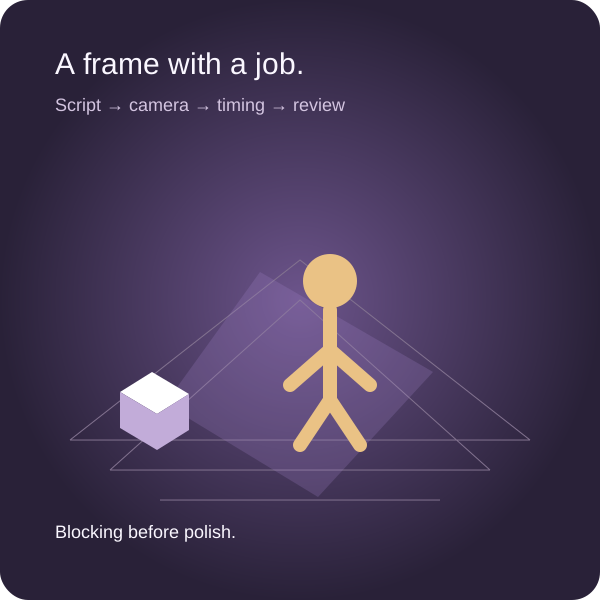
Position people and the camera before polishing their appearance. Screen direction and eyelines need a deliberate choice.
Write the incoming and outgoing action. A continuity note can save more than another attractive generated image.
A sixty-second brief needs a sixty-second plan. A still image cannot tell you how fast dialogue, movement or product information reads.
Keep the original script, edit each shot, inspect a real perspective-camera proxy and export the complete handoff. This tool does not generate AI images or infer shot meaning.
Scene units are arbitrary proxy units. A = amber person; B = lavender person; gray box = prop. Every camera is stationary within its shot. Frame size is a compositional preview, not a lens-package or sensor calculation. Reference images are optional visitor-supplied files; they are separate from the 3D proxy.
JSON contains the complete script, all shot fields and embedded reference images. ZIP adds every camera frame, reference file, source script and complete ledger. CSV neutralizes leading spreadsheet formula markers. Browser storage is device-specific and can be cleared; download a portable backup.
A rough frame that exposes a missing reaction, broken eyeline or overlong ending is already useful. The next generation should answer a question you cannot settle with that rough frame.
It renders your entered viewpoint, perspective field of view, subject positions and prop position. Use it to compare relative framing and geography.
Performance, lens distortion, lighting, legal clearance, real-world dimensions and whether the shot can be made safely remain production decisions.
A photo, sketch or generated candidate may communicate tone and surface detail. Label its provenance, approval and unresolved continuity instead of treating appearance as a verified plan.
The simplest useful script-to-storyboard workflow is a short loop: identify the beats, assign shots, rough in staging, generate only the frames that need visual development, check continuity, then test timing. A single tool can support several stages, but attractive output does not remove the review between them. A board is successful when another person can understand the intended sequence and identify what still needs a decision.
Three different tasks are commonly sold as AI storyboarding. Frame generation makes a candidate image from a prompt or reference. Script-to-panel assistance proposes scenes, shots, captions and sometimes images from a script. Artist assistance changes, fills or enhances an existing image. These are different purchases. A frame generator is not automatically a script editor; an image enhancer does not know whether two shots cut together.
Decide which of four jobs your board must do. Staging boards explain people, objects and camera positions. Tone boards establish light, texture and atmosphere. Timing boards or animatics test duration and rhythm. Coverage boards expose the shots and inserts needed to assemble a scene. A sketch may be best for staging, a photograph for tone, a timed sequence for rhythm and a shot ledger for coverage. Mixed boards are often more legible than a set of equally polished generated images.
Use the workbench above for the staging, timing and handoff questions. It renders actual Three.js perspective cameras around simple proxies. It does not understand the source script, generate actors or predict production feasibility. Those limits are deliberate: you can inspect exactly which camera and subject coordinates produced the frame.
These are workflow choices supported by the linked official documentation, not a ranking based on invented product tests. Features and paid access can change. Validate a small representative sequence in the current product before committing the whole production.
| Tool | Useful first job | Decision boundary |
|---|---|---|
| Storyflow | Keep script, references and project decisions together, with AI-proposed frame-by-frame boards | Current pricing describes storyboard proposals and Pro/Max image generation. Review breakdown quality in your own scene; upcoming standalone free access is separate from currently available invited collaboration. |
| Katalist | Turn a script into connected scenes and shots, with character and location assets | Current Story Canvas also connects shots to video generation and a timeline. Test your recurring character and a geography-sensitive sequence; assets do not guarantee continuity. |
| StoryboardHero | Prepare structured script/storyboard pitches with camera and voiceover fields | Its current site describes both AI output and a manual-sketch route. Check which human drawing services, revisions and deliverables your purchase includes. |
| LTX Studio | Develop storyboard shots, reusable Elements and connected video work | Current documentation describes a desktop workflow and paid access for AI-generated storyboards. Check the generation tier, output rights and required export rather than assuming the free entry point includes everything. |
| Boords | Organize panels, script, revisions and presentation in one storyboard workflow | Current documentation includes AI script import and Boords Agent. Comparing it as only a traditional non-AI board editor misses those capabilities; test both import quality and the review handoff. |
| Storyboarder | Draw, import and arrange boards with a free, open-source desktop tool | It is an alternative to paid generation when rough staging is enough. Check current releases and compatibility on your machine; open source does not promise a maintenance schedule. |
| Midjourney | Explore a few key atmosphere or design frames | Omni Reference can guide subject identity; it is not a shot ledger or a guarantee of exact clothing, geography and screen direction. |
| Krea | Enhance or develop an existing visual candidate | Its Enhance workflow serves image quality and detail. It does not replace the shot sequence, camera review or timing pass. |
| Adobe Photoshop | Edit a board frame, extend a background or correct part of a reference | Generative features operate on images. Keep the original and identify the modification; an edit does not verify physical staging or continuity. |
Katalist Story Canvas, StoryboardHero, LTX storyboard workflow, Boords creation options, Boords Agent, Storyboarder and current releases, Midjourney Omni Reference, Krea Enhance, Photoshop generative features and Storyflow pricing provide the relevant primary starting points. Storyflow’s dedicated text-to-storyboard page could not be retrieved; its current pricing FAQ independently documents frame-by-frame proposals, acceptance before canvas changes and paid-tier image generation. Those are documented capabilities, not an authenticated quality test.
For a script-heavy pitch, start with Katalist, StoryboardHero, LTX or Boords and inspect the proposed breakdown. For a staging problem, try Storyboarder, simple photos or this proxy workbench before generating final-looking artwork. For a shared project with many surrounding documents, consider the workspace and review route as well as the frame generator. For a key visual, use Midjourney or an image-editing workflow selectively. You can combine these roles without paying every subscription for the entire project.
An “under an hour” promise is a planning aspiration, not a reliable completion guarantee. Script length, continuity demands, revisions, output latency and review all change the total. Budget separately for a first rough pass, a reviewable sequence and approved production boards. A small first pass can fit into an hour; a difficult sequence may not.
Use stopping points rather than an arbitrary panel quota. Stop the first pass when every essential beat has a legible frame and an unresolved issue can be named. Stop polishing when additional appearance changes no longer help approval or production. Count review and revisions in the schedule, even when generation itself is fast.
A useful frame prompt describes the story moment, subject, environment, camera relationship and intended style. Keep it specific enough to be reviewed. For example: “Wide establishing frame of a maker entering a compact workshop; workbench on frame right, unopened parcel on it, doorway behind the maker; eye-level view from the opposite corner; restrained monochrome storyboard lines; action is arrival, not opening the parcel.” This requests one moment and one compositional intention.
Separate stable reference instructions from the changing shot instruction. A character reference can specify a silhouette, clothing and prop; the shot instruction can specify position, camera side and action. Use a wide frame early to establish geography. Carry approved reference images into later frames where the product supports that workflow. Katalist supports custom images, while Midjourney’s Omni Reference is a subject-reference mechanism. Neither turns continuity into a guarantee.
Do not overload a prompt with several consecutive actions or incompatible camera instructions. “Wide, close-up, over-the-shoulder reveal” needs a decision, not a longer prompt. Avoid describing an attractive standalone illustration when the board needs a readable camera setup. Ask what a viewer should learn in this shot and what information the next shot needs.
| Continuity check | Evidence to carry into the next shot |
|---|---|
| Character and wardrobe | Approved reference, costume details, hand used for the action |
| Geography | Subject and object positions, entry direction, camera side |
| Screen direction and eyelines | Intended left/right movement, look target, any deliberate axis crossing |
| Prop state | Open/closed parcel, lamp on/off, object already moved |
| Camera language | Framing intention, field of view or planned lens notes, height and movement |
| Cut connection | Ending action of this shot and starting action of the next |
This checklist is a human review aid. The workbench stores the notes and visualizes entered positions; it does not certify the 180-degree rule, identify a face or compare images with machine learning. An intentionally crossed axis can work, but explain how the audience will understand it.
This is an original fictional planning exercise, not a commercial product test. The brief is a sixty-second maker-and-lamp sequence. The source script stays intact in the workbench. Six initial shots are assigned 8, 10, 12, 9, 11 and 14 seconds: 64 seconds total, four seconds over the target. The tool reports that difference instead of silently fitting the board to the brief.
| Shot | Story decision | Initial duration | Review question |
|---|---|---|---|
| Arrival | Establish maker and workshop | 8 s | Is the workbench geography clear? |
| Parcel | Introduce the unopened lamp | 10 s | Does the cut preserve the parcel’s position? |
| Assembly | Explain fitting the lamp | 12 s | Is one view enough, or does the action need an insert? |
| Switch on | Show the lighting change | 9 s | Does the frame distinguish before and after? |
| Reaction | Give the maker’s response room | 11 s | Can the performance read without redundant coverage? |
| Product finish | Deliver the closing message | 14 s | Is four seconds removable without losing the message? |
Change the last shot to ten seconds and the total becomes sixty. That arithmetic is a useful starting point, not proof that the message reads comfortably. Rehearse the closing copy, include required legal text and test the actual edit. If the ending needs fourteen seconds, shorten an earlier shot deliberately or renegotiate the brief rather than hiding the conflict.
Try selecting the assembly shot, moving person A and changing camera X or field of view. The generated proxy frame changes because it is rendered from those coordinates. Upload a sketch or location photograph separately and compare its purpose with the proxy. One explains geography; the other may explain texture or tone. Export the ZIP to keep both, plus the complete source and notes.
For an initial visual pass, generate the lighting reveal and final product angle if those are the decisions that need appearance. Keep the arrival, parcel geography and assembly as rough references until their staging is settled. There is no universal ideal ratio of generated to sketched frames. The ratio follows the questions, not a marketing target.
Dialogue scenes often benefit from a floor plan, eyeline notes, a coverage matrix and a timed read. AI images can still explore tone or a key moment, but they should not replace the relationship between speakers and the camera. A simple over-the-shoulder proxy may communicate the setup more clearly than an attractive portrait.
Animation and VFX sequences can use generated candidates for design exploration, yet their production boards need intentional poses, readable motion, technical notes and continuity. Do not assume a generated still explains motion between frames. Give complicated action to the people responsible for staging, animation or effects, and agree which boards are concept references versus executable plans.
For a real location, photographs and measurements can settle constraints a fictional frame cannot. For a product demonstration, show the actual product and legal claims. For a choreography-heavy sequence, blocking and rehearsal may be the fastest evidence. “Do not use AI” is too broad; decide where it adds useful exploration and where it weakens a required factual constraint.
Emerging tools connect scripts, reusable assets, storyboards and generated video more tightly. Katalist’s current Story Canvas and LTX’s connected workflows already make older blanket “no video/timeline” comparisons unreliable. Future improvements in continuity are plausible, but do not purchase on an assumed release date or a promise that coherence is solved. Test the current deliverable.
Price the workflow you need, not just the advertised subscription. Include paid access, generation credits, retries, image correction, manual drawing, collaborator seats, export requirements and review time. A credit is not a guaranteed approved panel. Human-sketch services may have a separate scope and turnaround from AI generation.
For a fair trial, use the same short scene with a recurring character, one geography-sensitive cut and a final deliverable. Record whether the script breakdown is editable, whether references persist, how notes and revisions are shared, what export contains and which paid tier is required. Record your own retry count and review minutes rather than borrowing an unsupported benchmark.
| Purchase question | What to check before paying |
|---|---|
| Can I start without a paid plan? | Actual signup availability and feature access, not only a future free-plan announcement |
| Will the board leave the product? | Image, PDF, video and editable-data export as needed; include source script and notes |
| Can the team review one version? | Seats, guest access, comment ownership and approval state |
| What do credits buy? | Image/video unit, retry handling, limits, expiry and whether higher resolution costs more |
| Can I use the output commercially? | Current terms, uploaded-reference rights, client policy and project restrictions |
| Is manual drawing included? | Artist scope, revision allowance, delivery format and schedule |
No brand is universally most trusted, most reliable or fairest-priced on the evidence of a marketing page. Evaluate documentation, release history, support route, portable output and your own representative trial. Storyboarder may be overlooked when rough drawing is sufficient; Boords may be overlooked when review matters more than generation. Neither observation establishes a tested performance ranking.
The cheapest adequate route can be paper, a phone photograph, a free drawing workflow or existing software. It becomes expensive when it creates avoidable confusion, lost revisions or a failed handoff. Conversely, paying for high-polish generation before staging is settled can buy repeated rework.
Keep the following fields together: script version, shot ID and order, scene or beat, action, dialogue or sound, duration, camera/framing note, subject and prop positions when relevant, incoming/outgoing continuity, frame provenance, approval owner and unresolved issue. Add production-specific lens, movement, location or legal notes when those are real decisions. Do not invent missing camera specifications to make the board look finished.
The workbench exports every entered shot field, the complete script and references in JSON. Its CSV is a portable shot ledger; its Markdown carries full prose notes. ZIP includes the source, the JSON/CSV/Markdown handoff and rendered proxy PNGs for all shots. Generated proxy frames and uploaded references are named separately. Images embedded in JSON can make it large, so keep a downloaded backup instead of relying only on browser storage.
The tool uses Three.js for real perspective rendering and JSZip for the packaged handoff. Camera position, look-at target, field of view, two subject positions and the prop position are editable per shot. No external model inference is run. There is no automatic pose, lighting or production-safety analysis. Rejecting an invalid import preserves the current valid board; changing the current board into an invalid state disables derived exports until it is corrected.
Before approval, ask a reviewer to summarize the sequence without your narration. If they cannot tell where a subject moved, why a cut happened or which question remains open, improve the board’s explanation. An approval should name the board version, scope and outstanding exceptions. A beautiful exported PDF cannot supply that agreement for you.
The script-to-panel result feels long. Compare each proposed panel to an actual story beat. Merge redundant information and add a missing reaction deliberately. Do not delete frames just to hit a target count.
The character looks consistent but the scene does not. Review geography, screen direction and prop state separately from face identity. A reference system can preserve appearance while still giving you an impossible cut.
A polished image hides an unresolved setup. Replace it temporarily with a diagram or proxy that exposes positions. Preserve the attractive image as a tone reference with a clear label.
The client reads a concept as a production promise. Label AI-generated, edited, photographed and proxy frames. Explain what is approved and what is illustrative, especially for products, locations and people.
The rough animatic meets the runtime but dialogue does not. Read the lines at the intended pace, include pauses and required text, then adjust shot durations. Static playback is a timing envelope, not a performance simulation.
The export loses notes or the source script. Test the actual deliverable before the full production. Download this tool’s full JSON or ZIP and reopen it. A gallery of PNGs alone is not an editable project archive.
The generator keeps missing a specific action. Use a sketch, photograph or artist-directed frame rather than spending credits indefinitely. Choose a representation that answers the question, even if its style differs from nearby panels.
A silent timed board cannot tell you whether the spoken line fits. Boords' animatic documentation describes adjustable frame lengths, uploaded audio with a waveform, note subtitles and MP4 export or a review link. Use a scratch read of the actual closing copy to inspect the lamp example's last shot. If the line needs its original fourteen seconds, a ten-second visual hold is an unresolved conflict—not a successful cut simply because the arithmetic reaches sixty.
Boords' guest-comment documentation describes account-free reviewer comments when enabled, plus controls for visible version numbers, status and commenting on earlier versions. Ask the actual reviewer to open the intended version and resolve a frame-specific issue. A typed guest name identifies the comment; your production process still decides who can authorize the scope. Sharing settings also matter: enable the animatic view, check access controls and verify the required subscription.
This workbench offers geometric frames and silent duration playback. It exports a complete board package, but it does not upload a soundtrack, generate an MP4 or provide a hosted multi-person approval history. If those jobs determine the purchase, compare the actual Boords route instead of assuming every tool with a Play button completes them.
Wonder Unit's Storyboarder page lists exports for Premiere, Final Cut and Avid, alongside PDF and animated GIF. That can be useful when the editor needs the boards in a rough assembly before filmed material arrives. Try a small board with the intended application and version: check shot order, associated media, timing and any metadata the edit requires. A listed export route is a reason to test compatibility, not a guarantee for every current editor release.
The same official page describes drawing on printed worksheets and photographing them for import. That gives a director who prefers paper a practical way to enter rough staging without asking a generator to infer it. Pair the photographs or drawing files with the shot record. Our ZIP preserves proxy frames, uploaded references, source text and notes; it does not create a Premiere or Final Cut project. Choose an actual editorial export when rebuilding those relationships manually would be the bottleneck.
Write the camera relationship first, then record light direction, softness and intended time of day. For the lamp sequence, a useful constraint might be “soft window light from camera left in the workshop; only the practical lamp changes at the switch-on beat.” Treat this as a fictional direction to test, not a description of an already measured location. Carry accepted references forward. Keep rough staging sparse enough that texture does not bury the camera decision.
Inspect dialogue and action separately in an AI-proposed breakdown. A four-line exchange may have been split into unnecessary panels, while fitting a lamp could hide several meaningful actions inside one panel. There is no universal model bias guaranteed here: check the actual output. Merge redundant dialogue coverage only when the reaction or eyeline remains clear; split an action when a new insert communicates something the existing frame cannot.
If a generation product or model changes during the project, retain the accepted source frames, references, settings and version context. Test any new frame against those records before mixing it into the approved sequence. Do not promise that saving a seed freezes an externally updated model. A board's stable shot IDs and notes remain useful even when its image-production route changes.
The simplest choice depends on the missing stage: script breakdown, frame generation, board review or image correction. Katalist, StoryboardHero, LTX and Boords support different connected workflows; a rough drawing tool can be simpler when staging is the only problem.
Some products can propose a shot sequence and frames. Treat the result as a draft requiring checks for missing beats, continuity, timing and production constraints rather than as an automatically approved board.
For many sequences it is maintaining coherent decisions across frames: identity, wardrobe, geography, screen direction and action state. Attractive individual images do not prove that the sequence makes sense.
It can support professional concept development and planning when its scope, provenance, rights and review are explicit. Production boards still need appropriate human approval and technical detail.
Its current Story Canvas connects script breakdown, scenes and shots with character/location assets, video generation and a timeline. Test the actual scene and export you need rather than relying on older feature summaries.
It supports structured script and storyboard preparation for pitches and planning. Its current offering includes AI output and a manual-sketch route; check the deliverable and revision scope.
It can help with selected design or tone frames. Keep the sequence, camera and continuity decisions in a board or shot ledger, and review subject-reference results rather than assuming exact consistency.
It depends on script complexity, visual constraints, retries and review. An hour can be a first-pass budget for a small sequence, but it is not a guarantee of approved production boards.
A floor plan, eyeline notes, coverage matrix and timed read can settle relationships and rhythm. Generated frames may add tone, but should not replace those checks.
They can support design exploration. Production planning also needs intentional motion, readable poses, technical notes and specialist review; a generated still does not explain the movement between frames.
Some products propose shot breakdowns. Review additions, omissions, scene boundaries and coverage against the source script before using the list for production.
It is a timed sequence of storyboard frames, often with sound, used to assess rhythm and duration. Tool support varies; this workbench provides static proxy playback with entered durations and no generated video or narration.
Use an approved reference, stable wardrobe details and a reviewed asset workflow where supported. Check geography, props and movement separately because subject resemblance does not establish continuity.
Board organization, script, revisions and handoff can matter as much as generated images. Boords also documents AI import and Agent features, so evaluate its current combined workflow.
Use the least expensive representation that settles the required decision: paper, photos, existing drawing software or an open-source tool may be adequate. Include revision and handoff effort in the comparison.
Specify one story moment, subject and object positions, camera relationship and a readable board style. Keep stable references separate from the changing action, then inspect the result against the intended shot.
Depending on its purpose, it should clarify staging, tone, timing and coverage. Not every frame needs equal polish, but the sequence should make its intended decisions legible.
Generate where appearance helps resolve a question. Sketches, proxies or photographs may explain geography and simple actions more directly, reducing unnecessary retries without a fixed universal ratio.
Identify frame provenance and illustrative limitations when they affect rights, expectations or approval. Follow the client’s policy and distinguish concept imagery from verified production claims.
There is no universal ranking established here. Check current access, terms, credit rules, revision scope, documentation, export and your own representative trial before buying.
Start with the least expensive frame that can answer it. Keep the script, camera decision, timing and unresolved issue together.
Review your next sequence