A speaking deck
Use an ordered argument and a deliberate reveal. Keep the full rationale in the actual leave-behind; a sparse slide that works while you speak may be unclear when forwarded.
Campaign concepts, explained clearly
A useful client presentation explains the proposal, shows what supports it and ends with a decision someone can make. Choose a format that works in the meeting and after it.
For a controlled presentation, start with Google Slides, Keynote, Canva or Figma Slides. For a workshop around the working materials, consider Miro or Storyflow. For a readable written rationale, Notion can complement either. Pitch adds link-based engagement reporting, while Gamma offers portable exports from its card-based presentation workflow. These are practical recommendations grounded in official sources checked October 5, 2026, without invented scores, prices or account trials.
Use an ordered argument and a deliberate reveal. Keep the full rationale in the actual leave-behind; a sparse slide that works while you speak may be unclear when forwarded.
Walk through references and executions in context. Decide the route before the meeting and keep the actual access and export format suitable for the client’s team.
Preserve the proposal, supporting source links, uncertainties and the requested decision. Record real feedback separately rather than treating a file view as approval.
Choose it for: a conventional deck that the client can continue working on in its Google workflow.
Official guidance supports full-screen slides, a presenter view with speaker notes and downloading PDF or PPTX. Use the editable format when the client needs to work on the deck, and a readable snapshot when it needs a stable round for discussion. Google Workspace presentation guidance.
Before the meeting: check the exact client access and the actual exported file. Your concept rationale and supporting material still need to travel with the deck.
Choose it for: an Apple-based presentation workflow with a deliberate speaking deck and an export for the client.
Apple documents sending a copy as PDF, PowerPoint or Movie. PDF puts each slide on a page and can include presenter notes, skipped slides and build stages when selected. PowerPoint export gives the recipient an editable PPTX copy. Current Keynote export guidance.
Before the meeting: review the actual exported copy and the chosen included material. Exporting a file is not proof that the recipient’s playback or editing environment matches yours.
Choose it for: a composed visual deck with a straightforward presentation route.
Canva documents full-screen presentation, presenter view with separate audience and presenter windows, present-and-record and autoplay. Its presentation guidance also distinguishes live edits, navigation and remote control; presenter-note access through remote control requires sign-in and permission to view the design. Presentation modes; current presenting guidance.
Before the meeting: choose the intended mode and share the audience window. If several people control the deck, check their actual remote session and note permissions.
Choose it for: a digital concept that benefits from an actual clickable Figma prototype.
Presenter view supports a full-screen route or a notes view with a separate audience window. Interactive prototypes require view access to both the deck and prototype file; opening the audience presentation link requires a Figma login. Offline presentation can be preloaded while the presenter tab stays open, but embedded prototypes and YouTube videos do not remain interactive offline. Official presentation and access guidance.
Before the meeting: test the actual prototype access and connectivity you intend to use. A static export is a useful reference, but cannot demonstrate the same click-through behavior.
Choose it for: a concept workshop where the team needs to move between a framed argument and the working canvas.
The current enhanced Presentation mode documents presenting Frames, navigating with arrows, jumping through a frame grid, switching to canvas and handing control to a co-presenter. It explicitly does not export a board directly as PowerPoint; frames can be exported as images and added to a deck. This comparison uses the enhanced 2026 documentation rather than the older legacy mode article. Current Presentation mode.
Before the meeting: set a useful frame order and check the actual participant access. A workshop may need space for discussion; an executive leave-behind still needs a concise argument.
Choose it for: keeping the client brief, moodboard, strategy, campaign and deliverables beside one another.
The agency workflow documents presenting client work from a shared board, view-only links and PDF export. This can keep the proposed direction beside its planning context. A shared plan does not by itself authenticate a client’s approval. Official agency workflow.
Availability: standalone access is paid-only during early access; invited collaborators join free today. A standalone Free plan is announced for before the end of 2026. The explicit pricing availability statement retrieved October 5 takes precedence over broader free wording in older indexed agency marketing. No signup test was performed.
Before the meeting: check the intended view/comment route and prepare the actual export the client needs.
Choose it for: sharing a deck through an external link with engagement reporting when that reporting is part of the follow-up.
Its current external-link documentation describes engagement analytics for slide views and duration, optional visitor consent, email requirements, passcodes and PDF-download settings. Turning engagement collection off leaves visit counts rather than time on slides, and advanced analytics do not work for embedded presentations. Check the actual account’s feature availability rather than relying on a price copied from another comparison. Official external-link settings.
Before the meeting: decide how you will use the link evidence. A recorded visit or time on a slide is not proof that the recipient understood or accepted the proposal.
Choose it for: working in a card-based presentation and handing off PDF, PNG or PPTX when those outputs fit the client’s workflow.
Current export guidance documents full-deck or single-card export, editable tables in PPTX and speaker notes in PowerPoint/Google Slides exports. It also documents export differences, a Free-workspace badge at export time and static PDF output. Select All cards when you need the whole argument. Official export behavior.
Before the meeting: inspect the actual exported deck, including the full set of cards, fonts and notes. A static PDF does not preserve interactive behavior.
Choose it for: a written concept rationale and supporting context the client can read after the meeting.
Pages can be shared with named people or through an anyone-with-the-link route with selected access. The current guidance distinguishes web viewing from commenting and editing, which require login. Official sharing guidance.
Before the meeting: make the actual requested decision easy to find and choose permissions deliberately. A clear written rationale can complement a live deck; it is a different reading experience from a cinematic slide reveal.
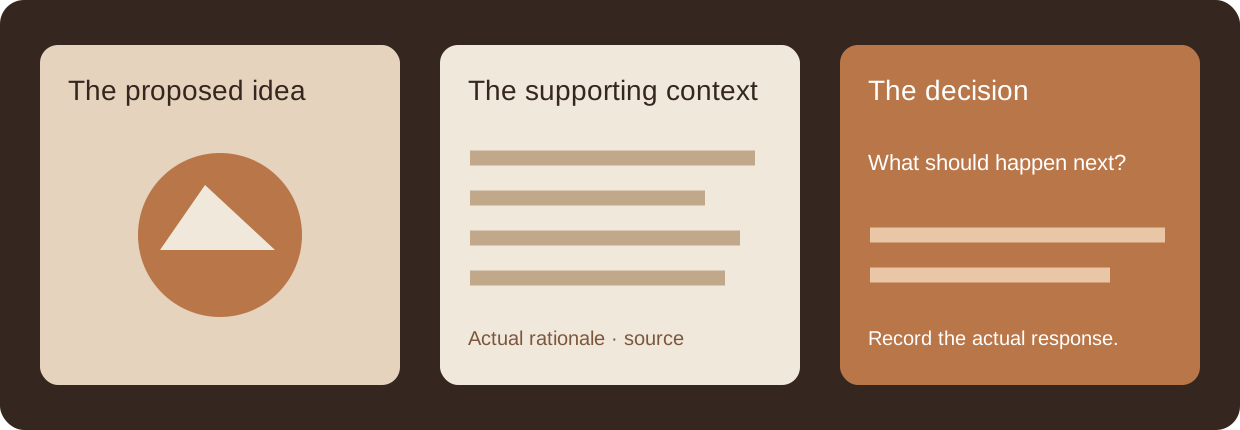
Show the idea, the evidence and the decision you need.
Say what the image contributes: composition, texture, color or a proposed execution. Include the original source and the context you want the client to borrow. An attractive reference does not prove the campaign’s effectiveness.
If a budget, timeline, performance claim or production detail is unresolved, write that plainly. Do not fill a missing fact with an invented statistic or a confident-looking estimate just to complete the slide.
Ask for the decision that unlocks the next phase. Record the actual response in your normal review workflow, with its version and context. The local deck below prepares your argument; it does not authenticate feedback.
Send the full rationale with the proposal. Someone who missed the meeting should be able to understand the idea, see what supports it and find the requested decision.
Original presentation scenarios, not customer testimonials.
An idea needs its context.
A sparse slide can work when you explain it aloud. Preserve the full rationale separately or in an explicitly readable deck so the forward does not depend on your voiceover.
Test the intended audience route and its permissions. A screen share, an interactive prototype and an editable shared document ask different things of the recipient.
Save the discussed version and the actual response. A new deck file does not create a formal approval record; use the team’s actual sign-off process where needed.
Create your actual concept slides with complete visible rationale, decision questions and uploaded PNG/JPEG/WebP references. Reveal.js 5.2.1 powers the real in-page presentation. Download one offline HTML file containing the pinned library, styles and decoded image pixels; JSON restores the full editable draft and Markdown keeps the whole written argument.
Load an example or add your actual concept slide.
Click the presentation and use arrow keys or its controls to navigate. Long slides scroll inside the slide so full text stays readable. Editing the draft marks the presentation stale until rebuilt. The offline HTML includes all visible rationale, questions, notes and full decoded images; these are not private speaker notes. Images remain in this page’s memory without server upload or automatic browser storage. Normalization retains decoded pixels rather than original compressed bytes or EXIF/color-profile data. Large decks use browser memory. External source URLs remain links, not downloaded evidence. The tool does not infer rights, budgets, performance, client identity or approval. Save JSON before closing. If Reveal.js or its export assets are unavailable, JSON and Markdown still work and presentation/export reports the actual limitation.
Choose the format first. Use a deck for an ordered argument, a board for a discussion around working material and a readable rationale for the forward. The best choice is the one that preserves the proposal and makes the actual decision clear for this client.
No. You supply the idea, rationale, reference and question. The tool turns those actual inputs into a portable live presentation without inventing strategy or evidence.
Its styles, Reveal.js and image pixels are embedded in the downloaded HTML. Opening that file can present locally without fetching those assets. Following an external source link still needs the relevant network access; the deck does not embed those pages.
No. Every slide’s notes are explicitly visible content and included in the file. Prepare a separate approved audience copy in your real workflow if you need different internal material.