Find the evidence
Collect the client’s actual request, prior results, audience research and current brand guidance. Mark a missing baseline or untested audience belief as unresolved rather than filling it with confident prose.
Turn the client’s request into decisions about the result, audience, message, scope, spend and review. Use the nine-part guide and original worked example, compare eight tools, then export a complete draft with editable assumptions and exact budget arithmetic.
This is a practical editorial framework. A filled template is not a prediction, verified audience insight or recorded client approval.
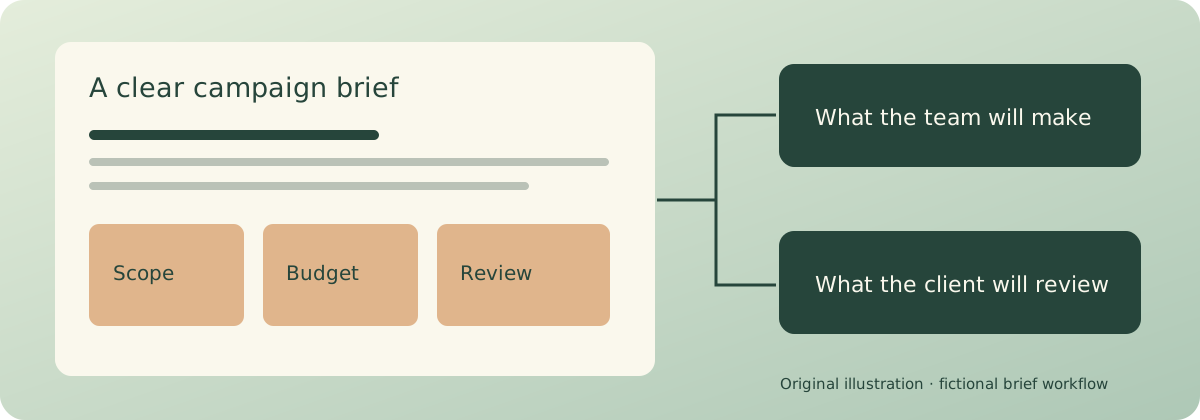
Collect the client’s actual request, prior results, audience research and current brand guidance. Mark a missing baseline or untested audience belief as unresolved rather than filling it with confident prose.
Ask what must be made, in which versions and languages, by whom and for which channel. Confirm whether quoted costs include production, distribution, coordination, tax and revisions.
Identify who comments, who resolves conflicting feedback and who records the final decision. Put review windows into the timeline rather than leaving only a launch date.
Draft the measurable objective and scope before writing a long introduction. The headings below are a working checklist, not a universal standard; combine or expand them when the job requires it.
Explain the change this campaign responds to and the offer being promoted. Link the supporting material. A new producer should understand the problem without reading a complete company history.
Intake question: what changed, and what evidence shows that it matters?
Name the desired outcome, measurement source, current baseline if known and evaluation date. Separate a target from a forecast. If tracking is missing, make its setup a declared task.
Intake question: which observed result would make this campaign worth doing?
Describe who the campaign needs to help and what they currently do. Record the evidence behind that description. A plausible tension is still a hypothesis until you have supporting research.
Intake question: what do we know from customers, and what are we assuming?
Write the main idea in ordinary language, with the support needed to justify it. Keep message strategy separate from the finished headline: the creative team still needs room to find the expression.
Intake question: what should the audience understand after seeing the work?
List brand files, required wording, accessibility expectations, prohibited claims and any review needed before use. Give referenced assets a revision or date so the team knows which guidance is current.
Intake question: what would make an otherwise strong asset unusable?
Specify counts, formats, duration or dimensions, variants, languages and included review rounds. State exclusions and what happens when new work is requested. “Social content” is too broad to schedule.
Intake question: could two producers read this list and quote the same scope?
Explain what each channel contributes to the objective and which assets it needs. Separate planned paid spend from owned distribution. Do not mistake a channel list for a media-performance prediction.
Intake question: why is this channel in the plan, and who will operate it?
Make the total reconcile with production, distribution, coordination and any explicitly chosen reserve. Specify whether fees and tax are included or excluded. A reserve is an editable decision, not a hidden percentage.
Intake question: what exactly is inside the client’s stated figure?
Show the dates for decisions as well as production. Name the person responsible for consolidating feedback and the actual final reviewer. Retain the approved revision and source decision evidence in your chosen workflow; a name typed into a draft does not establish approval.
Intake question: what must be decided before the next person can start?
LanternWay is a fictional organiser. Its request is: “Help people discover the new guided walk; make a landing page and a couple of posters.” Every number below is a demonstration assumption, not a market price or measured result. The builder starts with this complete example.
The campaign promotes a new Saturday waterfront walk. The target is 40 completed registrations by the stated campaign end, measured in the organiser’s booking report. No reliable baseline is supplied, so the brief explicitly requests a tracking check. The audience is nearby residents seeking a manageable weekend activity; that description is labeled a hypothesis.
The draft includes two print-ready poster variants at an assumed 120.00 each and one landing page at 480.00. Planned production is 720.00. A local paid-distribution line is 400.00; an existing email list has 0.00 planned media spend. Coordination is 180.00 and the chosen reserve is 100.00. Against a 1,500.00 budget, declared spend is 1,400.00 and the balance is 100.00.
The message promises a clear route and a manageable outing, not an unsupported health benefit. Required material includes the confirmed route, booking link and current logo. The organiser reviews the concept before the finished files. The audience hypothesis and missing baseline remain questions for the brief-back; arithmetic does not validate either.
These eight documented workflows answer different needs. Recommendations are editorial judgments, not fabricated scores or authenticated vendor tests. Current subscriptions, exact account entitlements and AI output quality were not benchmarked.
Use it for a text brief with line-level review. Google documents suggesting edits without changing the original until accepted. Its separate Drive approval workflow has eligible-account requirements and configurable edit/reset behavior: confirm those settings for your account. Suggestions; Drive approvals.
Use it when briefs belong with a database of deliverables in the client’s workspace. A database row is itself a page; current Notion Agent can create and edit pages and databases using permitted workspace context. Confirm the actual sharing and agent scope rather than assuming unrestricted access. Pages and databases; Current Agent guide.
Use it for a visual brief-back. Current Docs documentation includes collaboration, comments and Suggesting mode, so tracked suggestions should not be treated as exclusive to Google Docs. Magic Write drafts from prompts or existing text; the facts and decisions still need review. Current Docs workflow; Magic Write.
Use it when the brief, reference material and emerging production plan need to remain together on a canvas. Its campaign workflow structures a board from supplied material and keeps unresolved decisions visible. View-only reading and signed-in commenting are distinct access paths. Campaign brief workflow.
Use it when the campaign will be operated in HubSpot. Current Marketing Studio documentation describes updating a campaign brief as context for generated assets. Campaign Agent remains a beta-access workflow with permission/settings requirements; generated drafts are not automatically published. Studio brief and campaign; Current Campaign Agent requirements.
Use it to collect structured requests and carry agreed scope into project tasks. Its forms documentation describes submitted tasks, attachment questions and routing to project sections. Intake routing does not itself establish a complete approved brief; retain the actual reviewed document and decision. Forms and project routing.
Use it for a reference-led visual brief. Its official template collection includes advertising, design, brand and video briefs with goals, audience, messaging and creative direction. Judge it on how clearly your actual references and scope can be reviewed, rather than importing an unsupported AI-feature absence from a comparison table. Brief templates.
Use it to turn an agreed text brief into a designed document. Current document templates support linked text flow, replacing content, brand colors and sharing. Check the actual document workflow and any brand-control entitlement needed; polished layout does not verify the brief’s claims. Current document template workflow.
Ask for source files, prior results, scope expectations, budget coverage and the people who will review. Identify confidential material before placing it in any vendor account.
Read the objective, message, scope and assumptions together. Resolve contradictions in the room and name the unanswered questions with an owner and a next action.
Retain the agreed revision and the evidence behind the decision. Put changed scope beside its budget and date consequences; do not quietly rewrite the prior agreement.
Edit the fictional example or enter your own material. The builder creates a complete draft, computes declared spend exactly to two decimal places and lists open fields. It structures what you provide; it performs no AI inference or audience verification.
Columns: asset, format, quantity, unit_cost, owner. Quantity is the number of priced units. Variants, translations, revisions and dimensions must be included explicitly in the format/constraints; they are not silently multiplied.
Columns: channel, role, budget. These are declared planned amounts, not recommended media allocations or performance forecasts.
Columns: milestone, date, owner. Dates use YYYY-MM-DD and are treated as calendar dates, not timed events. The draft sorts them chronologically. Milestones after launch are flagged for review, not automatically removed.
JSON includes your text and settings. Restore recomputes the scope, totals and document; it does not trust saved output.
Decimal.js 10.6.0 performs the actual budget arithmetic. PapaParse 5.5.3 reads and writes quoted scope data. markdown-it 14.1.0 renders the actual document preview and standalone HTML with raw HTML disabled. All amounts use the same supplied currency label and exactly two decimal places; no exchange rates, taxes or hidden reserve percentages are added. Costs must be entered as plain nonnegative decimal amounts. An over-budget draft remains exportable with its warning so the client can review the mismatch. Text and files are processed in this worksheet’s browser operations; this does not claim a blanket audit of unrelated site telemetry. Exported HTML is a standalone document you can open and print in your browser, not an electronically signed approval or a promise of identical formatting in every document editor.
A complete draft should still distinguish supplied facts, assumptions and questions. Reconcile the budget with the actual scope, read the message against the evidence and check that review dates leave enough time for the people involved. A clean export is a useful handoff; it does not establish that the client has read or accepted it.
Include the context, objective and measurement, audience and evidence, central message, constraints, exact deliverables, channel roles, budget coverage, and dates with review responsibilities. Keep unanswered questions visible. The number of headings is a working structure, not an industry certification.
No. It structures your supplied text and tables, computes declared spend using decimal arithmetic, flags missing fields and exports a draft document. It does not validate your audience research, forecast results, authenticate a reviewer or record client approval. Review the draft and retain the actual decision in your chosen workflow.
Keep the objective, scope, spend and open questions in the same draft.
Prepare your campaign brief