A clear brand.
An owned launch.

Use Miro to align the story, Asana to coordinate launch work, Notion to keep the brief and asset records, or Storyflow to draft connected planning layers. Choose the handoff that needs help, then give each launch destination a verified asset and an accountable owner.

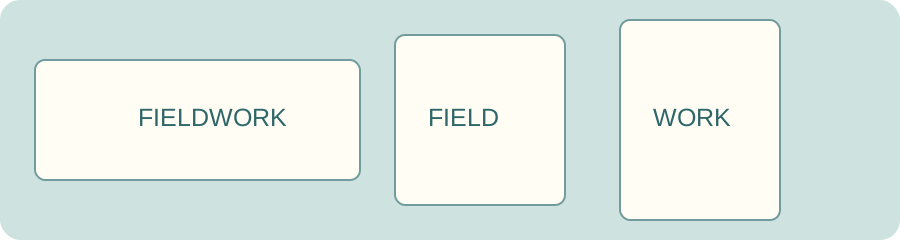
One approved brand artwork prepared for three differently shaped launch placements

Alignment and release need different records.

The comparison uses current substantive official sources. It does not claim vendor testing, verified prices or guaranteed launch outcomes. Confirm permissions and the specific features you need before buying.

Miro: align the brand direction

Miro’s workshop guide describes collaborative canvas work, sticky notes, presentation and facilitation. Voting and some guest/facilitation features have plan restrictions.

Choose when: positioning, audience and creative direction need a shared discussion. Record the accepted decision and version after the workshop.

Boundary: agreement on a board is not an approved image in every launch destination.

Official workshop documentation

Asana: coordinate owned launch work

Asana’s current launch page describes connecting launch goals, tasks and timelines across teams, with visibility into responsibilities and the work needed for release.

Choose when: the launch stalls between design, marketing and implementation. Assign a specific artifact and verification step to each owner.

Boundary: task completion is a record. Inspect the actual destination separately and confirm your account’s feature access.

Official product launch workflow

Notion: keep the brief with the asset record

Notion boards group database pages by status, assignee or other properties. A structured page can hold the approved message, asset version, owner and destination.

Choose when: people repeatedly look for the current brief or approved source. Keep one controlled source location and explicit status meanings.

Boundary: a database entry does not resize, deploy or authenticate approval of an asset.

Official board documentation

Storyflow: connect the first planning layers

Storyflow describes planning brand, product story, go-to-market, marketing and pitch side by side on a canvas with AI assistance.

Choose when: a small team needs a connected first plan to refine. Test the proposed direction against your real customer evidence.

Boundary: these are vendor-described planning capabilities. They do not establish a released website, correct crop, verified rights or measured launch impact.

Official startup planning description
Launch asset pack builder

Upload approved artwork or use the original fictional demonstration. Pica performs actual local image resampling; JSZip packages the resulting PNGs with your launch brief and editable configuration. The default sizes are examples, not platform requirements.

Current source artwork

The pixel budget is an editable resource guard applied to source and output canvases. Larger images use more device memory. Contain adds the chosen background; cover crops around the entered position. PNG output uses that background and does not preserve source metadata or vector editability. Pica’s JavaScript resampler works without requiring WebGPU or WebAssembly.

Files stay in this browser. No upload, publication, remote source fetch or analytics on private inputs occurs. JSON embeds a PNG copy of the source; reload clears unsaved work. ZIP includes three demonstration renditions unless you change the list, plus your handoff and configuration. Exports become unavailable when inputs change, until the new pack is built. Image quality, crop suitability, rights and destination requirements need human inspection. Large canvases can fail on memory-limited devices; lower your dimensions or budget. Pica and JSZip licenses ship with the page.

Launch the version
you actually approved.

A new identity becomes real through its destinations. Keep the source artwork, approval record, output dimensions and owner connected. A correctly sized image can still have the wrong message or an unreadable crop.

List the website hero, preview image, profile artwork, email and partner assets you actually need. Inspect small previews as well as full-size files. The workbench resizes the artwork you supply; it does not perform layout-aware typesetting or discover platform safe areas.

After release, inspect the real destination and retain the exact version used. Track customer evidence and support feedback in a separate launch review; this tool predicts no audience response.

Give the launch a reviewable handoff.

When a crop loses the message

Choose contain, move the crop position, or prepare separate source artwork. Resizing cannot redesign text to fit a new composition.

Are these official platform image specifications?

No. The demonstration dimensions are editable examples. Check the current destination requirements and your actual layout before approving a launch asset.

Does the pack publish or approve the launch?

No. It contains resized PNGs, your brief and an editable configuration. Owners still need to inspect each rendition, confirm rights and approve the final destination.

Prepare the asset.
Name the next owner.

Build and inspect the launch pack
Organize your brand launch assets and owner handoffs with Super