Can they contribute?
Viewing, writing and uploading are separate actions. Record the actual participant route.
Test the route people actually use. Keep their complete ideas. Leave with the reasoning, an owner and a next action.
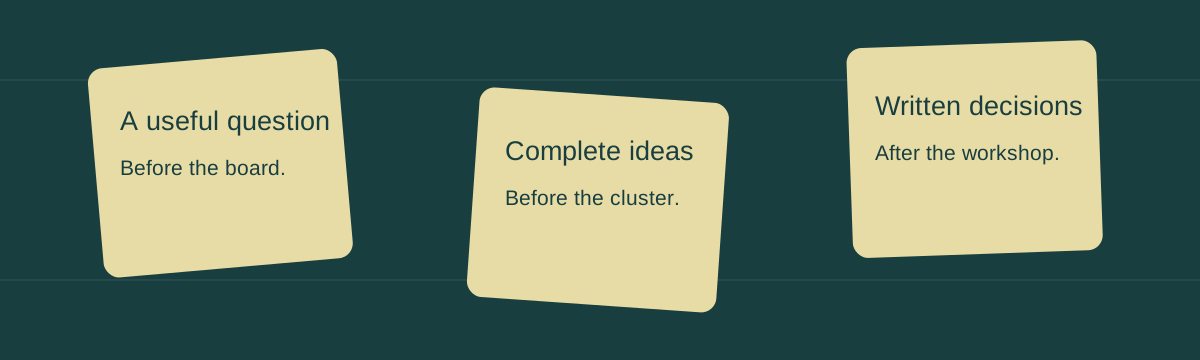
Viewing, writing and uploading are separate actions. Record the actual participant route.
Prepare the question, independent generation and grouping before evaluating favorites.
A picture preserves arrangement. A complete packet explains the next decision.
Fictional billing-workshop records are filled in. D3 renders your manual themes and supports dragging between them; Luxon checks dates. This browser stores a facilitator’s worksheet, with entered access observations and vote totals. It creates no shared room, invitations, secure private mode or AI inference.
Record actual observations or label planning assumptions in the notes. Participant delays overlap: their sum is person-minutes, not the session's wall-clock delay.
Uses this tab’s monotonic elapsed time. It is not a shared clock or a persistent background schedule. Reset after changing the chosen activity.
Choose a theme by the accessible selector, or drag a visual note into another theme. Full text remains in every written/source export. Entered votes are not authenticated ballots. Hiding the display does not provide secure multi-user privacy.
Record complete reasoning, not a status label. Proposed or entered Approved does not authenticate an approver or implement the action. Select source contribution IDs that explain this decision.
Written exports and JSON preserve every entered field. SVG lays out full contribution text; the written packet carries access evidence and decisions. Nothing is uploaded or sent. Delayed imports never replace intervening edits.
First keep each complete contribution. Then check the grouping with its author. Finally write the decision, reasons, open objections, owner and next action.
This original 32-second silent portrait instructional animation teaches a fictional billing workshop. Large teaching text is composed for phone viewing. Native controls support playback, pause, seeking and full screen; no autoplay.
This is a workflow explanation, not a recording of a multi-user whiteboard or an AI inference system.
Test the actual route. Test the required participant action through the actual link. A visitor who can view but cannot contribute has not passed an editing trial.
Group without losing words. Keep original contributions. Choose themes manually and check the interpretation with authors. A tidy cluster is not evidence that every idea means the same thing.
Write the decision. Write the decision with reasons, open questions, an owner and a next action. This fictional D1 is proposed, not authenticated approval or completed delivery.
Carry the complete packet. Export the complete source and readable packet, then reopen both. A board image preserves arrangement; the written account explains what should happen next.
For a quick diagram, start by testing Excalidraw. For people who already work comfortably in Canva, test a Canva edit link. For a recurring facilitated workshop, compare FigJam, Miro and Mural using the actual participant route your plan permits. Whimsical is a useful candidate when the result should be a flowchart, mind map or wireframe. A small group sharing a room may need paper and a phone photograph before it needs another subscription.
These are conditional starting points, not a universal ranking. An interface can be effortless for its regular users and bewildering to a new client. A paid product can let visitors contribute without accounts, while its free tier may restrict the same link to viewing. The useful question is: can this participant complete this action on this device, through this link, during this session?
The workbench on this page helps a facilitator prepare that test, collect full ideas, group them deliberately and write a decision packet. It uses D3 for the editable visual grouping and Luxon for date checks. It runs in your browser; it does not create a multi-user room, send invitations, authenticate participants or run an AI model. Its entered access observations, votes and decisions are a planning record. Send exported source files through your own approved collaboration route.
An attractive board is a reference, not an explanation. The lasting result should include the question, alternatives considered, reasons, uncertainty, an owner and a next action. Keep original contributions alongside that account so the facilitator does not silently replace a participant's words with a convenient summary.
Starting: Can the organizer create the surface and prepare it without learning a workspace hierarchy first? Time a fresh-board test rather than the organizer's hundredth board. Record whether a template helped or required deleting irrelevant sections. A minimalist board with a question, collection area and grouping space may be sufficient.
Joining: Can each participant open the link and make the required contribution? Viewing is not editing; editing a note is not uploading a file; leaving a comment may require a different role. Test from outside the owner's organization on the actual browser or managed laptop. An anonymous route also changes identity and link-distribution risk. If anyone with a forwarded link can edit, do not put confidential research on that surface merely because signup is unnecessary.
Facilitating: Can a nominated organizer keep the group oriented, time activities, reveal ideas, cluster contributions and help people converge? A novice may benefit from a small visible agenda more than a large template library. A recurring workshop may benefit from a learned tool with voting, timer and viewport controls. Demonstrate the mechanism before claiming it will work for your participants.
Leaving with usable work: Can the organizer preserve the board, original source and written decisions? A screenshot can show arrangement. It cannot tell an absent colleague why a promising option was deferred. A JSON scene may preserve editability without creating a narrative. A written decision may omit dissent unless someone records it. Export each kind of evidence deliberately and reopen it before treating the handoff as complete.
| Test | Completed trial task | Failure to record |
|---|---|---|
| Start | Organizer creates a question area and two blank grouping areas | Time spent finding the correct workspace or deleting a template |
| Join | External participant adds a sentence and moves a note | Signup, blocked email, view-only link or unsupported device |
| Facilitate | Organizer starts a timer and asks everyone to locate one group | Unclear instructions or a control visitors cannot use |
| Handoff | Recipient reads the decision and reopens the source file | Picture without reasons, missing owner or broken source reference |
Do not collapse these four tests into a fabricated score. A product winning the facilitation trial does not compensate for the required expert being unable to contribute. Conversely, an account-free link does not settle requirements for access control, retention or ongoing team work.
The claim that Miro, FigJam or Mural necessarily require every meaningful contributor to register is too broad. Their current documentation describes visitor routes. What matters is the plan, public-sharing policy, time window and action.
Miro: Visitor documentation describes public-link viewing on Free, with visitor commenting and editing on paid and Education plans. Visitors can add notes, text and shapes; they do not receive all member functions. Public links can be forwarded, and an Enterprise administrator can prohibit this sharing. A team-invitation link differs from the public visitor link. Test the latter if your purpose is account-free participation. A person's separate free-team board count is not a universal bar to joining a correctly shared paid-team visitor board.
FigJam: Open sessions on eligible paid and Education plans allow temporary editing without a Figma account. Each session lasts 24 hours and can be restarted. Visitors can add objects, use the timer and cast votes. Comments and audio require login; visitors cannot start voting sessions or inspect version history. A file in drafts may need moving into a team space. Continuing access after the open window is a separate decision, not a reason to promise an anonymous link will remain editable indefinitely.
Canva: Its anyone-edit sharing guide describes editing without sign-in. Visitors can change design elements and see updates. They cannot upload content, add comments, change sharing or download the design without the relevant account/access route. A guest entering existing text is a different trial from a guest uploading a reference image. Choose the permission deliberately and remove the public edit link when the session ends if it should no longer remain open.
Mural: Official visitor training describes anonymous or named visitor participation without signup, while guests create accounts for continuing access. Current plan information distinguishes Free view-only visitors from Team+ editing visitors. Workspace policy still matters. Do not use an old product review's blanket restriction to decide a current workshop route.
Whimsical: Current roles distinguish workspace members from free guests invited to particular files or folders. Guests can receive view, comment or edit rights. Free guest pricing does not mean anonymous editing; test the invitation and login experience rather than equating zero seat cost with no account.
Excalidraw: The free editor offers direct drawing and a live-collaboration link. The editor itself warns that browser storage can be cleared and recommends saving a file. Preserve a complete editable scene rather than relying solely on a remembered room link. Excalidraw+ adds cloud-workspace features; free editor behavior and paid hosted persistence should not be mixed into one product claim.
For each trial, record participant name or role, link type, required action, observed delay, eventual contribution and a literal reason for failure. A guest who joins as an observer has technically entered the meeting but has not passed an editing trial. Also record the fallback: voice dictation, chat or a separate document. This workbench stores that evidence but cannot establish it automatically.
This is a fictional preparation example, not an observed benchmark. On 12 November 2026, facilitator Lina plans a 10:00–11:00 billing-support workshop for nine people: four internal colleagues, three client participants and two freelancers. The question is: “How might we help new customers understand their first invoice before they contact support?” The board will contain no customer identities or private invoices.
The organizer tests two routes on 10 November. In the first hypothetical route, two client laptops receive a team-invitation link rather than the intended visitor link. One participant waits for verification that never arrives. A freelancer opens the wrong personal workspace and sees a limit notice. Lina records those particular mistakes, not an inherent inability of Miro to support outsiders. In this scenario the first idea lands at 10:19 and seven of nine people contribute: 77.8%, with two non-contributors remaining on the call. A prepared paid-team public visitor link might avoid those failures and needs its own trial.
For the alternative hypothetical Excalidraw route, Lina sends the room link at 09:58 and participants begin contributing at 10:02. Relative to the planned start, the first idea arrives after two minutes, compared with nineteen: a seventeen-minute difference. All nine contribute in this fictional run. This does not establish a general performance advantage or a promise that every network/device will behave identically.
There are two different timing measures. Nineteen minutes of whole-group waiting in a nine-person meeting would consume 171 person-minutes if all nine really waited throughout. Actual participant join delays may overlap, so adding individual delays does not tell you the wall-clock start delay. The workbench shows the maximum entered join delay separately from the sum of participant delay minutes. It does not call either a measured first-idea timestamp unless you enter and observe that event independently.
Lina's prepared one-hour agenda allocates 5 minutes to question and access check, 4 to independent generation, 12 to collection, 10 to grouping, 9 to evaluation, 12 to decisions and 8 to next actions: 60 minutes in total. A nineteen-minute late start leaves 41 minutes within the fixed hour. The unchanged sixty-minute plan would finish nineteen minutes beyond the slot. Lina can shorten the activity plan openly, arrange another decision meeting or move part of evaluation asynchronously. She should not quietly remove quieter contributors' time to recover the schedule.
The group generates eight fictional contributions. Four concern invoice clarity: explain prorating, show the renewal date, link definitions and offer an example invoice. Two concern support routing: add a relevant help link and ask the user to choose the issue. Two concern notification timing: send a preview earlier and let people choose the reminder channel. The facilitator groups these by the words and intended problem, checks the interpretation with their authors and keeps the complete sentences.
The entered vote totals are a discussion aid, not authenticated ballots or a proof of consensus. A note with fewer votes may contain an accessibility issue that the group must resolve. Lina asks whether anyone has a material objection before writing these three decision drafts:
D1 — Invoice explanation. We propose a plain-language explanation of prorating beside the amount on the first invoice. The group preferred this to hiding the information behind an unrelated help link because the confusion occurs at the moment the customer reads the amount. Noor will draft wording and a sample by 16 November 2026. Support and accessibility review remain open, and this record does not assert final approval.
D2 — Relevant help route. We will test a contextual billing-help link that preserves the customer's place on the invoice. A broad link to the full help center was deferred because it requires finding the question again. Ivo will prepare the two routes for review by 18 November 2026. The trial must compare task completion and avoid retaining sensitive customer data in this workshop packet.
D3 — Earlier preview. We will investigate whether a preview can be sent before the first charge. We have not committed to a specific channel because consent, deliverability and billing-system timing need checking. Mara owns that feasibility check by 20 November 2026. A positive feasibility result is required before this proposal becomes delivery work.
Lina's literal handoff message reads: “Please review billing workshop packet BW-20261112-R1. D1–D3 are proposed decisions with owners and dates, not production approval. Full note text is attached; clusters are our interpretation, and the source links identify what each decision used. Reply with factual corrections or missing objections by 13 November at 12:00. Noor, Ivo and Mara, please confirm whether the stated next actions and dates are workable.”
Export the packet that afternoon, reopen it in a fresh browser and check that the three paragraphs survived. An absent client should be able to explain the reasons without attending the original meeting. Keep the raw source and a readable Markdown or HTML packet; a board image alone fails that test.
Storyflow is a canvas for reference material and writing, with board-aware AI context. That can help keep a session's explanation alongside its material. It is a different job from hosting a timer/voting workshop. Its current workspace description should be used instead of assuming old document-context limits still apply. Current pricing lists paid early access and free invited collaboration separately from the announced standalone Free plan. Annual equivalents listed for Plus, Pro and Max are $7.99, $14 and $39 per month; they correspond to $95.88, $168 and $468 over twelve months before tax. An announced future plan is not an available plan demonstrated here.
Excalidraw is a useful first trial for provisional diagrams and an occasional shared surface. Its hand-drawn appearance can communicate that the work is unfinished, but appearance does not guarantee people will suspend judgment. The free editor's browser-storage warning makes source-file export part of the workflow. Save an editable scene and a visual export, then prove you can reopen them. The Plus comparison describes cloud organization, guest sharing and additional presentation/export features; do not describe the free and paid experiences as identical. Do not infer that every recurring practice requires a paid plan, or that a saved free scene is incapable of asynchronous work.
Canva Whiteboard merits testing with people already comfortable in Canva. Familiarity belongs to your participant, not to a demographic stereotype. Have the participant add a note, move it and find the relevant area. Its whiteboard description includes timer, reactions and conversion into a Presentation or Doc; this is more specific than assuming the product has no facilitation or output route. Check the converted document's completeness and decision reasoning rather than treating conversion as approval. Its account-free editing route has concrete upload/comment/download restrictions described above. A facilitator can collect an outside participant's file through another approved route, but should explain that additional step in the access instructions.
Whimsical suits sessions whose structure should become a tidy flowchart, mind map or wireframe. Constraints can reduce alignment work; they can also encourage premature organization when the group is still generating messy alternatives. Use a loose collection space first if necessary. Current official pricing lists Free with a monthly allowance of 50 board objects and 50 document blocks, rather than relying on older three-board descriptions. Pro is $120 per editor annually or $12 per editor monthly: two editors cost $240 for the annual subscription compared with $288 across twelve monthly payments. The $48 difference is not a discount on visitor seats, which have different rights and pricing. Confirm which objects and exports your actual account permits.
FigJam is a sensible trial when the team already uses Figma and benefits from its collaboration environment. Open sessions can make occasional outsider contribution possible without signup; recurring access, comments and audio remain separate. Current Figma pricing distinguishes Full, Dev, Collab and View seats. The displayed Professional annual equivalent for a Collab seat is $3 per month, so two such organizers would imply $72 over twelve months, before taxes and any other seats/add-ons. A Full seat used for Design is a different purchase. Do not pay for permanent seats merely because an eligible temporary visitor session is needed.
Miro is a candidate when reusable templates, integrations and repeated facilitated work justify learning and administration. Its paid visitor route corrects the claim that external editing necessarily means accounts. Current plan help describes three editable boards on Free and a two-license minimum for Starter; public visitor editing is a paid/Education capability. Pricing displays Starter at $8 per member per month billed annually, so two permanent members imply $192 annually before tax, not a $96 purchase for a single organizer. Inviting a person as a member rather than a visitor changes access and can change billing. Native exports and documents can be useful; human review of the decision account still matters.
Mural deserves a trial for facilitated sessions needing guided navigation, timer, voting or private contribution. Its feature description explains these as organizer mechanisms. The organizer must know how to use them and verify the participant route. Free lists three editable murals and view-only visitors. Team+ lists editing visitors at $9.99 per member monthly equivalent billed annually, or $12 billed monthly. Two members would cost $239.76 annually versus $288 across twelve monthly payments, a $48.24 difference before tax. Continuing signed-in guest access and SSO are distinct Business considerations. Its export lesson documents PDF/PNG export with a download notification; a facilitator should own that step rather than assume every visitor can export.
Paper and a phone remove software onboarding in a small shared room. Write legibly, photograph the whole arrangement and close-ups, and record the decisions separately. Physical access, hearing, reach, vision and note ownership still need consideration. A photograph is a reference image, not a restorable digital board or a searchable argument. Ask permission before circulating identifiable people or sensitive notes in the picture.
Costs above are dated examples from official pages checked on 6 October 2026, not checkout quotes. These packages are not identical. Include permanent authors, visitor permissions, renewal term, tax, storage/export needs and any existing organization subscription before comparing them. Try the required recipient route before buying; a cheap plan missing that action is not the plan your workshop requires.
For a concrete Whimsical handoff, official export instructions distinguish PNG board/frame exports, Print-to-PDF, selected SVG or Mermaid copying, and Docs-to-Markdown. Free exports carry a watermark. Choose a frame intentionally and check its contents rather than exporting the wrong selection. Diagram code and a prose document are useful different outputs, not interchangeable evidence of a decision.
For a concrete Miro reveal, private-mode documentation describes hiding new and edited stickies, optional permanent author anonymity, and controls for revealing contributions. The vendor explicitly distinguishes this from a data-protection feature. Test which role can start/end it; do not promise that silent writing or this worksheet's local display toggle reproduces those access controls.
A Storyflow trial could start with the eight fictional billing observations and the workshop brief. Attach the brief and an appropriate Tactic through the composer, then ask: “Create a note for each observation and a wall for each tentative theme; preserve the original wording and leave disputed notes separate.” Next request a mindmap connecting the three themes to the observations. Its brainstorming help describes attaching context or a Tactic and creating notes, theme walls and a mindmap from the conversation. This is a proposed vendor trial, not a task this local worksheet executes. Check each returned note and connection against its source before writing D1–D3.
Context and review behavior deserve a dated qualification. On 7 October 2026, the editing help, marked August 2026, describes current-board context plus up to five documents, three tactics and three boards, with targeted references through @ mentions. It describes direct edits and a whole-turn undo. The pricing FAQ describes generated boards as proposals to accept or discard. These describe different experiences and do not establish that every AI action has an approval gate. Try a copied fictional board, inspect the actual action and undo behavior, and preserve source first. The older one-Tactic/three-document scope should not be repeated as the current limit.
For a Whimsical trial, create a mindmap called First invoice with M, then add Invoice clarity, Relevant help and Preview timing as sibling branches with Enter. Use Tab to add complete source observations beneath the relevant branch. These are the controls in Whimsical's mindmap guide; they make its keyboard advantage concrete. Keep a disputed observation separate rather than forcing it into the nearest branch, and ask its author to check the wording before turning the arrangement into a decision account.
Integrations matter when the next person works elsewhere. In a fictional engineering handoff, Lina could attach the workshop board to a Jira Cloud issue alongside the written D1 proposal, its unresolved accessibility review and the design-file link for the invoice mockup. Miro for Jira Cloud documents a board attachment/overlay for paid plans; editing depends on board access, and this mechanism is distinct from Jira Cards. Check the organization's sharing policy and the recipient's actual access. Miro's Slack integration can deliver configured comment/mention notifications and preview board links. A notification invites review; it does not prove Noor accepted D1. Keep the version-specific decision and approval record beside the board and design reference. This local worksheet does not install integrations or send messages.
Use a specific question with a bounded audience and situation. “Reduce support tickets” is too broad to guide a single workshop; first-invoice understanding gives participants an experience to discuss. Bring observations and uncertainty without presenting invented research as evidence. State that the first pass is for alternatives and that evaluation comes later. In this example, ask each person for several possible explanations or interventions before selecting a favorite: quantity gives the group alternatives to compare. Hold initial criticism until the collection is complete. A facilitator can clarify a note without judging it or adding their own preferred answer to every contribution. Then group the complete ideas and apply the agreed criteria; a larger pile is not itself a better decision.
A short silent start can give people space before a confident speaker establishes the dominant direction. Four minutes is a useful trial duration in the example, not a rule for every accessibility need or session. Silent writing is not private mode if contributors can still read a shared surface. For stronger separation, ask people to write locally or in separate approved collection areas before revealing. Explain how the facilitator will transfer their complete words and let them correct mistakes.
One facilitator can place notes while participants dictate or use chat when canvas interaction is unfamiliar. This is a fallback, not a reason to deny contributors control forever. Check that dictated contributions retain the participant's intent. Provide a way to disagree without competing for airtime. A visible timer sets expectations; it does not establish that time pressure improves every kind of thinking.
Group notes before debating favorites, but do not erase differences inside an attractive cluster. Two notes about invoices may concern different failure points. Let an author rename a theme or leave a note ungrouped. Vote only after the group understands the options; record whether votes are entered totals, individual ballots or an actual supported tool process. Votes do not resolve legal, safety, accessibility or feasibility constraints by themselves.
Finish with a small number of decisions the group can explain. Three actions with owners and dates are often more manageable than twenty unowned favorites. A proposal awaiting an approver should remain Proposed. A person's name in a field is not their acceptance. Write the followup while the reasoning is still available, and ask recipients to correct it. A twenty-minute writing slot within the next day is a reasonable preparation estimate, not a measured universal cost.
For a weekly retrospective, participants may have accounts and enough practice to make facilitation features worthwhile. For a one-off client workshop, test the visitor route and a simple fallback. For two people solving a narrow problem, a shared screen or paper may be sufficient. For twenty or sixty participants and hundreds of objects, trial a representative board with actual devices, accessibility requirements and co-facilitators; headcount alone cannot select a product. For an asynchronous session, set a question and a two- or three-day window, arrange durable source access and follow with a short clustering/decision meeting. Excalidraw files or Plus persistence can be part of that plan; “hosted” alone is not a retention guarantee.
AI may suggest grouping or drafts from participant-created material, but those suggestions need provenance and review. Generating an authoritative-looking set of ideas before people contribute can influence the range of answers. This workbench therefore uses human-entered themes rather than claiming semantic clustering. D3 renders those choices; it does not infer meaning or create evidence. Keep original text, theme assignments and decision references together so a recipient can inspect the reasoning.
Team Planning Dashboard: For billing workshop BW-20261112-R1, the dashboard question is first-invoice understanding. D1 is Proposed, Noor owns copy/sample by 16 November; D2 is Proposed, Ivo owns contextual-help trial by 18 November; D3 is Pending feasibility, Mara owns preview timing by 20 November. Lina owns the combined review on 23 November. This is a decision overview, not an invented completed sprint.
Launch Task Management: The hypothetical release is scheduled for 30 November only if the 23 November review approves it. Tasks are copy review on 16 November, route review on 18 November, preview feasibility on 20 November, accessibility validation on 24 November and release decision on 27 November. Ivo owns the route; Noor owns the wording; Jo owns accessibility checks. A blocked preview task cannot be marked ready because the other two passed.
Software Development Taskboard: Ticket BILL-41 proposes explanatory copy beside the prorated amount. Its acceptance draft requires the amount to remain visible at the supported screen width, a readable explanation with keyboard/screen-reader access, and no customer identifiers in analytics used for the test. BILL-42 covers the contextual-help route and returning to the invoice. Both remain Proposed until engineering confirms scope. A brainstorming vote is not a development estimate.
Marketing Campaign: On 17 November, Mara prepares a fictional first-invoice education message for new subscribers. The audience is people who will receive their first invoice in the following week; the intended action is reading the explanation before asking support. The draft reads: “Your first invoice may cover part of a billing period. Here is where to find the dates and how the amount is calculated.” Consent, delivery route and the actual billing explanation require review. No growth or support-reduction result is claimed.
Mindmap: The central question links to Invoice clarity, Relevant help and Preview timing. Invoice clarity contains the four original notes; Relevant help contains two; Preview timing contains two. Each node links back to its complete source contribution. D1 references the prorating and example-invoice notes rather than every note indiscriminately. A pretty radial map must not imply causal evidence the workshop did not collect.
Weekly Planner: For 16–20 November, Noor drafts D1 Monday, Ivo reviews D2 Wednesday and Mara returns the D3 feasibility check Friday. Lina reserves Tuesday for author corrections and Thursday for checking the decision packet's source links. Friday's review asks whether the next actions were accepted and which remain blocked. It does not turn the dated planning entries into proof the work occurred.
These applications keep the practical value of a template directory while adding literal records a person can reuse. Adapt dates and roles, preserve the decision paragraphs and attach the actual source references. Exporting this workbench's packet does not import these plans into any vendor product or send them to the named people.
For a cross-functional meeting, suppose two finance colleagues, two support colleagues and a designer need to agree on the first-invoice explanation on 17 November 2026, 14:00–14:30. Try Canva only if these actual people already know it and can add the required note through the intended link. If the designer must upload a mockup but the anonymous route cannot upload, have an authorized organizer place that file beforehand and test the alternative contribution route. Finance records a proposed calculation explanation, support records the unanswered customer question, and design supplies the referenced screen. Keep those distinct contributions even if they disagree. By 18 November at 12:00, send the complete account to the invoice owner with the unresolved calculation and accessibility questions; familiarity cannot substitute for their review. If that access rehearsal fails, use another tested visitor route rather than selecting a tool from the participants' departments.
The most useful whiteboard trial is a small rehearsal of the real meeting. Do not test a generic “share” button and infer that all the planned work is possible. Write a one-page access instruction the client can follow without understanding your organization chart. It should name the workshop, date, required action and fallback contact. Where anonymous editing is allowed, distinguish the direct board link from a team invitation. Where login is required for a particular action, say so before the meeting.
For the fictional billing workshop, Lina's instruction is: “Please open the test board before 11 November at 15:00 and add the sentence ‘Access test complete’ in the marked practice area. Move your note once, then tell Lina whether you could complete both actions. You do not need to upload an invoice or any customer information. If the board is view-only, asks you to join a team or fails on your laptop, send the problem through our existing project channel. We will provide a voice/chat contribution route during the meeting.” This is a complete instruction, not a message sent by the workbench.
The organizer should record whether the participant used the intended link and device. If a client tests on a personal laptop but attends from a locked-down work laptop, the first test did not establish the meeting route. If mobile visitors cannot edit on the selected product route, a successful desktop test does not settle mobile participation. If an organization prohibits public sharing, a paid plan does not override the policy. Arrange a permitted route or move the contribution method before the scheduled hour.
Use separate statuses for Not tested, Viewed, Edited, Used fallback and Did not contribute in the accompanying observation notes. The workbench's contribution boolean answers only whether a contribution was recorded. It is not a full identity system or a diagnostic of why a person stayed silent. Someone may intentionally choose not to contribute; someone may submit through chat; someone may make a note that the facilitator inadvertently removes. Keep the observation and uncertainty together instead of blaming every absence on an account barrier.
Before the session, nominate a recovery person who can supply the question, agenda and a blank document if the canvas fails. In this example, Ivo keeps the question and instruction in the existing project channel; Lina keeps the raw source export. If the board stops updating at 10:20, the group can continue individual writing for the next bounded activity and collect contributions in the approved document. The recorder should preserve authors and exact wording. Do not silently merge two people's ideas into one unattributed “team answer.”
Recovery is also an output problem. An export should be reopened rather than merely downloaded. For an Excalidraw scene, open the saved editable source in a fresh editor and confirm that the needed objects remain available. For a product PDF/PNG, check the visible crop, legibility and completeness. For this workbench, restore the JSON into a fresh worksheet and compare the full contribution and decision paragraphs; use the Markdown or HTML packet to check what an absent reader will receive. A live room link, locally saved source and screenshot each have different recovery properties.
The workbench keeps complete note text even when the visual card occupies a small area. Its SVG uses full text in stacked rows rather than clipping contributions to a thumbnail. The visual export covers contributions and manual themes; the written packet covers participants, access assumptions, agenda, decisions and next actions. Download both if both kinds of evidence matter. A recipient who only receives the board image will not receive the access observations or the full decision account.
Check identifiers as well as paragraphs. D1 should refer to the actual prorating and example-invoice notes, not to the first two cards after sorting. Stable source IDs let a recipient inspect that relationship. Deleting a contribution should remove its references from the decision rather than leave a link pointing to nothing. If a reference becomes invalid during source import, reject that candidate and preserve the existing valid packet. If a slow import finishes after the person has edited the question, preserve the newer work rather than treating file selection as permission to overwrite later edits.
Privacy and access deserve a concrete plan. A locally hidden display is useful when the facilitator wants to explain a method before showing an example, but it does not remove source text from the editors, exports or memory. It is not secure private mode. A copied browser source file contains the participant names and notes that you entered. Replace fictional names with real people only when that collection and distribution is appropriate for your project. An account-free public edit link is an access mechanism, not a confidentiality guarantee.
For asynchronous use, write the fixed contribution window and the decision review separately. A fictional continuation of this workshop might accept additional ideas from 13–15 November 2026, then hold a 16 November, 10:00–10:20 review. Explain whether contributors should read existing ideas before adding theirs. If independent generation matters, collect drafts separately and reveal them after the window. Preserve late suggestions as such rather than retroactively changing what the original group saw. Use a stable source location and an export owner; do not promise that a link will remain available without checking the product's access and retention behavior.
For a larger session, plan the facilitation architecture instead of merely choosing a larger product. A fictional sixty-person meeting could split into six groups of ten, with one recorder per group and one shared question. Each group returns complete source contributions plus one proposed decision and its unresolved objection. The main facilitator compares six packets instead of trying to discuss eight hundred objects at once. This structure still requires rehearsing permissions, collection and navigation. It is not a proven capacity claim for any vendor or this local worksheet.
Consider preparation cost with the same discipline used for software price. Suppose Lina estimates 30 minutes to prepare a simple board, 20 minutes to conduct access trials and 20 minutes to write the packet: 70 minutes of organizer work. At an entered planning rate of $60/hour, that is $70 of estimated labor, separate from any subscription. If an unfamiliar template adds another 25 minutes, the estimate becomes 95 minutes, or $95 at that rate. These assumptions do not establish savings, invoice amounts or measured return on investment. They reveal that preparation can cost more than the price difference between two organizer plans.
Do not multiply fictional whole-session delay by a price and present it as money lost without knowing who actually waited and for how long. In the nine-person example, 171 person-minutes follows only from the stated nineteen-minute all-person waiting assumption. If the access ledger records delays of two, one and one minutes for three people and zero for six, its sum is four person-minutes and maximum is two minutes. Those are different observations. The whole-session delay remains separately entered because the group may choose to start while someone is still joining.
Finally, give the recipient an action they can accept or reject. The proposed D1 date of 16 November may become impossible if Noor is unavailable. The appropriate next step is to ask for a workable revision and record it, not to mark the proposal late as proof of poor performance. A state entered as Approved means the recorder entered that word; it does not authenticate who approved which version. Keep the external approval record and a version-specific reference if the project requires one. The useful handoff is a clear account someone can correct, not an automatic status transition.
There is no independent trust ranking established here. Test the dimensions that matter: participant action, admin policy, source recovery, accessibility and deletion/retention. Miro, FigJam and Mural have documented visitor mechanisms; Excalidraw has a free editable-source route; Canva can be familiar to specific participants; Whimsical makes structured outputs convenient. Those mechanisms support a shortlist, not a claim that one brand is universally safest or most trusted.
Examine the bill for the required workflow. Free Excalidraw can avoid a software subscription for the free-editor job. Miro Free does not include public visitor editing, Mural Free visitors are view-only, and FigJam open sessions require eligible plans. Compare permanent paid seats with no-charge visitors rather than multiplying every attendee by the organizer price. The dated two-organizer examples above show term arithmetic; current checkout and existing contracts remain authoritative.
This page has not run a longitudinal uptime or large-board benchmark. Test a representative board, devices, reconnect, export and fresh recovery. Vendor status pages and incident history may inform a purchase review but cannot guarantee your session. Google confirms that Jamboard's connected service ended; its hardware can retain offline/display uses, so retirement of an app and total hardware uselessness are different claims. Keep portable source and written decisions to reduce dependence on a single service.
Start with the official plan page for the product that passed your actual access and handoff trial. A paid Miro or Mural organizer plan may suit repeat facilitation and anonymous visitors; eligible FigJam open sessions may suit an existing Figma team. Whimsical can suit structured diagram work. Check the actual product/seat type, term, renewal and organization permissions before checkout. This page does not sell subscriptions or claim reseller authorization.
Try Excalidraw for a provisional diagram, Canva for participants already familiar with it, Whimsical for constrained diagrams and paper for a small shared room. A well-prepared paid visitor link in Miro, FigJam or Mural may also be overlooked when an old comparison assumes accounts are mandatory. “Underrated” here means worth a concrete trial, not an established popularity or satisfaction result.
Use your required action to decide. Excalidraw is a direct trial for drawing and sharing a provisional scene. Canva may suit people who already know its editor. Miro, FigJam and Mural can support no-account editing through particular paid/Education routes. Test joining and moving one note, then test recovery of the result.
New organizers must understand plan, workspace and sharing settings, while participants may receive the wrong invitation. That learning cost matters for a one-off session. It does not establish that outsiders cannot edit: Miro visitors and FigJam open sessions correct that blanket claim. Practice the exact route before the meeting.
Not always. Excalidraw's room route, Canva edit links, eligible Miro visitor editing, FigJam open sessions and Mural editing visitors are documented alternatives. Comments, uploads, history or continuing access can have different restrictions. Whimsical's no-charge guests should not be confused with anonymous participants.
The connected app is retired. Google's current device FAQ explains the October 2024 device service change and surviving offline/display uses, plus converted files and PDF/PNG export in Drive. Treat replacement hardware and replacement collaboration software as separate requirements.
Possibly built-in facilitation, templates, integrations, access controls or durable hosted organization. Test the particular feature rather than assuming every simple editor lacks it. Manual grouping and a visible timer may suffice for one session; recurring or complex workshops may justify more preparation and capability.
Prepare a question, allocate a short independent-writing period, collect via an accessible route and group before evaluation. Use a visible clock and name the person who records decisions. Private individual drafts provide stronger separation than merely being silent on a visible shared board.
Test free Excalidraw and the permitted free Canva workflow. Free Miro and Mural have editable-board limits and different visitor permissions. Whimsical's current Free allowance is object/block based. “Free” is only useful if the required person can perform the required action and preserve the source.
It can be, particularly with participants who know it. Its anonymous editor can change elements but cannot upload, comment or download through that route. Have an organizer handle the needed source export, and test whether the design surface fits your type of grouping rather than just looking familiar.
Write the decisions, reasons, objections, owner and next action, then attach the original notes and source reference. Reopen both. The workbench provides a complete packet and editable JSON; its SVG shows a visual arrangement, while its written exports carry the full reasoning.
Only when it helps the required work. Paper can be effective in one room, but needs accessible placement, legibility and a deliberate photograph/written handoff. Digital editing is useful for remote participants, later revision or repeated inspection; these benefits do not eliminate access testing.
No. Silence changes speaking behavior; private mode controls what contributions are visible. Ask people to draft separately before sharing if visibility must be separated. This local workbench's reveal control changes this browser's display and is not secure multi-user private mode.
A route the actual client can use, with suitable confidentiality. Test Excalidraw or Canva as well as the paid visitor/open-session routes of existing subscriptions. An anonymous link is convenient but can be forwarded; a managed invitation may be appropriate for sensitive work.
Sometimes, with deliberate collection and co-facilitation. Trial the expected object count and participant devices. Twenty or sixty people is a reason to test structure, reveal, voting and navigation, not a universal threshold proving a specific product is required.
It supports visual work and is especially useful to trial for flowcharts, mind maps and wireframes. Its alignment and structure can save effort. Preserve a divergent collection phase if early tidy diagrams would narrow the alternatives prematurely.
Compare frequency, participant familiarity, permissions, facilitation need and handoff. An occasional external session may favor a quick link; a practiced recurring team may benefit from deeper tools. Existing subscriptions and properly prepared visitor routes can change that decision.
Measure it in your own trial. The fictional nine-person example shows nineteen versus two minutes to the first idea and seven versus nine contributors. These numbers are not a general benchmark. Keep whole-session delay, individual waiting minutes and missing contributions separate.
Only if it improves the required outcome enough and access is resolved. Visual polish cannot replace a needed participant's contribution. A practiced team may get useful structure from the same interface that slows an unprepared occasional guest.
Test the team's existing collaboration tools, template and facilitation workflow. Miro, FigJam and Mural are candidates; membership familiarity may reduce onboarding. Do not promise that a subscription repays itself within a month without comparing actual preparation and session outcomes.
A specific question, relevant observations, room for independent alternatives, an attentive facilitator and a decision handoff. Ask the organizer to avoid using their own ideas as the default answer. End with workable next actions rather than a photograph and enthusiasm alone.
Offer a demonstrated note action and a dictation/chat fallback. Transfer complete contributions and ask authors to verify them. Do not spend the entire session tutoring one person while excluding everyone else, or assume a familiar brand means every participant is comfortable.
Yes, if the session needs one. Start with a question, contribution area and grouping space; test access. Add only structures that help the intended method. A large prefilled matrix can imply an answer before the participants have explored the problem.
Recommending your own team's familiar tool without testing the asker's participants, frequency or output. A product mention and feature table are insufficient. Use the same actual trial task and show the recipient both source and written decision.
They can offer grouping or draft summaries, depending on product and plan. Review meanings against complete original notes and preserve dissent. This workbench performs no AI inference; its manual themes and D3 rendering must not be described as machine-learning clustering.
Yes. Set a bounded question, access-tested durable source and a two- or three-day contribution window. Preserve independent drafts where needed, then schedule a shorter grouping/decision review. Check actual access and export retention instead of treating any hosted board as automatically safe.
Assign someone to write and circulate the proposed decisions while the reasoning remains available. Include owner/date/next action and the raw source. Obtain corrections or acceptance; the export itself does not send, approve or implement anything.