Start with a question, not a feature list
“What makes onboarding difficult for first-time users?” gives an idea a job. “Build more features” does not explain what you need to learn. Record the audience and situation before asking for options.
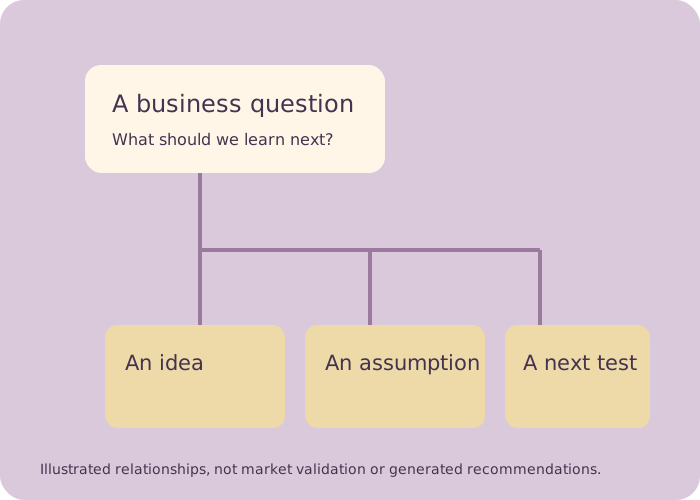
Brainstorming produces options. A useful entrepreneur's workflow also records the assumption, evidence and next action behind each option. Choose a collaborative board, then make those relationships explicit in this local workbench.
Evaluate Miro when the workshop revolves around organizing sticky notes and a facilitated vote. Evaluate FigJam when a product or design team wants a shared brainstorming board with structured voting. Evaluate Milanote when the work is an evolving visual collection of ideas and references. A popular idea is still an assumption until you gather relevant evidence.
Official documentation checked October 5, 2026. This is a source-based comparison, not a hands-on commercial benchmark. Current pricing and account availability require separate verification.
Miro's sticky-note guide covers quick notes, visual organization and tags. Its voting guide describes choosing board objects, vote allowances and a session duration; voting is listed for paid and Education plans.
Check: whether your actual participants can access the board and voting tool. Keep the reason for a decision beside the tally, rather than treating votes as customer validation.
Sticky-note guide · Voting guideIts official voting guide lets eligible teams set a prompt and each person's votes. Participants' choices remain hidden from collaborators until the session ends. Professional, Education, Organization and Enterprise teams can start sessions; editors can participate.
Check: the session access and how ideas will be handed to the team afterward. A revealed vote helps choose a discussion path; it does not measure demand.
Official FigJam voting guideIts brainstorming library includes free-form brainstorms, mind maps, flow charts and inspiration collections. Its mind-mapping page describes shared boards with edit, comment or view-only access and printable PDF export.
Check: how references, proposed ideas and actual evidence are distinguished on your board. An attractive collection still needs an owned next action.
Brainstorming templates · Official mind-mapping page with an owner.Organize your own ideas beneath a specific business question. Every relationship, status and next test is entered by you. The map is a real ECharts tree of those relationships; it performs no AI generation, scoring, market validation or inference.
Click a map node to collapse or expand descendants. Pan and zoom with the pointer; all ideas remain accessible in the form and text outline. Export captures the current map view, so reset the view and expand the desired branches before downloading. Map filtering changes only the visual map, not written exports.
“What makes onboarding difficult for first-time users?” gives an idea a job. “Build more features” does not explain what you need to learn. Record the audience and situation before asking for options.
A workshop vote records what that group preferred under that prompt. A customer interview, observed behavior or completed experiment answers a different question. Record what you actually learned, including uncertainties.
Write the assumption and the smallest practical action that could change your mind. Name who will run it and what they will observe. This workbench does not prescribe a conversion threshold or fabricate a probability of success.
Some options are valuable later. Record why an idea was parked so the next session does not repeat the same debate. If a parent idea is parked, map filtering hides that branch for focus; the written export still preserves the full record.
Your workbench runs locally and is not saved between visits. Export JSON before leaving. ECharts 5.5.1 performs the actual tree rendering and PNG export. If the library fails to load, editing, text outline, JSON and Markdown remain available; the map and PNG are honestly unavailable.
ECharts Apache 2.0 license · Official tree-series documentation
Prepare an owned next experiment