A draft to edit
Does it create editable objects from the brief or only a text answer? Inspect the result and how revisions apply. Human decisions and source facts still need review.
FigJam alternatives for creatives: choose by the work that happens next. AI drafting, sticky-note organization, image creation and automatic layout are different capabilities. A useful comparison names the actual job rather than assigning an invented universal score.
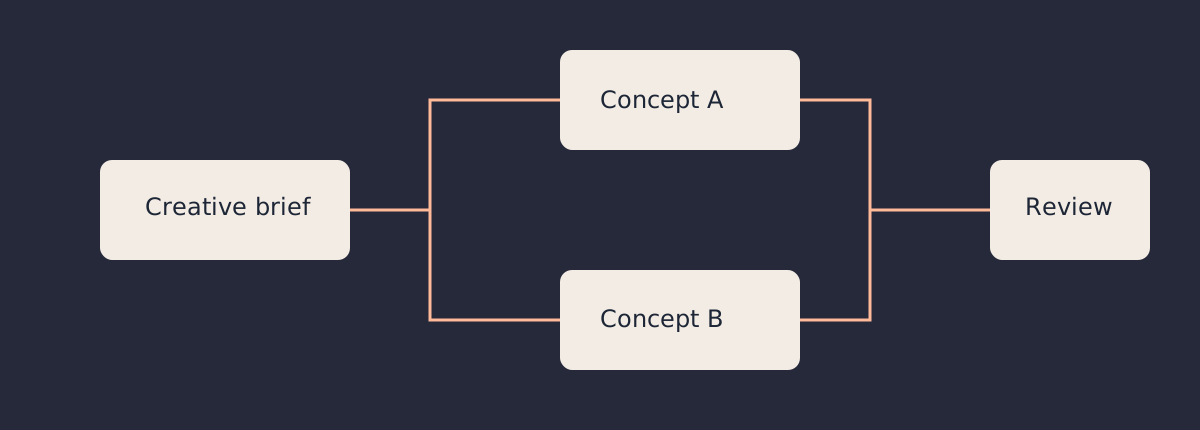
Does it create editable objects from the brief or only a text answer? Inspect the result and how revisions apply. Human decisions and source facts still need review.
Grouping stickies and summarizing a workshop can help without generating a whole creative project.
Image generation is distinct from building the board. Check compatibility, rights and the actual route from generated asset to deliverable.
A graph algorithm can position your supplied nodes and connectors. That is useful automation, but it is not evidence that an AI understood the creative brief.
Retain FigJam when the team’s working session already fits its canvas and the subsequent work stays in that workflow. For a change, use these documented capabilities to choose a short trial. The recommendations are editorial fit judgments, not commercial product benchmarks.
Miro’s current documentation consolidates generative formats under Sidekicks, with selected board objects providing context. Consider it when your team needs to move between several formats while maintaining a visual working surface. Sidekicks consume AI credits; inspect the actual plan and administrator settings before using sensitive material. Do not rely on an older comparison’s blanket claim that a current format is missing.
Current Miro Sidekicks workflowCanva’s current workflow explicitly supports AI sorting of stickies by theme, color or contributor, plus turning a brainstorm into a Canva Doc. Choose it when the next stage also lives in Canva’s design workflow. That is documented board organization, so describing all Whiteboards AI as asset generation misses a real capability. Test the handoff into the deliverable you actually need.
Canva’s current Whiteboards workflowMural documents generative mind maps, topic clustering, summaries, sentiment classification and a conversational assistant. Consider it when a facilitated session produces a mass of ideas that needs organizing. A cluster or summary is a proposal: inspect minority views, duplicated notes and the source statements before treating a synthesis as the team’s decision. Current AI access and organizational controls require a separate check.
Mural AI’s documented actionsLucid’s current virtual whiteboarding page describes AI generation, sorting and summarization in Lucidspark alongside facilitator controls and planning tools. Try it when the board needs to support both a working session and a more structured planning handoff. Verify the particular integration or destination rather than assuming all imported objects keep the same relationships and editability.
Lucidspark virtual whiteboardingThe current Whimsical Agent guide describes creating and modifying board or document content, including flowcharts, wireframes, mind maps and sequence diagrams. It accepts selected context and referenced files. Consider it when the desired artifact has clear structure and the team wants to iterate on that structure in place. Review the generated paths and labels against the actual process; an attractive flow is not proof of correctness.
Current Whimsical Agent guideExcalidraw’s current AI page distinguishes plain-language diagram generation from Mermaid-to-native-shape conversion, explicitly describing the latter as non-AI. It also documents workspace AI settings and permissions. Try it when quick editable diagrams matter more than a polished reference wall. Check generated logic and access settings. The distinction between model drafting and format conversion is useful well beyond this product.
Excalidraw’s current AI and conversion routesMilanote’s moodboarding page documents images, links, notes, files, video and color references on a flexible board, with sharing and feedback. Choose it when the main job is careful visual curation. The retrieved source supports that workflow; it does not justify declaring that every possible AI feature is absent. A hand-arranged visual direction can be the right artifact even when generation is not the deciding criterion.
Milanote’s moodboarding workflowApple’s current iPhone guide documents freehand drawing, handwriting and editing strokes. It also describes Image Playground when Apple Intelligence is enabled. Consider Freeform for direct sketching and annotation on compatible devices, then check device, system and language requirements for any intelligence feature. Native drawing support and optional image creation do not establish an automatic whole-project board builder.
Apple’s current Freeform drawing guideConceptboard’s moderation guide describes directing participants’ viewport, section navigation and a moderator laser pointer with feature-specific access restrictions. Consider it when a board must support an organized live presentation or review. The source substantiates moderation; it is not proof of universal AI absence or a security certification. Check the actual deployment and account requirements separately.
Conceptboard’s moderation guideStoryflow’s current concept-board page describes drafting candidate territories from an audience, problem and constraint, then developing their insight, idea line, channel expressions and references. Explore it when those creative project artifacts are the desired starting point. These are vendor descriptions, not verified outcome measurements. A person must still choose the direction, test the reasoning and review any proposed evidence.
Storyflow’s creative concept workflowGive the candidate tool a real brief with a deliberately missing decision. Does its draft preserve uncertainty or invent a confident answer?
Change the goal or audience. Inspect what updates, what stays stale and how you can undo an unsuitable change.
Have an actual collaborator open the work, find the reference and understand the next action. Verify their edit and comment access.
Choose a small real project, not an empty demonstration, to test the fit.
A generated board is a starting point. Its value depends on whether you can inspect, revise and hand off the actual work.
You supply the ideas and relationships. ELK.js 0.11.0 runs its layered graph-layout algorithm in a browser worker, placing nodes and routing connectors. PapaParse 5.5.3 reads and exports the CSV. No language model, semantic inference or automatic concept writing runs in this tool.
Required columns: id,title,owner,parents,kind,notes. Parents are semicolon-separated existing IDs. Kind is your own visible category. The board supports multiple parents and disconnected concepts, but cycles are rejected because this is a directional concept hierarchy. Titles and owner labels wrap without truncation; full notes are available in the selected-card panel and handoff exports.
Review the fictional example or load your own notes, then lay out the board.
Selecting a card shows the full supplied notes and its parent relationships. Apply edits rewrites that node’s CSV values and recomputes the layout. Changing source/settings invalidates exports. Display zoom changes only the view, not SVG coordinates. Cancel terminates the layout worker; retry creates a new worker. No autosave: export before closing. CSV/JSON stays in this browser tool; it is not submitted to a vendor. Exports do not contain vendor permissions, comments, original image files or a live collaborative session. SVG contains card titles, owners, categories and connectors; Markdown/CSV/JSON retain full notes.
Check each relationship against your intended structure. A parent link in this builder means only the relationship you entered; it does not imply a schedule dependency or a causal fact. Give concept routes evidence and owner names before sending a client a polished drawing. Preserve uncertainty in the notes rather than letting a finished layout conceal it.
For a vendor trial, repeat the same brief, revision and collaborator handoff. Inspect any AI-created claims and images; check quota, privacy and permissions for the actual account. This guide intentionally avoids copied numerical scores, unverified prices and invented time savings.
No. You supply the titles, relationships and notes. ELK computes a graph layout in a browser worker. It does not infer creative meaning, draft concepts or use a language model.
No. SVG, CSV and Markdown are handoff artifacts. JSON preserves this tool’s input for restore, but none carries vendor accounts, comments, permissions or live collaboration. Review import support separately.
Primary capability sources are linked beside every product. Recommendations interpret those sources; commercial products were not benchmarked or authenticated in this review. For the implementation, see ELK.js’s worker and layout documentation. Source evidence supports the comparison; layout tests support this tool’s behavior.