Start lean.
Keep your options.

A free startup stack works when every tool has a job, an owner, and a known boundary. Compare six useful free plans, then build a workbook your team can actually maintain.

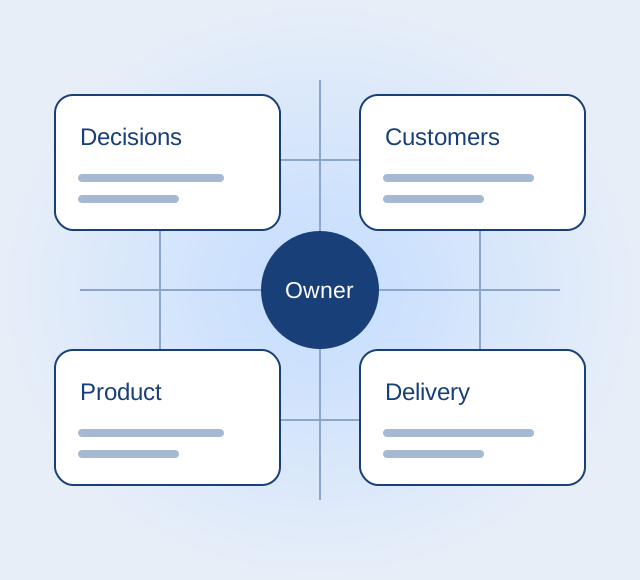
A structured startup stack with connected tasks, documents and customers

Choose a job before a tool.

For a solo founder, begin with a shared decision record and a way to follow up with customers. Add a board when work needs coordination, design software when you have a design problem, and a repository when you are shipping code. These are recommendations by workflow, supported by official plan pages checked October 5, 2026; they are not results of hands-on vendor testing.

Coordinate the work

Trello Free

Use a visual board for tasks moving from planned to finished. Trello lists up to ten collaborators and ten boards per Workspace, with unlimited cards. Free attachments are limited to 10 MB per file and Workspace automation to 250 command runs per month. A board is a useful shared queue; it is not a substitute for a durable decision record. Check partner Power-Up charges separately.

Official Trello plans
Notion Free

Choose Notion for written decisions, research notes and lightweight operating documents. The Free plan offers unlimited pages and blocks for individuals, but limits blocks for workspaces with two or more members. Uploads are limited to 5 MB per file, page history to seven days, and external guests to ten. AI is a limited trial rather than an unlimited free research service. Confirm whether collaborators need guest access or full membership.

Official Notion plans

Make and learn

Figma Starter

Choose Starter for drafting interfaces and collecting a visual direction. Figma lists unlimited drafts and UI kits on its free Starter plan, alongside limited access to its broader product set. Do not assume every team project, seat type or publishing feature is included simply because an account is free. Check the current plan matrix against the collaboration you actually need before making it your product team's default.

Official Figma plans
Tally Free

Use Tally for intake, feedback and simple validation forms. Tally lists unlimited forms and submissions within its fair-use guidelines, with conditional logic and calculations included. Custom domains, removing branding and shared-workspace collaboration appear in Pro. A free form can capture answers; it does not establish demand or make the responses representative. Record the collection question and where answers will be reviewed.

Official Tally plans

Ship and follow up

GitHub Free

Use GitHub when version history, issues and a code repository are the job. Its free plan includes unlimited public and private repositories. Automation and other metered services have allowances and billing conditions; free repositories do not imply unlimited compute, storage or production hosting. Assign ownership of the organization, recovery access and deployment credentials before a contractor becomes the only person able to ship.

Official GitHub plans
HubSpot Free CRM

Use the free CRM when customer follow-ups are escaping a spreadsheet. HubSpot documents contact, deal and task management, with its free CRM limited to two users and 1,000 contacts and no expiration date. Premium capabilities are separate. A small team can use it to maintain the next action for a prospect; decide who owns data cleanup and export before adding every contact you encounter.

Official HubSpot CRM details

A smaller stack is easier to own.

Make the free boundary explicit. Record members, guests, file sizes, usage allowances, branding and export needs. “Free today” and “fits our team” are different decisions.

Give each job one primary home. Two tools holding the same tasks create reconciliation work. Link the decision record from the board rather than duplicating every note.

Define the upgrade trigger before upgrading. Write the concrete event: a third CRM user, a required custom domain, or a file that exceeds the upload limit. Recheck the official plan at that moment.

Your stack, with an owner.

This local workbook records your decisions. It does not sign up for services, check accounts, calculate future bills or automatically certify free-tier fit. Status is your manual assessment. Nothing is saved automatically; export before leaving.

CSV requires exactly these column names: job, tool, owner, status, source, checked, limit, trigger, exit. Status must be Needs check, Fits, or Upgrade needed. Date is optional YYYY-MM-DD. An invalid import leaves the existing workbook intact. CSV imports use PapaParse; JSON remains available if that library cannot load.

Keep the work.
Keep an exit.

Review this record when your team or usage changes. Try a real export from each selected vendor before making it the only home for important work. This workbook's exports are your planning notes, not exports from those services.

Is a free startup stack enough?

It can be enough for an early workflow that fits the current limits. The deciding factors are your collaboration, usage and recovery needs, not a universal number of apps. Infrastructure, domain names, transaction charges and optional add-ons may sit outside a product's free plan.

Should I choose all six tools?

No. Choose the jobs you need now and remove duplication. A nontechnical founder may not need a code repository; a solo founder may not need a CRM until follow-up becomes hard to track.

What happens to my inputs?

The workbook stays in this page's memory. Export CSV, JSON or Markdown to keep it. JSON restores the workbook name and records; CSV restores the records. No account or cloud sync is provided by this tool.

Plan your next startup experiment with Super