One launch.
Connected decisions.

Choose Asana when launch tasks depend on other tasks, Airtable when the team needs interfaces around structured campaign records, or HubSpot when marketing assets need association with a campaign. A go-to-market plan still needs a specific audience, offer, owner and validation question.

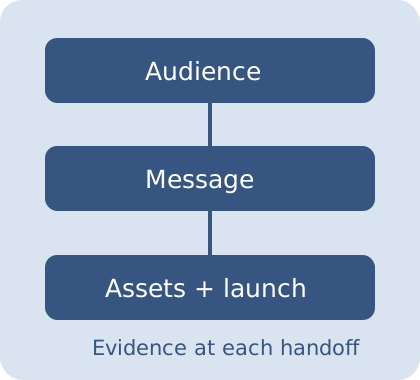
Original diagram connecting audience, message and assets before launch

Three roles in a go-to-market workflow

This comparison uses documented capabilities rather than a claimed vendor test. The right choice depends on which part of the launch needs coordination.

Asana

The official Timeline overview describes visualizing tasks with owners, dates, milestones and dependencies. Consider it when task sequencing and changing dates are central to the launch.

Evaluate: the required subscription tier, the team’s dependency conventions and how date changes should affect downstream work.

A project timeline coordinates work; it does not establish demand or prove that the message will convert.

Official Timeline overview

Airtable

The current Interface Designer overview describes interfaces built around base data, with layouts such as dashboards, forms and record review. Consider it when launch information needs a structured record and a focused team view.

Evaluate: who can configure and use the interface, the underlying data model and the permissions of external collaborators.

This comparison uses the current overview, not the separately labeled legacy interface functionality.

Current Interface Designer overview

HubSpot

The official campaign guide explains associating supported marketing assets and content with a campaign. Consider it when your launch work needs to be organized around assets already managed in HubSpot.

Evaluate: your account’s campaign access, which asset types can be associated and how results are attributed.

Asset association provides organization, not proof that every business outcome was caused by the campaign.

Official campaign asset guide

Current prices and account-specific entitlements are not quoted. Verify them directly. These are editorial workflow recommendations, not a universal software ranking.

Build a launch plan with visible dependencies

Define the audience and offer, then assign each deliverable an owner, duration and prerequisite IDs. Graphlib validates the directed graph and topologically sorts the work. The schedule calculates the earliest finish under your inputs, with unlimited parallel work and calendar days.

All demo tasks and dates are examples. A checked deliverable is assumed complete before the planning start and contributes zero remaining duration. Dependencies remain part of the plan. Finish dates are boundaries after the entered duration: a two-day task starting October 5 finishes at the October 7 boundary. No weekends, holidays, resource limits, partial progress or business approval rules are modeled. Optional saved plans stay in this browser until deleted; no plan upload occurs.

Separate coordination from validation

A launch plan can be neatly scheduled and still rest on an untested offer.

Start with an audience and a specific offer

Define who the launch serves and the problem it addresses. Name the channel where you can actually reach that audience. Record the evidence that would support or contradict the offer, instead of treating a long channel list as a strategy.

Connect deliverables to prerequisites

A landing page may depend on agreed messaging; a campaign may depend on both the page and measurement setup. Enter those relationships explicitly. The planner rejects unknown prerequisite IDs, duplicate IDs and circular dependencies rather than pretending the schedule is valid.

Use owners as responsibilities, not resource capacity

Each owner field identifies who is accountable. This planner still assumes tasks can run in parallel without competing for the same person. If one designer owns several parallel tasks, adjust the dependencies or durations to reflect the actual workload.

Interpret the finish honestly

A task starts when all its prerequisites finish. Its finish offset adds its remaining duration. The overall finish is the maximum task finish. A later target gives planning buffer; an earlier target shows a modeled schedule gap. Neither says the launch is commercially ready.

Keep the plan connected to actual work

What counts as evidence?

Write what demonstrates that a deliverable exists: an approved message, a tested tracking event or a reviewed asset. A checked box here is your local label, not automatic verification of that evidence.

Why is the launch date different?

The earliest finish comes from your durations and prerequisites. Changing one upstream duration can move downstream work. The target date is a comparison boundary; it does not automatically shorten tasks.

Can I import this into my app?

The CSV contains task IDs, dates, owners and prerequisite IDs. Map those columns to your chosen application’s import format and review them. This tool does not call Asana, Airtable or HubSpot or synchronize their accounts.

Which launch decision is still waiting for real customer evidence?

Make the next launch conversation concrete

Export the plan, review owners and prerequisites with the team, and update the assumptions when the actual work changes.

Review the launch handoff
Connect your launch audience, assets and owners with Super