A shared story.
A sequence you can review.

Choose Miro for discussion across a board, Canva for visual design feedback, Boords for frame and script review, or Storyflow for a vendor-described AI planning canvas. A productive team agrees on the narrative decision and the exact version before marking a comment resolved.

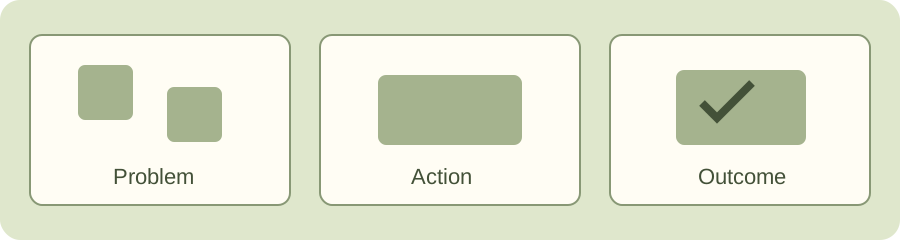
Three original storyboard illustrations connected from problem to action to outcome

Choose where the conversation belongs.

This comparison follows current official documentation, with workflow recommendations drawn from those capabilities. It is not a vendor test or an assessment of AI output quality. Prices and complete plan entitlements require checking in your own account.

Miro: discussion across the whole board

Miro comments can sit on boards or objects, with threads, mentions and resolution. Its current documentation says comments cannot be exported.

Use when: a team is assembling story structure and references across a shared visual workspace. Keep a separate decision record for the handoff.

Check: a board export can omit the conversation. Do not assume a PDF carries the unresolved questions.

Official comments documentation

Canva: feedback on the designed page

Canva’s guide describes sharing designs and placing comments on specific elements or areas. Collaborators can reply and resolve feedback.

Use when: the story is already taking shape as visual slides or designed content. Reference the exact page and element when requesting a revision.

Check: design feedback and narrative approval are separate. Agree on access and what a resolved comment means.

Official design collaboration guide

Boords: frame and script review

Boords’ current docs describe comments on storyboard frames and script lines, pausing an animatic to leave feedback, threaded replies and drawn annotations. Shareable links support guest comments.

Use when: the sequence and timing of frames are the center of the review. Keep the request attached to the scene being discussed.

Check: team-only comments are documented for specific plans. Confirm visibility before sharing internal feedback.

Official current commenting overview

Storyflow: planning layers on one canvas

Storyflow describes a team storytelling workspace connecting narrative structure, scripts and storyboards, with AI aware of the board’s context.

Use when: the team needs to develop the initial story across related planning layers. Review generated direction against your actual audience and evidence.

Check: this is a vendor-described planning capability. It does not establish produced footage, accurate claims, final approval or tested creative quality.

Official digital storytelling description
Scene sequence workbench

Reorder scenes, set durations, upload your actual reference frames and preview a simple timed sequence. Decimal calculates exact entered timing; jsPDF builds a real multi-page illustrated review pack. Three fictional illustrated scenes demonstrate the controls.

Timing preview

Current scene reference

PNG, JPEG and WebP uploads are decoded locally and stored as JPEG references resized to at most 1024 pixels wide. This is a review pack, not an archival image export; transparency is flattened onto white. JSON includes those reference images and all text. The PDF uses its standard Latin font; unsupported characters become “?” and the full original text remains in JSON. Long notes continue onto additional PDF pages. No image or text is uploaded, no team sync occurs, and no real video/audio is encoded. Saving is opt-in and can fail if browser storage is full; export JSON instead. Libraries and licenses ship with the page.

Review the story
before its polish.

Each scene should change what the audience knows, sees or expects. If a frame adds nothing, discuss its job before discussing its color. Timing is an assumption to review, not an automatic measure of narrative quality.

Use the workbench to compare an alternative ordering, not to assign a storytelling score. A useful review note names the scene, what is confusing, the desired change and the person who can decide.

The exported PDF follows the current scene order and durations. Save a version name that makes later feedback traceable; a new image behind the same filename can still be a different cut.

Keep the discussion specific.

Intent

Agree who the story serves and what should change for them. A beautiful board without an audience task is still an unresolved brief.

Sequence

Move a scene and check whether its narration still follows. Review timing as a provisional pacing decision, with all durations editable.

Decision

Record what was accepted and what still needs work. A local reviewer field cannot authenticate approval by a teammate.

When an opening is unclear

Request the specific context the audience needs in the first frame, rather than “make it more engaging.”

Does the preview create a video?

No. It displays your still frames for their entered durations with a manual timing control. It does not encode a movie, generate footage or synthesize audio.

Does the review note prove approval?

No. It records your request and named reviewer. Confirm the decision on the exact storyboard version in your actual team workflow.

Make the next revision
a clear request.

Build and export the illustrated story pack
Organize your story scenes and creative review notes with Super