Notion for a written project record. ClickUp for explicit task relationships. HoneyBook for booking and payment actions. Storyflow for visual context. Choose the job you need covered, then map the actual work and client approvals.
These tools cover different parts of a solo studio's work. The recommendations below are editorial judgments from official product documentation checked October 5, 2026. We have not tested these vendors or measured their effect on delivery speed. Before migrating, run one small real project and test the client access and export path.
Notion
When the written record matters most.
Projects, decisions and linked tasks
Notion documents projects and tasks in databases, with sub-items and dependency relations connecting the work. Its guide explains linking dependencies in timeline view and displaying related tasks inside a database page. For a solo studio, this makes it a plausible home for briefs, decisions and task context. You still need to design a consistent project structure and distinguish internal notes from client-facing material.
Choose it if: your recurring problem is finding the latest brief and the reason behind a decision. Check first: the actual sharing permissions and whether your desired timeline setup fits your current plan. A database dependency is not proof of approval, payment or sufficient time to do the work.
ClickUp's help documentation describes “blocks” and “blocked by” relationships and says dependencies are available on all plans. Guests need edit or full permissions to create them. The same article states task dependencies are not available in the ClickUp mobile app. For a studio coordinating production tasks, these relationships can represent the actual sequencing of work rather than burying blockers in a comment.
Choose it if: work regularly starts before a prerequisite is ready. Check first: how you will manage dependency edits away from desktop, and how much of the workspace a client should see. This source establishes task relationships; it does not establish that every scheduling or automation capability is included in every plan.
HoneyBook smart files combine service selection, contracts, invoices and payments, with optional scheduling, questions and visual content. Clients can receive an email or direct link and act from a device; you can track file progress. Its FAQ also says completed client responses cannot simply be edited: reopening the file permits resubmission, which can overwrite the original answers.
Choose it if: booking, contract and payment handoffs are the operational gap. Check first: the plan and payment conditions for your business, and how you preserve approval history before reopening a completed file. Keep the production dependencies visible elsewhere if that workflow needs more detail than the booking record provides.
Storyflow's freelancer page describes placing briefs, references, moodboards, concepts and tasks on a canvas, sharing a view-only link without a client account, and exporting an image or PDF. It explicitly describes itself as separate from invoicing and time tracking. That makes the product a candidate for visual concept reviews rather than a complete substitute for client finance operations.
Choose it if: the client needs to see references beside the proposal. Check first: current access and export behavior. On October 5, 2026, the freelancer page still included free-forever language, while the pricing page explicitly stated paid-only early access and a Free plan arriving before the end of 2026. Use that explicit current availability: invited collaborators can join a paid member's board free; a standalone Free plan is announced, not currently established as available.
A client-facing action workflow is the priority. Compare HoneyBook's booking and payment functions before rebuilding the production board.
These are illustrative studio situations, not customer testimonials.
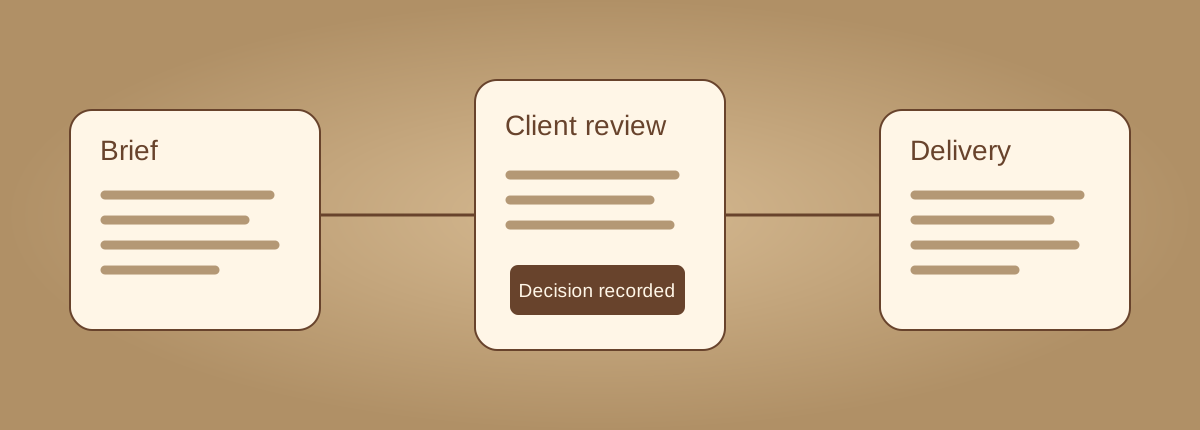
Define the deliverable. “Homepage direction approved” is a gate. “Send some designs” is an activity. Record the acceptance condition before assigning a due date.
Separate a blocker from a status. A task can be waiting on another task or waiting on a client. Those require different next actions.
Keep evidence beside the approval. Store the exact reviewed file and decision. A moved card alone should not be your only approval record.
What can you do next?
Build your actual client project. Graphlib checks the directed dependency graph for cycles and produces a dependency-first order. A task is “Ready” only when you mark it To do and all its prerequisites Done. “Waiting on client” remains a manual state. This does not schedule your calendar, send reminders, validate a contract or connect to any vendor.
Export before leaving: this page does not save automatically. JSON restores your exact tasks and notes. CSV and Markdown include the computed state and dependency order. Task IDs must be unique and contain only letters, numbers, underscore or hyphen; prerequisites are comma-separated IDs. Rename an ID and update every reference to it.
One review. One clear decision.
Before choosing a stack, create a brief, a deliverable, an approval gate and a handoff in the candidate tool. Open the client's actual access route. Find the previous decision. Export a sample. The right project home is the one that keeps those steps clear with the least maintenance for your studio.
Do I need all four products?
No. A written record, visual concept review and booking workflow may need different tools, but overlapping task boards create extra maintenance. Choose one primary place for the delivery plan and link the other records.
Does Ready mean I have time to do the task?
No. It means only that your entered prerequisites are Done and the task is To do. It ignores calendar capacity, holidays, availability and skills. Review your actual workload before promising a date.
Does Done mean the client legally approved it?
No. The status is your input. Record the actual decision and reviewed file in the approval note. This planner does not obtain a signature, confirm payment or determine enforceability.