Draft a structure
Keep the source brief and unresolved prerequisites visible. A familiar-looking template does not establish accepted scope.
A plan, a summary and a prediction are different things. Compare the work AI can assist, then inspect the review records and effort assumptions behind your next decision.
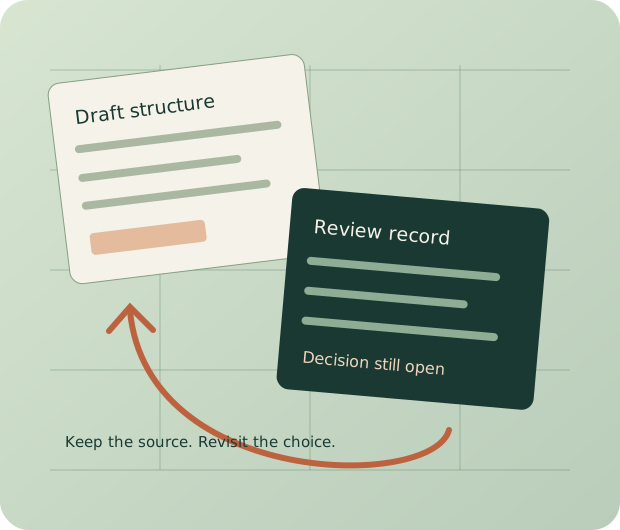
Practical answer: use AI for reviewed planning drafts, discussion summaries, status reporting and request routing. Evaluate documented prediction features against real outcomes. Keep scope, acceptance and consequential decisions with the people authorized to make them.
Current primary documentation checked October 6, 2026. No vendor speed benchmark, universal ranking or guaranteed time saving is claimed.
Keep the source brief and unresolved prerequisites visible. A familiar-looking template does not establish accepted scope.
Separate proposals, objections and actual decisions. Preserve a source reference and the version discussed.
Name the observation window and source records. Missing updates should remain missing information.
Inspect the actual action, permission and exception path. Ambiguous requests need an accountable owner.
A useful assistant helps the team find the next question. An accountable person decides what the answer permits.
Distinguish observed effort, historical statistics, proposals and accepted estimates. A percentile range in this workbench describes entered completions; it does not predict this project's finish.
Identify the artifact version, decision owner, accepted conditions and source record. An entered accepted status is not independently authenticated here.
Keep alternatives and unresolved questions visible. Choose who can decide and how a changed direction affects scope and dates.
Fictional review positions
Paste completed-project records and current review rounds. PapaParse reads real CSV, Decimal sums entered hours and thresholds, and simple-statistics calculates your selected historical percentiles. No AI inference, forecast, approval, notifications or billing.
Exact trimmed client label; leave blank to include all entered completions. You decide comparability. No matches means no historical statistic.
Hours, not currency or elapsed days. Leave blank if not established. Only hours entered in review rows are summed; unentered production effort is excluded. A threshold is your chosen discussion prompt.
Headers: id,client,rounds,hours,scope,notes. Unique ID; positive completed hours and whole round counts. Quotes support commas and multiline notes. These are entered records, not fetched results.
Headers: round,date,comments,reviewers,hours,status,artifact,decision_owner,decision,evidence,notes. Unique positive round; real YYYY-MM-DD date or blank; nonnegative counts/hours; status open or accepted. Accepted requires artifact,owner,decision,evidence. References remain text and are not fetched.
Loading local calculation libraries. Raw draft JSON remains available.
Complete source is retained in JSON; CSV exports neutralize formula-leading text.
Inputs remain in page memory and are not submitted by this workbench. No automatic save. Download JSON before leaving. Full raw CSV, context and settings survive JSON restore; imported calculated results are discarded and recalculated. The historical interval uses the pinned library's empirical quantile convention and is not a confidence or prediction interval. Comments and reviewer counts are manually entered observations; no sentiment, causal explanation, identities, future rounds or time saving is inferred. Accepted and evidence are entered records, not authenticated approval. Displayed percentage values are rounded; complete calculated values survive JSON. ZIP cancellation prevents its download; internal packaging may finish. Library versions and licenses.
No. It describes the completed records matching your filter and selected percentiles. It has no validated predictive model, uncertainty interval or probability of on-time delivery. Inspect scope, measurement basis and selection bias before using it in an estimate discussion.
No. The workbench compares manually entered counts between recorded rounds. More comments and reviewers can prompt a review of the actual reasons, but may reflect clarification or useful participation rather than a delay.
Yes. Raw draft JSON preserves the fields and CSV text without claiming to calculate them. When calculation libraries are available, restore validates the source before replacing your current inputs. If only the ZIP library fails, full JSON,CSV and Markdown remain available.
Only that you entered the required version, decision owner, decision and evidence reference. We do not fetch the reference, contact the reviewer or establish their authority. Verify acceptance in the actual review system.
A silent 24-second walkthrough of the fictional example. Play it when useful; your own records recalculate in the workbench, rather than changing this demonstration.
The four matching fictional completions contain 24, 32, 40 and 56 hours. At the selected 25th and 75th percentiles, the pinned statistics library returns an observed interval of 28–48 hours, with a median of 36 hours. This describes entered history; it does not predict this project.
Between recorded rounds one and two, comments increase from eight to thirteen and reviewers from two to three. Inspect the actual feedback and ask the responsible owner what changed. Those counts do not establish delay or a cause.
The three entered review rounds sum to 29.5 hours. Against an entered 50-hour project budget, that is 59%, below the chosen 60% attention threshold. Recorded round three exceeds the two included rounds setting. That prompts a scope discussion; it does not authorize billing or prove all production effort is recorded.
Complete JSON retains source and settings. CSV tables and Markdown carry the recorded content, while ZIP packages the four files together. A valid JSON restore recalculates from source. The accepted state and evidence reference are entered text, rather than authenticated approval.
AI can help organize creative project work, but the useful question is what an output permits you to do next. A draft structure, a conversation summary, a status report and a request-routing suggestion have different failure modes. None establishes that a client accepted a scope, that the underlying records are current, or that a delivery date is achievable. Make those distinctions visible where the output will be used.
This guide compares current official product descriptions and help documentation checked October 6, 2026. It does not report a controlled trial of paid vendor accounts, measured administrative savings or a universal product ranking. The local review workbench uses statistical calculations on records you enter. It does not run a language model or perform AI inference.
A planning draft can surface likely phases, deliverables and questions. Ask it to preserve the supplied audience, offer, source files and accepted constraints, while labeling missing information. A plan for a short product demonstration should not quietly acquire a second filming location, a translated campaign or an unapproved release date because those appear in a familiar template.
Review the result at three levels. First, reconcile the scope: what work is actually requested and what is explicitly excluded? Second, check prerequisites: which tasks depend on a real permission, asset, appointment or decision? Third, separate durations proposed by the assistant from estimates accepted by the people doing the work. Record the basis and owner of an estimate before treating it as a commitment.
A useful draft ends with unresolved questions and identifiable source references. Ask a maker to challenge one production assumption and an approver to challenge one review assumption. This catches different defects from proofreading the generated text. There is no universal twenty-minute correction allowance; use the review effort the actual scope requires.
A shared team dashboard can connect workstreams, owners, present blockers and the next decision. A launch plan needs actual release gates and the accepted materials for each destination. A software taskboard should identify the specification, dependency, responsible person and verification state. These structures solve different coordination problems; generating their headings does not populate the missing facts.
For a campaign, retain the audience, offer, channel-specific variant and the reviewer authorized to accept it. A mind map can explore relationships before there is an accepted sequence of work; mark its speculative connections accordingly. A weekly planner can connect available time to the next real actions without pretending that every idea became a committed task. Choose the structure that preserves the information people need, then keep its source and review state current.
The review workbench below supplies a portable evidence record and calculations. It does not become a collaborative taskboard, campaign scheduler or visual canvas merely because those are useful neighboring formats. Export its records into your actual operating workflow when they support a decision.
A thread can contain proposals, objections, provisional agreements and a final decision. A summary should distinguish them. Require the source location, the version discussed, the person who made the decision and any conditions. If the participants never reached agreement, the summary should say that the issue remains open.
Test a proposed summarization feature with a deliberately ambiguous exchange: one reviewer likes the color, another objects to the claim, and nobody accepts the complete asset. An output saying “the team approved the design” has turned partial feedback into authorization. Ask it to identify the ambiguity and preserve the outstanding claim review instead.
Meeting notes require a similar boundary. An action proposed during discussion is not necessarily an assigned task. Confirm the person accepting it, the next action and the date if one was agreed. Keep a route back to the underlying notes or transcript, with appropriate access and participant consent for recording. The summary is a navigational aid; the record must survive correction.
A status roll-up can reduce the effort of collecting known updates. It should state the projects or lists inspected, the time window, the source of its records and what was missing. A task marked complete last week can be a useful observation without establishing that its exported file passed a delivery check.
Compare the report with a small known change: a rejected revision, a slipped prerequisite, a new unresolved question and an item with no recent update. Check whether the result preserves those distinctions. A polished summary that omits stale records can make the project look healthier by hiding what the system does not know.
Define an update process before automating the report. Name who maintains source dates, acceptance records and blockers. If the team updates a chat but the report reads only task fields, a summary can be accurate about those fields and misleading about the work. Link the accepted sources and maintain one owner for each important fact.
An assistant can suggest a category, route a request to a workstream or identify a missing brief. Try routine requests, genuinely novel requests and ambiguous change requests separately. “Replace the image” may mean a correction inside accepted scope, a new campaign direction or a permission issue; the words alone need not settle the commercial decision.
Provide an explicit routing policy and an exception path. Identify what the system may create or change, what requires a person and where rejected or uncertain requests go. Review false matches as well as successful ones. A request sent confidently to the wrong owner can be more disruptive than a request left visibly unresolved.
If an agent can act on records or start an approval flow, confirm its permissions and audit history in the actual account. A suggestion and an executed action are different outputs. Begin with a narrow, reversible workflow and inspect the resulting object rather than assuming every marketed automation behaves identically.
It is too broad to say that AI can never assist estimation, acceptance or disagreement. Historical data can support estimates, explicit acceptance criteria can be checked, and an assistant can organize conflicting positions. The boundary is authority and evidential support: an output does not create a client's agreement or remove uncertainty about future decisions.
Creative effort can change when the direction, stakeholder set, available material or acceptance criteria change. It can also be affected by ordinary planning failures, missing access, resource constraints and dependencies. Revision variance is one useful dimension; it is not a proven explanation for every late creative project.
Record comparable completed work, the definition of hours counted and the conditions under which it was delivered. Separate effort hours from elapsed calendar days: a project can wait for approval without accumulating maker hours, while parallel contributors can accumulate more hours than its elapsed duration. Do not convert one into the other without a staffing and availability model.
Inspect the historical cohort before using its statistics. Are these similar scopes, the same working process and sufficiently complete records? A client's past rounds can be informative without being destiny. A sample selected because it contains only completed successes can understate the difficult work. A larger sample of unrelated projects is not automatically a better basis than a smaller relevant one.
The workbench exposes a selected historical percentile interval, median and sample count. Those describe the entered completed projects under the stated quantile convention. They are not a confidence interval, prediction interval, probability of finishing on time or recommended quote. The current project's remaining work still needs a person to estimate it against the actual scope.
“Done” can mean the maker completed an assembly, the reviewer accepted the result, or the publisher confirmed a live delivery. Give those states different names and criteria. A checklist can verify supplied technical requirements while leaving an unresolved creative judgment visible.
For a video, the acceptance record might identify the current edit, approved wording, caption check, licensed assets, intended formats and the authorized reviewer. Another round may improve the result, correct a defect or introduce new scope. Discuss that distinction using the agreed objective and cost basis. A status field alone cannot decide it.
Retain the version that was accepted and specify what changes reopen review. A replaced headline, price or music track can affect earlier decisions even when most of the artifact stays the same. An assistant can help enumerate affected work; someone still owns whether the proposed change is necessary and accepted.
Record what each stakeholder is trying to protect: audience clarity, factual accuracy, brand consistency, production feasibility or commercial positioning. A neutral comparison of options can help reveal where the disagreement actually lies. Avoid turning a person's preference into an objective fact merely because an assistant expresses it fluently.
Name the person authorized to decide, the people who must be consulted and the time by which the decision is needed. Identify constraints that cannot be traded away and the practical consequences of each option. If the decision changes scope, dates or budget, update those records together.
A useful assistant can surface contradictions, draft alternatives or prepare a meeting note. It should not imply that it has settled an organizational disagreement unless the authorized people have actually accepted the outcome. An entered decision in the workbench remains a user-supplied record; the page does not contact the approver or authenticate their authority.
monday's current Sidekick guide describes analyzing board context, creating material and taking actions in the workspace. It also explicitly warns that results can be incorrect and explains that consumption depends on task complexity. Do not assume a basic subscription implies unlimited use of every assistant function.
Trial the status route your team actually maintains. Ask for a report on a specified board and window, make a real correction, and check the underlying record. Account permissions and the relevant work context matter. Adoption is a requirement to test, not a measured assertion that every team updates monday more reliably than another product.
Asana's status-update page describes updates connected to project work and AI assistance for suggesting status and drafting reports. Use that as a candidate when accountable work and shared progress are the central requirement. Check the specific project, portfolio, rules and review features in the proposed subscription.
Test a delayed prerequisite and an unresolved review rather than only asking for an attractive summary. The reviewer should be able to find the changed work and the actual next action. This comparison does not establish that Asana produces the most accurate summaries or that all plans include every AI and resource feature.
ClickUp's project-update documentation allows a selected workspace location and time period. The output can become a task or document. Its time-estimate guide describes entered estimates and permissions. Storing an estimate is different from demonstrating that AI predicted creative effort accurately.
Choose a representative list and inspect what its current configuration means. A reliable status field, accepted-source link and owner definition make a summary easier to assess. Trial the desired Brain functions and their actual feature eligibility; do not call it the cheapest or broadest product without a comparable current quote and specification.
Wrike AI describes agents for classifying and routing work, flagging problems and starting approval flows. Its Project Risk Reports help page, updated July 3, 2026, explicitly describes proprietary machine-learning predictions based on recorded project factors. It would be incorrect to claim that no product in this category performs risk prediction.
That documentation is evidence of a vendor capability, not proof of predictive accuracy for your creative team. Examine which projects qualify, what “not assessed” means and whether the input data is current. Trial the actual intake, review and permission path. A risk flag can direct attention while leaving the decision about scope and acceptance with people.
Notion Agent can create and edit pages and databases within its permissions and current allowance. Its task-dependency guide describes actual dependencies and date behavior. Therefore a comparison should not say that Notion has no dependency model.
Use it as a candidate when substantial brief, research and decision records need to live beside structured work. Agree who maintains the schema, source revision and acceptance meaning. Meeting notes, page sharing and agent actions have separate capabilities and restrictions; check the exact route rather than assuming that an agent can perform every action available elsewhere in the product.
Storyflow's current developer use-case page describes specs, tickets and planning material together, including generated starting planners or kanbans. A blanket assertion that it has no task-like records conflicts with contemporary vendor descriptions. Those descriptions still do not establish a full operational dependency, financial or approval system.
Verify the actual artifacts and account behavior you need. Its pricing page distinguishes paid early access, invited collaboration and an announced standalone Free route. Treat obtainable access separately from general free-start marketing. A visual board can be useful before and during delivery without being the sole system for every requirement.
| Job | What to inspect in your trial | Failure to reject |
|---|---|---|
| Draft a plan | Scope, source facts, explicit missing values and real prerequisites | Attractive phases presented as accepted work |
| Summarize discussion | Source links, version, decision owner and unresolved alternatives | A proposal promoted to approval |
| Roll up status | Location, time window, last updates and missing information | Stale fields described as current delivery evidence |
| Route requests | Policy, exception path, permissions and executed action history | Ambiguous work silently sent to a wrong owner |
| Meeting notes | Consent, context, actual actions and record permissions | A suggestion assigned without confirmation |
| Draft content | Source fidelity, rights, current approved wording and human review | Persuasive invented claims becoming production copy |
| Estimate or flag risk | Inputs, qualifying cases, validation against relevant outcomes | A stored estimate or risk label treated as guaranteed completion |
| Accept or arbitrate | The authorized people and exact decision record | Software-created status mistaken for authority |
A small studio is preparing packaging and launch material for a refillable household product. The fictional team includes a strategist, designer, production coordinator and copy editor. A client product owner approves factual claims; a brand lead approves the visual direction. The immediate scope includes a package layout, a product-page visual and a short launch email. No quantities, conversion rates or savings below represent a measured customer result.
In the first week, an assistant structures the supplied brief. The coordinator removes a proposed photography stage because approved imagery already exists, and adds a packaging-proof prerequisite absent from the prompt. The product owner identifies a material claim that still needs support. The draft becomes useful after those corrections; the initial generated schedule is not sent as a promise.
The designer prepares two routes. During the first review, the brand lead favors the quieter treatment, while the product owner requests stronger refill instructions. A summary should retain both observations and the agreed next step. It should not report approval of the package as a whole while the claim and instruction questions remain open.
The second review brings another participant and more comments. That change is worth inspecting, but it does not by itself prove the project is failing. Some comments may be duplicates, a useful clarification or a correction of missing material. The coordinator records the review-load change and asks whether the decision route needs clarification.
Later, the accepted claim wording changes. The team identifies every affected artifact, updates the source record and reopens the relevant review. The designer's hours and the elapsed wait for the client remain distinct. A status roll-up can describe current records without promising how many additional revisions the client will request.
Before delivery, the authorized reviewers accept identified versions and the publishing owner checks the final destination. The archive contains the source brief, accepted files, review records and actual outcome observations. Administrative assistance may have been useful even if the project took longer than first hoped. Measure any time recovered separately from delivery delay; one does not automatically explain the other.
Choose a repeatable job and record its present burden. A team starting many small jobs can use plan drafting more often than a team with one long project. A high-volume intake group may benefit more from routing than a freelancer with few requests. Frequency comes from your work, rather than a universal daily-versus-monthly rule.
Run the same representative task in each shortlisted account. Use current source material, a normal example and a deliberately ambiguous one. Record the original burden, generated result, correction time and whether anyone used the result. Include errors, omissions and rework rather than measuring only generation speed. This is a suggested evaluation process, not a benchmark we claim to have performed on those vendors.
Compare a solo operator, three internal contributors and five internal contributors using their actual required roles. Occasional client viewers, commenters and approvers can have different billing or permission treatment. Confirm minimum purchases, billing interval, guest access, AI allowance, action consumption, needed proofing and any second application. Keep the annual cash commitment distinct from a monthly-equivalent display.
For a trial period, record net administrative time as the old task effort minus assisted task effort, including checking and fixing the output. Convert that to money only using an explicit internal cost basis; freed time is not automatically cash saved or extra revenue. Compare the incremental subscription and administration costs with the work actually improved. Do not infer profitability from a project status view.
Keep portability in the trial. Export one accepted record, revoke an unneeded collaborator's access and restore your working information somewhere recoverable. Test the actual client device. Meeting transcription, background notifications, offline use and file permissions may behave differently from a desktop editor preview.
Record revision rounds with a consistent definition. A small clarification email and a full new creative route should not become interchangeable rows merely because both occurred after review. Preserve who participated, the artifact version, the decision, actual effort and unresolved questions. Explain changes in scope or process beside the counts.
Compare related completed projects, then inspect the outliers. Ask whether extra rounds came from an unclear brief, new stakeholders, missing approval authority, production defects or a deliberate improvement. The relationship is evidence to investigate, not a causal finding from a chart. A high count can reveal a costly problem or careful work; the reason matters.
Agree the included review scope and the route for a change request before production. Select hour and round attention thresholds that suit the project; the workbench makes them editable. Crossing a threshold should prompt a conversation, not automatically bill a client, reject useful feedback or declare a delay. Name the person who responds and the decision they need to make.
Update the estimate when the accepted scope changes. Retain the earlier basis and explain why the current range differs. A buffer can address uncertainty if its purpose and availability are clear; it is not intrinsically useless. Likewise, a historical average is neither a guarantee nor intrinsically meaningless. Treat each as an input whose usefulness depends on the current job.
A well-presented output can make an unsupported number or decision seem settled. This is a workflow risk, not proof that every model always hides uncertainty. Ask for explicit source, inference, proposal and accepted-decision states, then keep those labels when copying material into another tool.
Check consequential values before sending them: scope, dates, pricing, effort and approval claims. Do not exempt narrative summaries from review; a false statement about who accepted what can matter as much as a false number. Explain important assumptions and ranges to recipients without overwhelming them with the internal production history.
Assign correction ownership. If a wrong summary has already circulated, identify what changed and which current record supersedes it. Changing a prompt alone does not change an attachment already emailed or a status note another person saved. Preserve the accepted version and update affected handoffs.
An assistant can support a project manager's work. It can also be assigned bounded actions within a governed workflow. The remaining human responsibility is not only interpersonal: it includes checking evidence, setting policy, understanding costs, verifying delivery and maintaining appropriate access. Choose assistance around those responsibilities, rather than expecting a feature label to replace them.
A vendor name alone does not explain whether its workflow fits your team. These four mechanisms give you concrete things to inspect alongside the scoped summaries, intake and risk features above. The examples are fictional trial cases, not measured product outcomes.
Connect script approval to filming and filming to the edit. In a trial, move script approval from Monday to Wednesday and inspect which downstream dates change under your chosen dependency settings. Asana documents configurable automatic date shifts when dependent dates overlap. A shifted deadline does not reserve a camera crew or make a client available: the producer still checks those commitments. See Asana’s dependency-date settings.
Then inspect the editor’s workload across projects, using a consistent effort field and realistic availability. Task counts hide the difference between a ten-minute correction and a two-day edit. Asana supports capacity views using entered effort; project and portfolio workload require eligible paid tiers. If your fictional editor has 18 available hours and 24 assigned hours, identify the six-hour conflict before accepting the new dates. That arithmetic describes your inputs, not an AI prediction of how long the edit will actually take. Check workload scope and eligibility.
Try the actual proofing workflow with packaging artwork version two and version three. Place a marker on the outdated ingredient line, compare the files, and confirm that each reviewer understands which version the comment belongs to. Wrike’s proofing supports visual comments, version navigation and comparison; new versions notify people working on the file. Availability is Business, Pinnacle and Apex, rather than Free or Team. Supported attachment sources matter: a Dropbox or Box link does not necessarily behave like a supported local upload. Review Wrike’s proofing documentation.
A resolved comment should say what changed and who checked it. Closing a marker is not a substitute for your agreed acceptance decision. Keep the final artifact identifier with that decision so an older PDF cannot quietly become the delivery file.
Notion AI Meeting Notes can produce a transcript, summary and action items, subject to account eligibility and capture permissions. The desktop app can capture microphone and system audio; browser capture uses the microphone, which matters when remote participants are heard through headphones. Mobile microphone capture is suited to in-person conversations. Obtain participant consent and verify the recording setup before relying on a summary. Check Notion’s capture and eligibility instructions.
For a fictional packaging review, ask the summary to separate accepted decisions, proposed changes and unresolved questions. Compare “Maya will check the legal line by Thursday” with the transcript, then confirm Maya’s ownership before creating a task. “Could Maya check this?” is still a proposal. Put the verified action beside its source meeting and artifact version; an attractive summary cannot supply missing consent or authority.
monday documents AI blocks in columns, automations and the workflow builder. This is a configured workflow surface alongside conversational assistance. Start with one intake record: preserve the client’s text, generate a proposed summary or label in a separate field, and preview the result before wiring it into further actions. The column menu, Column Center and automation center expose different setup routes. Inspect available AI blocks and prompt previews.
Test a request saying “new color, same delivery date.” Decide whether that is a change to existing scope before letting any label trigger consequential work. Give ambiguous requests an owner and an unresolved state. A successful trial includes correcting a mistaken classification and seeing what downstream records need repair, as well as obtaining a plausible first answer. Check the actual account’s permissions, eligible features and consumption before purchase.
Choose against the actual workflow: contextual board work, accountable project updates, configured task summaries, high-volume intake, document-rich records or visual planning. Trial the required output, account access, correction route and export. A universal winner would require evidence this documentation comparison does not provide.
It can assist with estimates or risk signals where a product supports that capability, but no generated number guarantees a particular project's effort. Check the inputs, scope, uncertainty and relevant historical outcomes. Keep the accepted estimate with a person who understands the work and can explain its basis.
Possible causes include changing scope, revisions, new stakeholders, unclear acceptance, missing source material, external dependencies and capacity. Investigate the actual records rather than assuming one cause explains every late project. Revision counts and review changes are useful observations, not proof of causation.
It can be a useful first structure when source facts, prerequisites, owners and uncertainty are reviewed. Reject invented work and unaccepted durations. Use the corrected plan as a maintained record; the fact that it began with an assistant does not make it complete or automatically unsuitable.
Measure the task that repeatedly consumes your team's time. Summaries, updates and routing can be candidates, but frequency and correction effort differ. Check whether recipients use the output and whether it preserves source context. A feature that generates quickly can still create expensive review work.
It can check explicit criteria or identify unresolved issues in a supported workflow. Acceptance still requires the authorized decision route for the particular artifact. Define which changes reopen review and distinguish maker completion, review acceptance and verified delivery.
It can summarize positions, identify contradictions and propose options. That assistance does not create authority or agreement. Record who decides, which constraints apply and how the accepted choice affects scope, budget and dates. An entered approval label alone does not prove that this occurred.
Its current official help documents machine-learning risk reports for qualifying active projects, based on recorded factors. Verify eligibility and the actual source data. A vendor prediction is a signal to evaluate, not an independent guarantee of accurate creative-effort estimates for your team.
Inspect the work each assistant reads and the object it produces. Contextual board actions, connected status reporting and scoped workspace updates can serve different needs. Compare the exact configured workflow and subscription, using the same representative source and ambiguous case.
Yes: current official documentation describes task dependencies and date behavior. A document-oriented workflow can include structured work. Whether that setup meets your team's approval, financial and multi-project requirements needs a real trial; it should not be dismissed through a stale feature claim.
Compare incremental cost, required paid roles, usage allowances and administration against a task you actually improve. Include correction time and failed outputs in the evaluation. Verify current pricing and entitlement rather than multiplying an entry price or assuming every occasional reviewer needs the same seat.
An assistant cannot recover every missing fact from stale fields. Identify the report's actual source and update window, and keep missing information visible. Improve record ownership before treating a generated status report as a complete account of the project.
Use comparable completed work, an explicit measurement basis and a range that accounts for the actual scope and remaining questions. Agree review ownership and attention thresholds. Update the estimate when accepted constraints change. A historical distribution can inform the discussion without becoming a promised outcome.
Assistance can shift administrative work, but evidence checking, policy, resources, acceptance, access and delivery still need accountability. Decide which bounded actions can be delegated and how their results will be reviewed. A job-title prediction is less useful than assigning those real responsibilities.
Compare the old task effort with assisted effort, including checking, correcting and maintaining the workflow. Record whether the output is used and whether mistakes cause rework. Assess the incremental subscription and administration cost separately from speculative time-savings or revenue claims.
Consistent formatting can conceal the difference between a supported fact, a proposed duration and an unresolved decision. Preserve source references and review states when content travels. Check narrative approval claims as carefully as numbers; a confident sentence can also create a false commitment.
Relevant scope, actual effort, round definitions, participation changes, source availability, acceptance records and process changes can help. Confirm comparability and completeness. New information and future decisions still create uncertainty, so inspect the model or calculation's validation rather than assuming more data guarantees precision.
Explain the accepted estimate's basis, assumptions, range and decision owner. Do not send an unreviewed proposal as a commitment. Follow the disclosure requirements of your agreement and organization. Saying a number came from AI does not correct an unsupported number.