Keep retainers clear.
Keep work moving.

Recurring budgets, prepaid funds and scheduled capacity solve different problems. Choose the tool around your agreement, then reconcile one period at a time with an editable hours ledger.

Original illustration of three retainer periods with included and used hours

The agreement comes first.

For recurring agency budgets with hour rollover, start by evaluating Productive. For an advance payment reconciled against invoices, evaluate Harvest's retainer balance workflow. For capacity scheduled against a yearly pool, phases or deliverables, evaluate Float's project-budget approach. These are documentation-based fits, not service benchmarks or a ranked performance test.

Sources checked October 5, 2026. Current prices, payment processing and your account's feature availability require separate verification.

Productive

Recurring budget periods. Its official guide describes repeated services and expenses, optional carry-forward of unused or overused hours, and invoice drafts. The guide places recurring budgets on Professional and Ultimate plans.

Check: the actual rollover setting and service structure in your account. Create a future budget before scheduling people onto that period.

Productive recurring-budget guide

Harvest

Retainer funds and billing. A paid retainer balance can be applied to a standard invoice. Unused funds remain available. A recurring invoice schedules repeat billing; the cited guide says it cannot directly draw from a retainer balance or pull fixed fees.

Check: whether your agreement is prepaid money or monthly included hours. Those balances are not interchangeable.

Harvest invoice-type guide

Float

Scheduling against budgets. Its retainer guide describes using projects, phases or task budgets and explicitly says it has no dedicated retainer-budget type. A yearly pool and period-specific phases are distinct setups.

Check: that allocations belong to the right phase. The guide says unphased allocations in phase-budget projects are nonbillable.

Float retainer setup guide

A ledger you can explain.

Enter your agreed hours and recorded work. This is a manual reconciliation worksheet, not an integration, invoice, contract check or capacity forecast. Fictional demo amounts are editable examples, not suggested rates.

Policy applies after every period. Unused carried and newly included hours form one pool. Carrying hours does not carry cash. Overused hours do not become negative carry; any approved overage is separate. This simple worksheet does not model expiry by vintage, future commitments or annual pools.

Recorded periods

Enter your own periods, or load the fictional demo.

Reconciled periods using the current inputs
PeriodOpening hIncluded hUsed hUnused hOverused hCarry hExpired hRetainer feeApproved overageDirect costContribution

Amounts use Decimal.js 10.4.3 with final currency rounding to two decimals; entered hours remain decimal values. Approved overage charge is entered independently because your agreement may use hourly, fixed or other terms. The worksheet never automatically bills overused hours.

Turn the numbers into a scope conversation.

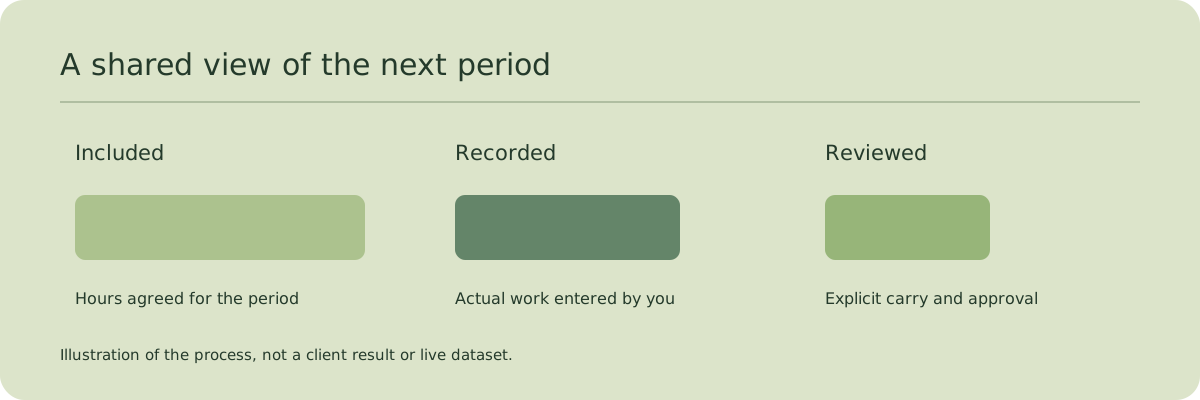
Ledger illustration showing an explicit review between periods

Separate money from hours

A client paying in advance creates a funding balance. A client buying an included monthly allowance creates a scope rule. Record both if your agreement uses both; do not infer one from the other. This ledger reconciles hours and entered fees, not an accounting retainer balance.

Make the rollover decision visible

Record what expires, what carries and any cap before closing a period. A cap limits the hours carried to the next period; it does not limit work already recorded or silently create a bill. If your agreement expires hours by age, use a ledger that tracks that age rather than this single-pool worksheet.

Review overage before charging

Ask which work crossed the agreed scope and who approved it. Enter an overage charge only once it has been agreed. A period can be overused and still have no extra fee. Keeping those fields separate makes that situation clear.

Rehearse the exact handoff

Change a period's hours, confirm the following period's opening changes, and compare the CSV with the on-screen table. Use the Markdown scope review to agree the next action. Then copy approved facts into your real time-tracking, scheduling and billing workflow.

The next review should be easier.

Does the client understand what carries into the next period?

Local figures. Deliberate decisions.

Your ledger is processed in this browser and is not saved between visits. Export JSON to retain it; restoring a valid exported file replaces the current ledger. Do not enter secrets. No invoices are sent, funds collected, time logs imported or account data synchronized. A missing calculation library leaves the article readable and reports that the ledger is unavailable.

Decimal.js MIT license ยท Decimal.js documentation

Prepare the next scope review
Prepare your next retainer scope conversation with Super