Own the work.
Clear the handoff.

For a small in-house team, choose tools by the job that stalls: Notion for the brief and status record, Canva for visual feedback, Asana for requests and approval coordination, or Storyflow for an AI-assisted planning canvas. One app’s calendar does not replace ownership, review or distribution.

A brief, draft and review connected into an owned production workflow

The bottleneck chooses the tool.

This comparison uses current official descriptions, not hands-on vendor tests. It separates the documented function from the workflow we recommend building around it. Pricing, plan eligibility and integrations need checking in your own account before purchase.

Notion: the shared production record

Notion boards group database pages by status, assignee or another property; filters and custom properties shape what a team sees. A brief can stay with its owner, stage and source links.

Use when: people lose context between draft and review. Define the required brief fields and a reviewer instead of adding another empty calendar.

Boundary: a status you enter is a record, not proof that the content is approved or published.

Official board documentation

Canva: feedback on the actual visual

Canva’s collaboration guide describes sharing designs and commenting on specific elements or areas. Collaborators can reply and resolve feedback.

Use when: revisions arrive as vague messages detached from the image. Keep the design link in the production record and turn unresolved comments into explicit actions.

Boundary: resolving a comment and approving a final asset are different decisions. Check permissions for the reviewers you invite.

Official collaboration guide

Asana: requests and approval coordination

Asana describes collecting creative requests in a project, tracking approval stages using custom fields, and proofing for actionable visual feedback.

Use when: multiple requesters and reviewers compete for the same team. Make each deliverable a trackable piece of work and choose one accountable reviewer.

Boundary: coordinate a decision with the evidence behind it. Confirm feature access and your configured process; this guide does not assert every plan includes every feature.

Official creative request workflow

Storyflow: a planning canvas to refine

Storyflow describes generating pillars, ideas and a calendar as editable cards from brand context, attaching research, and sharing view-only or exporting PDF.

Use when: the team needs an initial coherent direction to debate. Convert selected cards into owned deliverables before assigning production.

Boundary: these are vendor-described planning capabilities. They do not establish connected publishing, approved claims or completed production.

Official content planner description
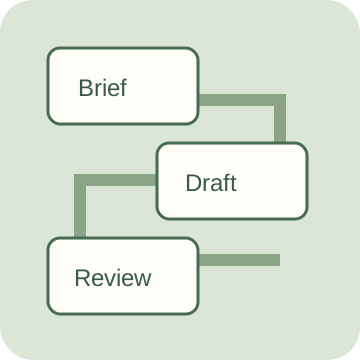
Build a handoff before building a stack.

A useful brief names the audience, the task, the evidence and the final owner. A useful review names the exact version and the decision. A useful backlog makes the next action visible.

Brief

State who the asset helps, what they should do, the source for factual claims, the format and the definition of done. Use a real design or draft link when available.

Production

Estimate the hours still required, not the total historical effort. Compare those remaining hours with each owner’s available hours for the same planning window.

Review

Record a reviewer and evidence for an approval. An evidence field is a reminder to document the decision; this local tool cannot validate the linked source or sign off for a person.

Production backlog workbench

Paste your real backlog CSV. PapaParse reads quoted fields; Decimal totals remaining hours exactly. The fictional demo illustrates one weekly window. Edit the assumptions before using the results.

Required headers: title,owner,stage,hours,reviewer,evidence,due. Stages: Brief, Draft, Review, Approved, Published. Hours are remaining owner effort. Approved/Published rows require a reviewer and a recorded decision or publication reference; Published must have zero remaining hours. Due dates use YYYY-MM-DD.

Headers: owner,available_hours. Each active owner must have one capacity row for the same window. This is your entered availability, not a measured forecast. The reviewer's workload is not included unless you enter it as a separate owned task.

Processing stays in this browser. Saving is opt-in and remains on this device until deleted. No team sync, review notification, source verification or publishing occurs. Work is not scheduled by date or dependency; capacity sums do not guarantee a deadline. CSV exports protect formula-leading text. Library licenses ship with this page.

Turn the result into an actual decision.

When an owner is over capacity

Reduce scope, move a deliverable or arrange additional real availability. Do not turn negative remaining hours into an assumed overtime commitment.

A lightweight starting point is a brief record plus an asset editor. Add a dedicated coordination layer when the request and review process demands it. That recommendation is workflow reasoning, not a tested claim that one vendor is faster.

Can this replace an agency?

Software can organize work; it does not supply research, editorial judgment, design skill or spare capacity. Assign those responsibilities explicitly before bringing work in house.

Is Approved a verified sign-off?

No. It is your entered status. The workbench requires a reviewer and evidence text so the handoff is documented; it cannot verify identity, URL contents, legal compliance or the final version.

Why not generate a readiness score?

A score would conceal the actual blockers. Owner capacity, incomplete briefs and pending review are actionable on their own, with no invented weighting.

Give every draft an owner
and every review a record.

Export your next production handoff
Organize your content owners and review handoffs with Super