List the essential functions first
Start with the items that support the activities you want in the room. Their order is a choice you make, not a recommendation inferred by the calculator.
A room plan can grow faster than the virtual currency available to build it. Enter your own in-game prices and quantities to see subtotals, cumulative spending and the point where the plan exceeds your budget. The worksheet does not purchase furniture or claim to know the game's current prices.

Start with the items that support the activities you want in the room. Their order is a choice you make, not a recommendation inferred by the calculator.
Record the quantity and price of each planned item. Recheck the game when a price or available balance changes.
An item marked over budget means the running plan exceeds your entered balance. Remove, postpone or revise a purchase deliberately rather than treating every listed item as affordable.
A bed at 300, a table at 150 and two chairs at 75 cost 600 entered units. Adding a 500-unit decoration takes the plan to 1,100, exceeding a 1,000-unit budget. These are illustrative inputs, not game prices.
A room plan can grow faster than the virtual currency available to build it. Enter your own in-game prices and quantities to see subtotals, cumulative spending and the point where the plan exceeds your budget. The worksheet does not purchase furniture or claim to know the game's current prices.
Use prices shown in your actual game. Item order reflects your priority choice, and the cumulative check includes every earlier row. Currency is virtual game currency, not real-money spending. The export is a separate planning document with no import into LittleLives.
Inputs are processed in this page. Nothing is submitted to the app or a business. Download a result to keep it; this page does not automatically save your work.
The web plan does not import into LittleLives and does not know the game's furniture prices, dimensions or collision rules. Grid units are your own planning scale; verify the arrangement in Build Mode.
LittleLives virtual furniture budget and priority worksheet
Prioritize starter-home furniture by the activities you want
Catch furniture quantity costs before expanding a LittleLives room
Keep a LittleLives furniture plan separate from the game state
LittleLives vs Stardew Valley: home-life sandbox or country-life RPG
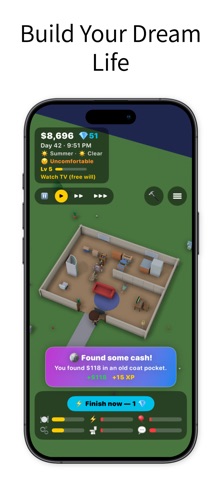
LittleLives' listing describes a 3D life simulation with home building, furniture placement, needs, skills and careers. Players can guide a character directly or use its free-will behavior.
View LittleLives on the App StoreThe current listing requires iOS 17.0 or later. Some features have additional device requirements. Check the listing and purchase screen for current availability and terms.