Use the actual planned quantity
A table and four chairs require more than one chair price in the budget. Put each repeated item's count into its row. The tool multiplies the quantity by your entered unit cost.
A low unit price can hide a large subtotal when you plan several copies. Enter quantities explicitly so a row describes the entire purchase rather than only one attractive price.

A table and four chairs require more than one chair price in the budget. Put each repeated item's count into its row. The tool multiplies the quantity by your entered unit cost.
A row can be affordable by itself while the whole plan exceeds the balance. Read the cumulative total as well as the item's subtotal so earlier purchases do not disappear from the decision.
Rotating or moving a sketch does not change this budget automatically. If the plan adds another chair or removes an item, update the quantity list and rerun it. Verify the actual balance in the game before purchasing anything there.
Four items at 75 each cost 300 entered units, not 75. A clean list with explicit quantities can reveal that mistake before it becomes an in-game purchase plan.
A room plan can grow faster than the virtual currency available to build it. Enter your own in-game prices and quantities to see subtotals, cumulative spending and the point where the plan exceeds your budget. The worksheet does not purchase furniture or claim to know the game's current prices.
Use prices shown in your actual game. Item order reflects your priority choice, and the cumulative check includes every earlier row. Currency is virtual game currency, not real-money spending. The export is a separate planning document with no import into LittleLives.
Inputs are processed in this page. Nothing is submitted to the app or a business. Download a result to keep it; this page does not automatically save your work.
The web plan does not import into LittleLives and does not know the game's furniture prices, dimensions or collision rules. Grid units are your own planning scale; verify the arrangement in Build Mode.
LittleLives virtual furniture budget and priority worksheet
Prioritize starter-home furniture by the activities you want
Catch furniture quantity costs before expanding a LittleLives room
Keep a LittleLives furniture plan separate from the game state
LittleLives vs Stardew Valley: home-life sandbox or country-life RPG
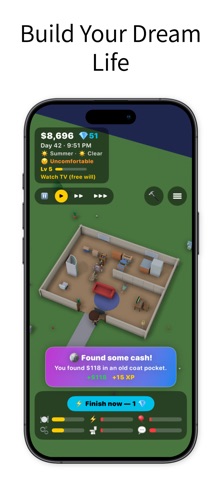
LittleLives' listing describes a 3D life simulation with home building, furniture placement, needs, skills and careers. Players can guide a character directly or use its free-will behavior.
View LittleLives on the App StoreThe current listing requires iOS 17.0 or later. Some features have additional device requirements. Check the listing and purchase screen for current availability and terms.