One accountable owner
A launch event needs a person who can act at its scheduled time. Identify overlaps in that person’s runbook before the real day; a visually tidy board can still double-book someone.
Miro, FigJam, Notion or Storyflow? Use Miro for a visual timeline, FigJam for facilitated alignment, Notion for task dependencies, or explore Storyflow for an owner-based readiness board. Pick the workflow you need to operate, then test it with real launch work.
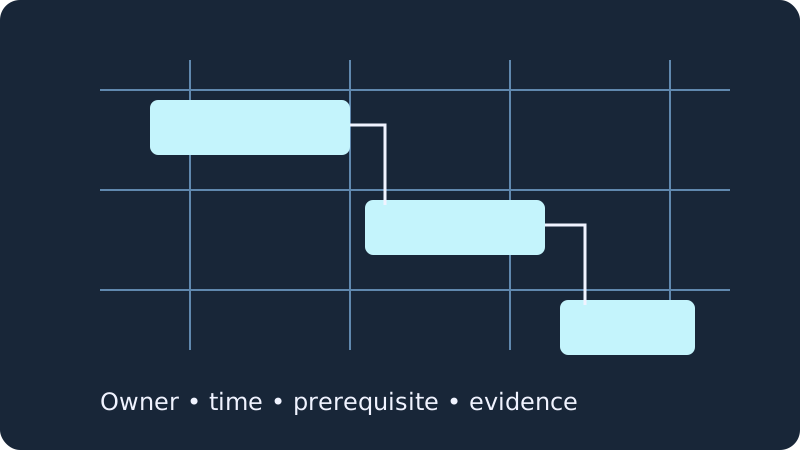 operational.
A launch event needs a person who can act at its scheduled time. Identify overlaps in that person’s runbook before the real day; a visually tidy board can still double-book someone.
Attach the actual asset or review record. A label saying “ready” is a declared state, not evidence that the release, support macro or announcement was tested.
Separate scheduling from approval. A calendar appointment reserves a moment; it cannot authorize a release.
Choose one IANA timezone for the runbook. Export actual UTC instants, especially when colleagues work across timezones or a daylight-saving transition.
Miro’s current Timeline guide describes editable records, grouped work, resizable date bars, milestones and linked views on a board. That makes it a candidate when a launch discussion needs a timeline beside the surrounding visual work.
Dependency relations are documented for Business and Enterprise. The same beta guidance says dependencies do not yet automatically adjust dates and are not supported for Jira-synced or other third-party records. A drawn dependency line should not be treated as automatic rescheduling. Rehearse a delayed asset in the actual setup you intend to use.
Current Miro Timeline documentationFigJam is a strong option when the launch team first needs to map an audience, discuss launch activities and agree on priorities. The official guide describes grouping objects into sections and working together on a whiteboard. Use the visual space to make decisions explicit rather than assuming it is an execution scheduler.
Its voting guide allows a facilitator to set a prompt and votes per person; other participants’ choices remain hidden until the session ends. Starting a voting session requires a Professional, Education, Organization or Enterprise team, while participation requires edit access. Do not confuse general FigJam access with access to every meeting feature. After discussion, record an owner, date and source asset for each chosen activity.
FigJam canvas guide · Voting and feature-specific accessChoose Notion when execution needs task records and an explicit rule for how dates respond to upstream changes. Its current dependency settings distinguish shifting only overlapping dates, preserving time between linked items and disabling automatic shifting. Weekend avoidance is another configurable setting.
Those settings change the outcome of a launch rehearsal. Decide whether a slipped approval should push a downstream activity or trigger a human decision to keep the public launch time. Configure the actual workflow and inspect the changed dates. An automatic date shift does not tell you whether an announcement has been approved or whether someone is available at the new time.
Notion’s current dependency settingsStoryflow’s current launch-checklist page describes a canvas grouped by areas and owners, with assets beside the work and states showing progress. Consider it when the launch conversation is about who owns each remaining requirement and whether the evidence is easy to see.
The vendor describes checklist generation and visual organization; that does not establish equivalent dependency-driven rescheduling or calendar synchronization. Test a representative launch with your own team and real files. Check current access terms separately: the retrieved page describes paid early access and a future free plan, rather than confirming standalone free access today.
Storyflow’s launch-checklist workflow and access statementMove an upstream review. Inspect downstream dates and the planned public announcement. Write who decides whether the launch moves.
Give one owner two overlapping responsibilities. Confirm how the team notices and resolves the overlap.
Open the asset from its work item. Verify that the reviewer has access to the same version being released.
A launch rehearsal should expose decisions, not merely demonstrate that a template looks attractive.
Bring the agreed scope, review evidence and rollback owner into the same discussion. Resolve disagreements before a public channel is scheduled.
Name the release operator, support owner and communication owner. Check the sequence and avoid assigning one person simultaneous responsibilities.
Reserve an actual monitoring and response window. Record what you will observe and who can act if the launch needs attention.
Paste a CSV with named owners and local start times. Luxon 3.7.2 converts the chosen timezone to real instants; PapaParse 5.5.3 reads quoted fields and writes the review CSV. The checker reports overlapping owner duties, prerequisites scheduled too late and dependencies whose declared state is not ready. It never moves your events or makes the release decision.
Required columns: id,name,owner,start,duration_minutes,depends_on,state,link. Start uses YYYY-MM-DDTHH:mm with no offset; duration is positive whole elapsed minutes; dependencies use semicolon-separated IDs. State is ready, draft or blocked. Link may be blank or an HTTP/HTTPS asset reference. One owner value represents one person or responsibility; matching ignores case and surrounding spaces.
Edit the fictional example or load your own CSV, then check the runbook.
| Event / owner | Local start → end | UTC start → end | Declared state | Dependencies / asset |
|---|
Only entered events and dependencies are checked. Owner names are not resolved to accounts; aliases can hide conflicts. Events are half-open intervals, so one ending exactly when another starts does not overlap. Durations use elapsed minutes across daylight-saving changes. Nonexistent or ambiguous local start times are rejected: choose an unambiguous start. Calendar export uses UTC, contains no attendees, sends no invitations and does not sync. Draft/blocked events are still exported as tentative draft entries. No autosave: export before closing. Imported CSV/JSON is processed here without a vendor upload or login; linked assets are opened only when you choose them.
A late prerequisite needs a choice: move the downstream event, finish the prerequisite sooner, remove a mistaken dependency or reconsider the launch. A conflict between two events assigned to one owner needs a person or timing change. A draft dependency needs real approval evidence, not a nicer status label. Export the checked runbook so the team can review the same entered assumptions.
Empty asset links are reported as a reminder; a populated link is not proof of access or correctness. The tool cannot inspect a private asset or infer whether “ready” is true. Keep readiness decisions with the people responsible for the work, and use the schedule to make coordination problems visible.
No. It checks only the entered schedule, owners, links and declared prerequisite states. Security, legal, accessibility, billing, performance and rollback readiness require qualified human review and actual evidence.
No. The ICS file contains draft events at the entered times converted to UTC. It sends no invitations, applies no automatic scheduling and does not synchronize with a vendor. Review before importing into a calendar.
Feature fit is an editorial judgment based on the documented workflows. Prices, commercial product performance and authenticated account behavior were not benchmarked. Check terms and permissions for your actual team before committing.