Write the action clearly.
“Close-up” describes framing, not the event. Add the gesture, object or line that must appear. An editor should be able to understand what coverage was intended from the description alone.
A practical video shot list
One row should tell the crew what to capture, how to approach it, why it matters and whether it still needs shooting. Start with twelve useful columns, then keep the list current.
A shot list is a plan of individual shots, not the screenplay or a call sheet. This compact framework combines closely related details so a small video crew can scan it quickly. Twelve is an editorial starting point, not an industry mandate; add separate technical fields in your wider production system when the job needs them.
| Column | What to record | Filled example |
|---|---|---|
| Scene | The script scene or content block. | Workshop |
| Shot ID | A stable reference that survives reordering. | W-03 |
| Action / description | Exactly what the camera should capture. | Hands lower the lamp onto the bench. |
| Purpose / coverage | Why the edit needs this shot. | Reveal the repaired object. |
| Framing / angle | Shot size and camera relationship. | Close-up, eye level. |
| Movement | The intended camera move. | Static. |
| Lens / gear | Verified lens and equipment requirements. | Chosen macro lens; locked tripod. |
| Setup / location | The setup label and actual shooting space. | Bench setup, verified workshop. |
| Performers | Who is needed for the frame or performance. | Maker’s hands. |
| Sound | Dialogue, sync sound or intended audio handling. | Record clean object placement sound. |
| Priority | Must-have or optional, decided by the team. | Must-have. |
| Status | The crew’s actual capture record. | Pending. |
Scene and shot references, description, framing, movement, lens and equipment are established shot-list details in StudioBinder’s official guide. Purpose, priority and status make this compact template useful as an editing-coverage checklist. Keep IDs stable when shooting order changes; “captured” here is a manual status, not proof that the take is usable.
“Close-up” describes framing, not the event. Add the gesture, object or line that must appear. An editor should be able to understand what coverage was intended from the description alone.
Put shots that share a location and lighting arrangement together when the team judges it practical. Do not assume this automatically produces the fastest schedule; actor availability, continuity and access can change the order.
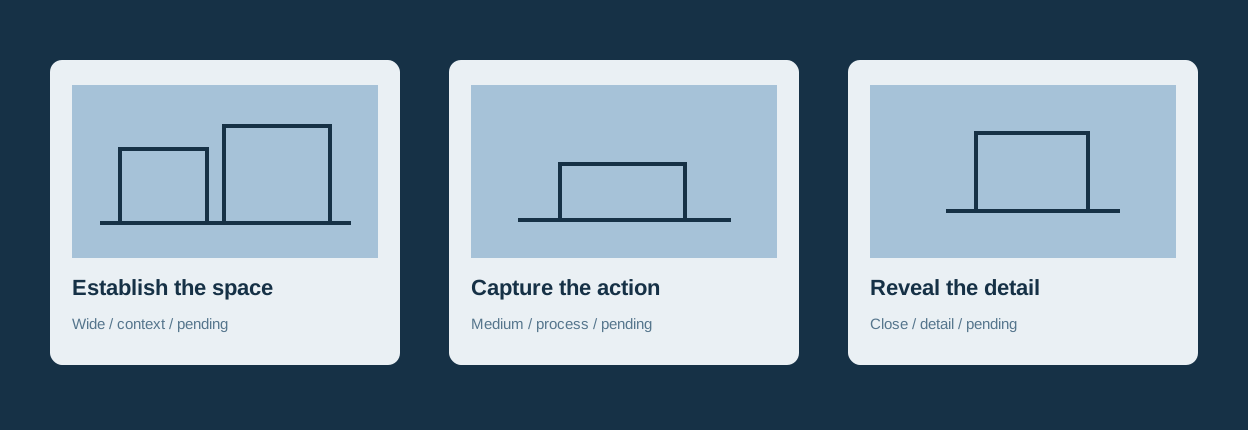
A wide context shot, an action shot and a detail can serve different editing needs. Their necessity depends on the actual brief and scene. Use the purpose field to explain the coverage rather than assigning an invented quality score.
Use Pending, Captured or Pickup. Write why a pickup is required in the notes. The checklist reports your entries; it does not inspect footage, infer approval or verify continuity.
Product capabilities are drawn from official documentation checked October 5, 2026. Recommendations are editorial judgments, not account tests or measured efficiency claims.
Read the brief and script. List the moments the edit must communicate, then choose shots that actually cover those moments. A template cannot decide the story for you.
Review framing, movement, lens, sound and performer requirements together. Use confirmed location details and practical access. Resolve an equipment question before turning it into a requirement.
Update the status and full notes on set. A missing detail should become a named pickup, not a vague memory. Save a versioned workbook or JSON before closing this page.
Show the space, the making action and the finished object. Give each shot a coverage purpose rather than relying on three attractive frames.
Original illustrative examples, not tested productions.
Verify performer availability, the actual location and the equipment list. Keep addresses and personal contact details in the appropriate controlled production document, rather than a widely shared creative board.
Reorder the rows while retaining shot IDs. The builder does not optimize a schedule. Check continuity, light, access and performance constraints before choosing a new order.
Mark Pickup and explain the missing action, framing, sound or performance in full notes. A status count identifies entered work; it does not judge the media.
Load the original example, enter your own shots, track status and export the complete workbook. The visible filter does not remove shots from exports. XLSX import accepts this builder’s workbook structure and validates the full candidate before replacing your draft.
Load the example or add a shot to begin.
ExcelJS 4.4.0, MIT, creates and reads the workbook locally. There is no implemented upload or browser autosave; save before closing. XLSX contains Shots and Project sheets; Project retains full notes and the format marker required for restore. Shot cells are stored as text, not executable formulas. This importer rejects formulas, rich text, hyperlinks and unknown structures rather than guessing a mapping. Very long cells can be awkward to read in spreadsheet software; their full text is retained in JSON and Markdown. No schedule optimization, footage analysis or approval is inferred.
A storyboard visualizes the planned sequence; a shot list records individual capture requirements. Use both when a drawing or reference explains something the text cannot. This builder stores a textual checklist rather than generating storyboard images.
No. This is a compact starting framework. Separate camera bodies, frame rate, sensor, lighting, take counts or timing when your production needs those records. Do not fill unused fields with invented values just to complete the grid.
No. Restore accepts this builder’s two-sheet format with its exact twelve headers and project marker. Unknown columns, formulas and invalid statuses are rejected while your current draft stays intact. Save JSON as the simplest full backup.
No. It is the status you enter. Check actual focus, sound, continuity and performance in the real media workflow. Record a pickup when something specific still needs capture.